
How Instantly's Per-Domain Company Send Limit Silently Skips Leads and How to Configure It
Instantly silently skips contacts when the company send limit fires - no error, no bounce, no notification. Here's how to detect the gap in your stats and configure the workspace or per-campaign limit to match your targeting strategy.
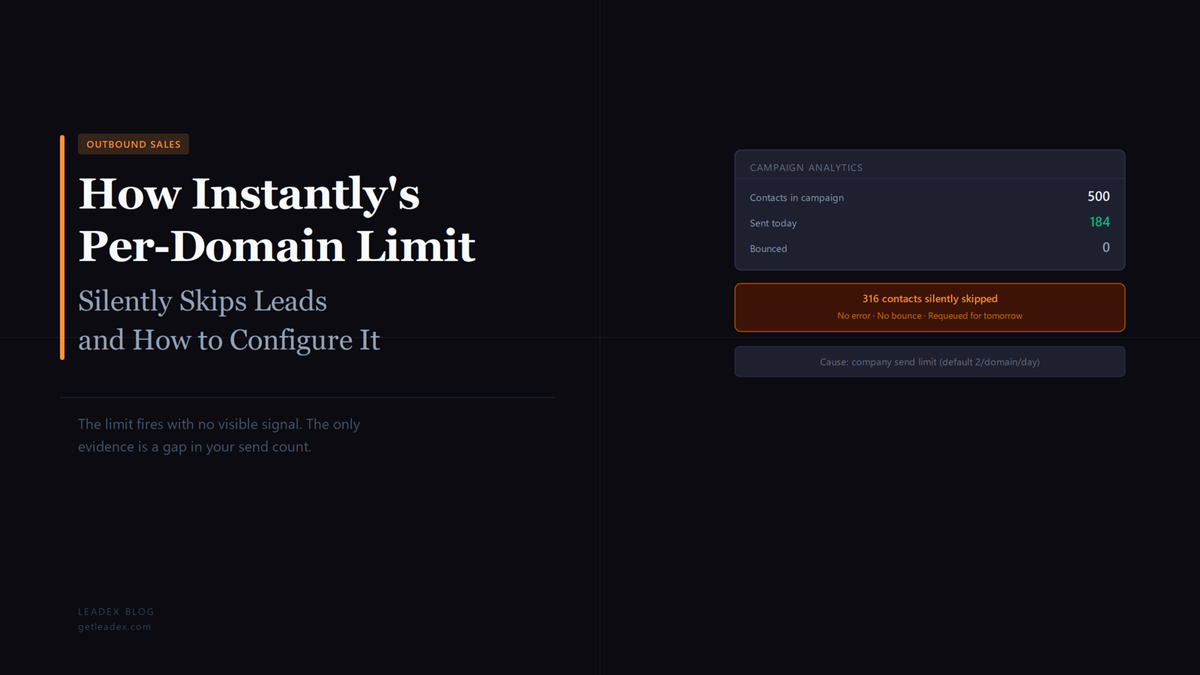
When a campaign ends a day with fewer sends than expected and zero bounces, the first instinct is to check account limits, mailbox health, or cold email infrastructure configuration. Instantly's Company Send Limit is rarely the first suspect because the feature produces no warning when it fires. Contacts at companies that hit the daily domain cap are silently dropped from the day's send queue - no error, no bounce, no skipped-contact report. They move to tomorrow without any record that today's window closed on them. For campaigns targeting lists with multiple contacts at the same company, the gap compounds over weeks with no clear cause in the logs.
The limit is a real deliverability protection, not a bug. Sending multiple emails to the same company domain in a single day - across one campaign or several campaigns sharing mailboxes - can trigger enterprise email gateways and inflate complaint rates. Instantly introduced Company Send Limits to cap per-domain daily volume below the threshold that raises flags. The default is 2 contacts per company domain per day. The problem is the failure mode: most teams discover the limit only after noticing a persistent gap between their list size and their send counts, not from any notification at the moment it fires.
emails to that company domain will automatically be skipped
That is from Instantly's Company Send Limits help article. The documentation describes the feature as a deliverability guard, but the behavior it produces - silent skips with no lead-level record - is the kind of thing that looks like a list problem or a throttling issue until you know what to search for.
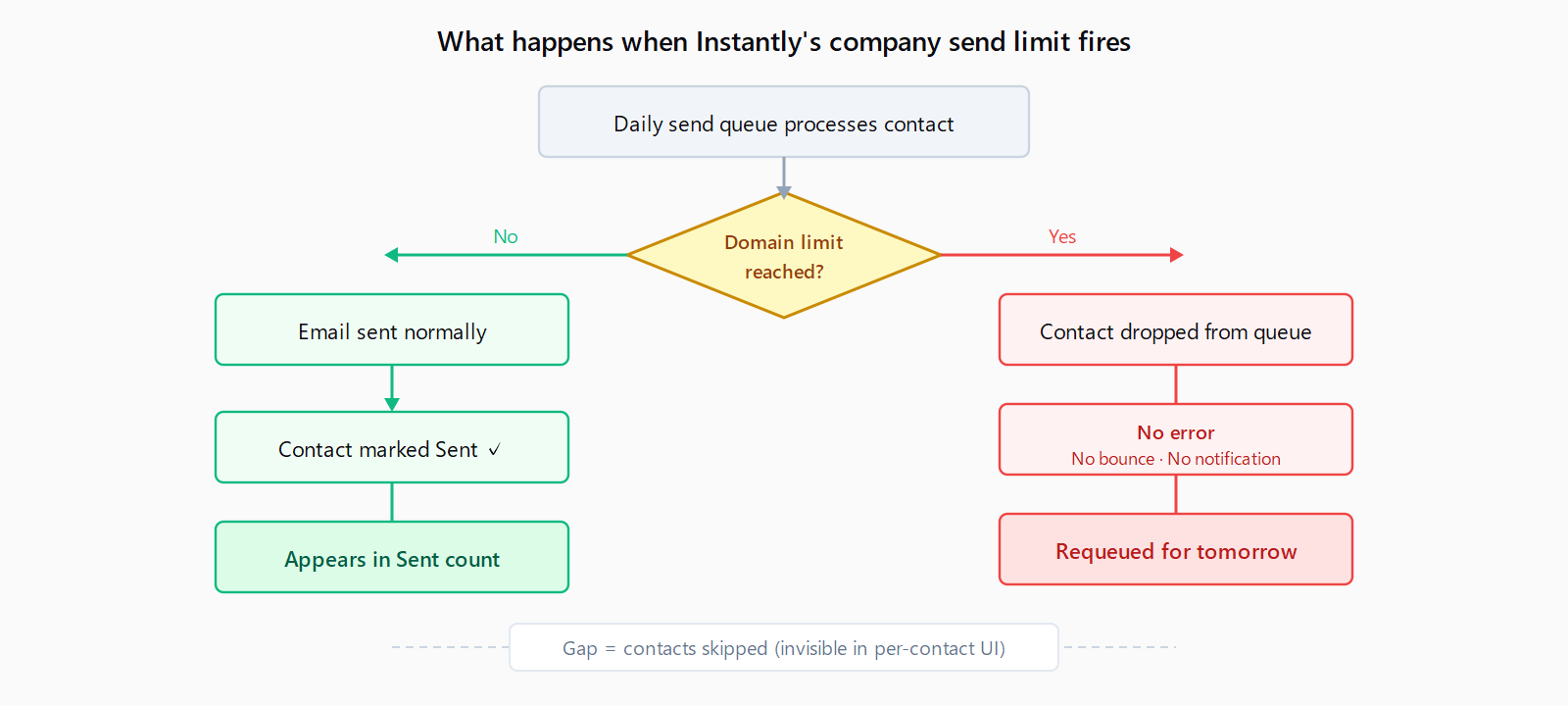
What the company send limit does and where it fires
The limit operates at the domain level. When Instantly processes a campaign's daily send queue, it groups pending contacts by the domain of their email address. If that domain has already reached the day's cap - workspace-wide or campaign-specific, whichever applies - subsequent contacts at that domain are removed from the queue for the day. They are not bounced, not errored, not flagged with any per-contact status. From the campaign's perspective, they simply are not sent.
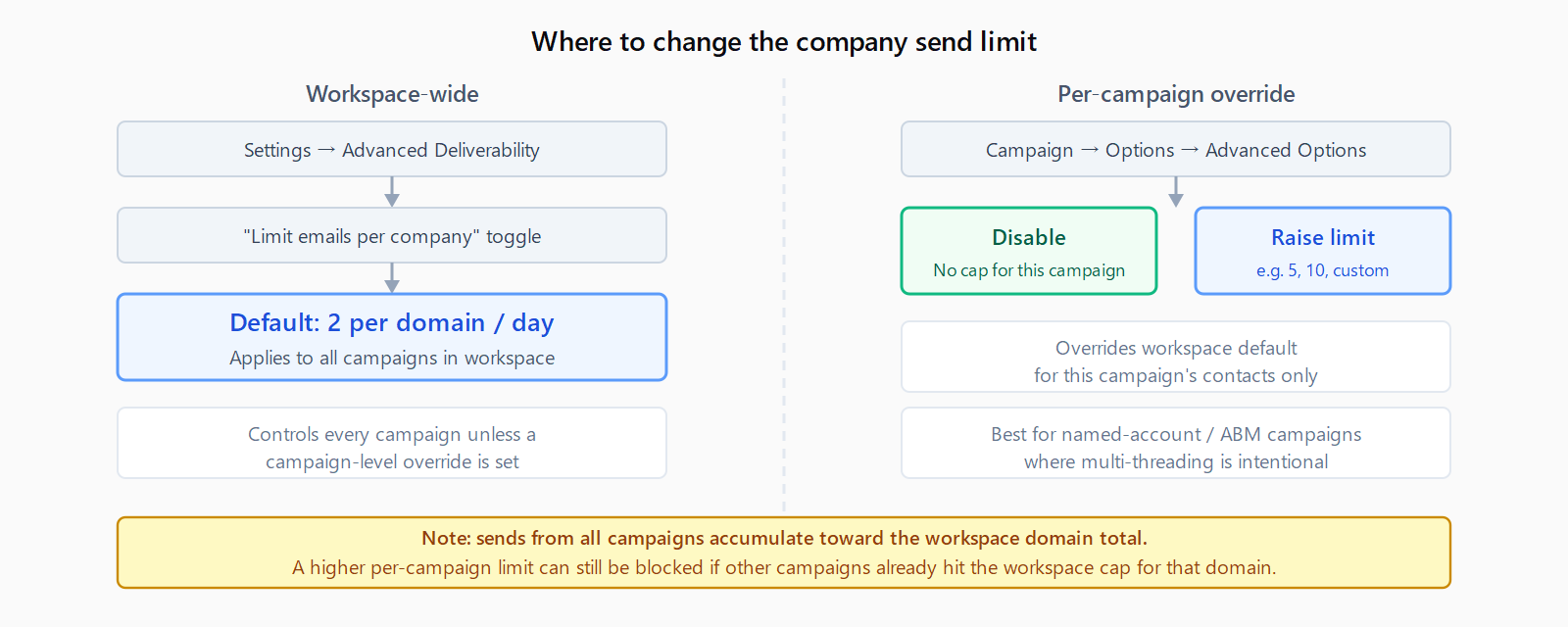
The workspace-wide setting lives at Settings → Advanced Deliverability → "Limit emails per company." This controls every campaign in the workspace unless a campaign overrides it. Campaigns can raise or disable the cap in Campaign Options → Advanced Options; the per-campaign setting takes precedence over the workspace default for that campaign's contacts only. If your workspace default is 2 and a named-account campaign is set to 10, that campaign can send up to 10 emails per domain per day while the rest of your campaigns remain at 2.
This is one of several Instantly deliverability controls that fire without surfacing a signal. Instantly's bounce protection auto-pause triggers at the complaint rate threshold and pauses the campaign without notifying the sender directly. Company Send Limits have the same pattern: the control activates, contacts are skipped, and the only evidence is a statistical gap between expected and actual sends.
How to tell if the company send limit is affecting your campaigns
The clearest signal is a persistent discrepancy between the number of contacts in a sequence and the Sent count for a given day, with no bounces or errors to explain the difference. If the daily send rate is lower than your account limit and campaign limit would allow, and your mailboxes show healthy status, the company send limit is worth checking.
To check: export the contacts in the campaign and group by email domain. Any domain where the contact count exceeds your current company send limit - workspace or campaign - has contacts that are candidates for daily skipping. Instantly does not surface a per-contact "skipped due to company limit" status in the UI. You infer it from the domain clustering in your list versus the gap in your stats.
A secondary check matters if you run multiple campaigns sharing the same mailboxes. The workspace-wide limit accumulates across all campaigns. A contact in Campaign B may be skipped because Campaign A already reached the 2-per-domain cap for that company today, even if Campaign B is the one showing the unexplained gap. The domain count is workspace-wide, not per-campaign, when no campaign override exists.
How to adjust the workspace-wide company send limit
Step 1: Open Settings → Advanced Deliverability. Toggle on "Limit emails per company" if it is not already active. Set the daily limit number to match your targeting strategy. Instantly recommends 2-3 contacts per domain per day for optimal deliverability. For broad cold outbound where domain diversity is high and company overlap is low, 2 is usually appropriate. For enterprise account lists where you intentionally have 5-10 contacts per target account, the default silently drops most of them.
Step 2: Choose the right workspace default for your list mix. If your campaigns are consistent - all broad outbound or all account-based - set the workspace limit once to match. If you run a mix, set the workspace default to your broadest use case and use campaign-level overrides for account-based plays. Changes take effect at the next day's send window; they do not retroactively release contacts that were skipped today.
How to configure the limit per campaign
Step 1: Open the campaign and go to Options → Advanced Options. Find the company send limit setting. You can disable the limit entirely for this campaign or set a higher daily number than the workspace default. The per-campaign value overrides the workspace setting for that campaign's contacts only.
Step 2: Set the limit to match the campaign's intent. If you are targeting a single enterprise account and need to email 15 people in the org, disable the company send limit for that campaign. If you have a mid-market list where a few companies appear 5-6 times, set the per-campaign limit to 6 and leave the workspace default at 2 for your other campaigns.
Step 3: Account for workspace-level accumulation. If the same mailboxes are in multiple campaigns and one campaign has a higher limit, sends from other campaigns using those mailboxes still accumulate toward the workspace domain count. A campaign with a 10-per-domain override can still be blocked if other campaigns already used up the workspace cap for that domain. Monitor combined send volume across campaigns when targeting the same accounts from multiple sequences.
When to raise the limit vs keep it at the default
The deliverability rationale for low domain limits is real. Enterprise email gateways - Microsoft 365 at large orgs, Proofpoint, Mimecast - monitor inbound volume from sending domains. Multiple emails from the same sender to the same company within a short window, especially with similar copy, can trigger gateway throttling or domain blocks. Instantly's company send limit is designed to stay below that threshold. For broad cold outbound to varied lists, keeping the limit at 2-3 leaves little volume on the table and protects domain reputation. The list has enough domain diversity that the cap rarely fires.
For account-based campaigns where multi-threading is the explicit goal - emailing the VP, the director, and two managers in the same account during the same week - a limit of 2 defeats the strategy. Raise it for those campaigns, but spread the sends across days rather than sending to all contacts on day one. This is similar to the list-unsubscribe headers in Instantly context: the platform's deliverability defaults are calibrated for broad outbound, not for named-account sequences that require different configuration.
The Leadex enrichment layer connects to providers via BYOK without a platform-level domain cap on contact lookup. For teams building account-targeted lists, this means all contacts at a target account are returned regardless of how many others from the same domain are in the dataset - the limit question is then a sequencing decision, not a data-layer constraint. For teams already in Instantly, the per-campaign override is the practical fix for account-based plays.
FAQ
What happens to leads that get skipped by the company send limit?
They are held in the queue and retried the next day. The company send limit resets daily. Skipped contacts are not removed from the sequence or marked as permanently opted out - they miss the day's window and are included in the next day's processing batch. This means a contact at a high-limit domain may be pushed back repeatedly if the daily cap keeps filling up from other contacts at the same company.
Does the company send limit apply per email account or per campaign?
It applies per domain across the entire workspace when the workspace-wide setting is active - not per individual mailbox. If your workspace limit is 2 and you have 5 sending accounts, the total cap for that company domain is still 2 emails per day across all 5 accounts combined. A per-campaign override only affects that campaign's contacts; workspace totals still accumulate from other campaigns using the same mailboxes.
Can I see which contacts were skipped due to the company send limit?
Not directly. Instantly does not surface a per-contact "skipped: company limit" status in the campaign UI or the contact's activity log. You infer affected contacts by comparing your list's domain clustering against your limit setting - contacts at domains where the count exceeds the limit and who show no open, click, or bounce activity are likely skipped. Exporting the contact list and sorting by domain is the fastest way to identify these clusters.
Do warmup emails count toward the company send limit?
No. Warmup emails sent through Instantly's warmup system do not count toward the company send limit, account limit, or campaign limit. Only emails sent from active campaign sequences are counted. This is consistent with how Instantly separates warmup sends from campaign sends across all its limit controls.
Can different campaigns have different company send limits for the same domain?
Yes, through the per-campaign override. Campaign A can run with a 10-per-domain limit while Campaign B uses the workspace default of 2. However, sends from both campaigns accumulate toward the workspace total for that domain when the workspace limit is active. A domain that receives 2 sends from Campaign B may reach the workspace cap before Campaign A can deliver its remaining sends, even if Campaign A has a higher per-campaign override set. Test this by running account-based campaigns with the workspace limit disabled for the specific campaign, rather than relying on a higher campaign number to override the workspace total.