
How to Add RFC 8058 One-Click Unsubscribe in Smartlead and Instantly
Google and Yahoo's bulk-sender rules want a List-Unsubscribe-Post header, not just a footer link. Here is where Smartlead and Instantly set it and how to confirm it shipped.
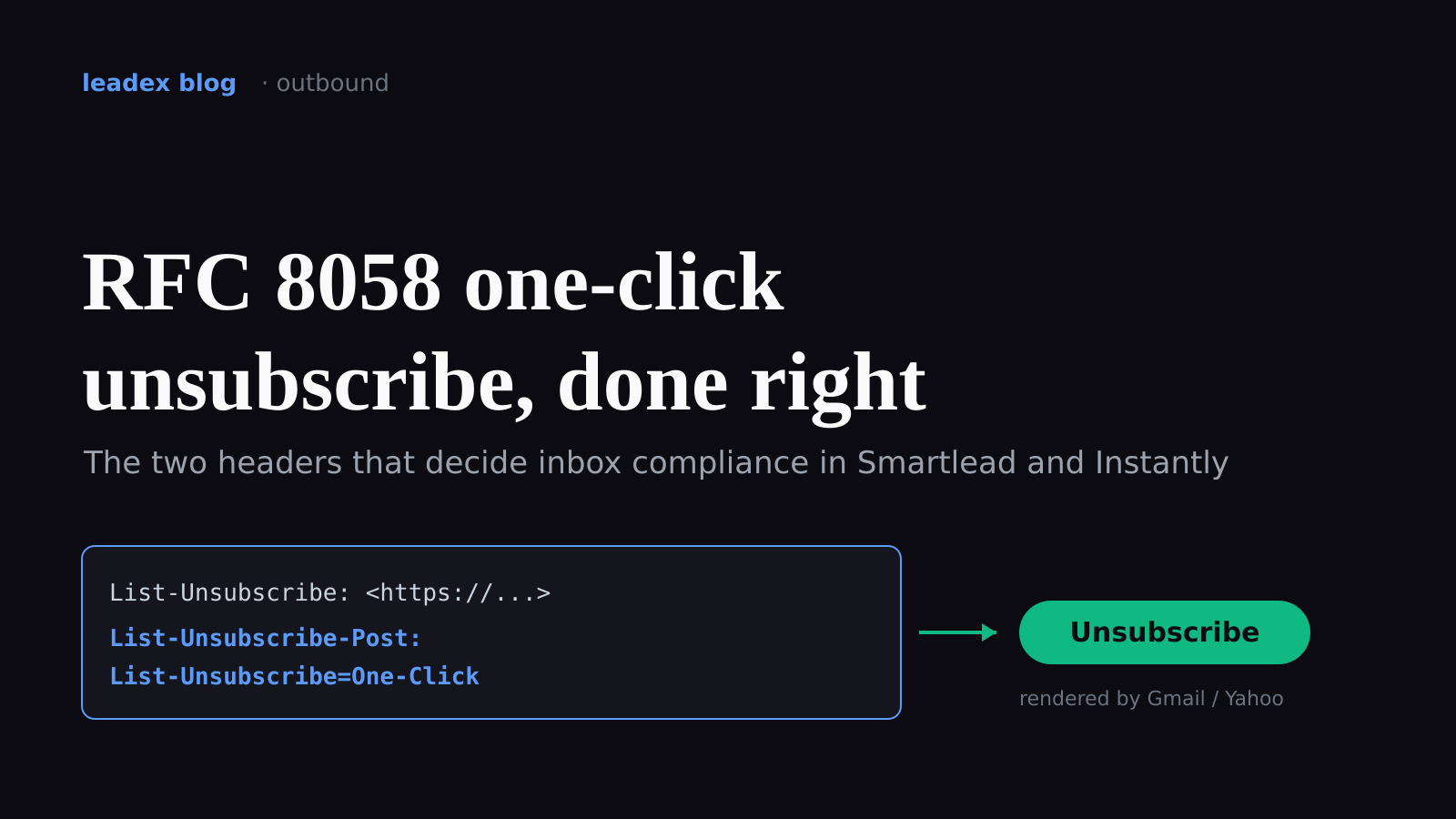
If you run cold email through Smartlead or Instantly, you have almost certainly toggled the "add unsubscribe" setting, watched a link appear in your sent mail, and assumed you were done. I did the same thing for months. The setting that actually matters is not the visible link at the bottom of the email - it is a pair of headers most senders never look at, and getting one of them subtly wrong is how a "compliant" campaign still trips Gmail's filters. Implementing RFC 8058 one-click unsubscribe means emitting two headers, List-Unsubscribe and List-Unsubscribe-Post, backed by an HTTPS endpoint that opts the recipient out from a single POST with no confirmation page - and in Smartlead and Instantly that comes down to one checkbox each plus a header check you have to do yourself.
The standard in question is RFC 8058, the one-click unsubscribe spec Google and Yahoo folded into their bulk-sender rules that took effect on February 1, 2024 and remain in force as of 2026. The rule is short: a qualifying message has to carry both a List-Unsubscribe header pointing at an HTTPS endpoint and a companion header that tells the mailbox provider the endpoint accepts a machine-generated POST. Google's own bulk-sender guidance spells out the exact syntax:
To set up one-click unsubscribe for Gmail messages, include both of these headers in outgoing messages: List-Unsubscribe-Post: List-Unsubscribe=One-Click [and] List-Unsubscribe: <https://solarmora.com/unsubscribe/example>
That second line is the whole ballgame. List-Unsubscribe-Post: List-Unsubscribe=One-Click is what promotes a plain unsubscribe link into the in-inbox "Unsubscribe" button Gmail renders next to the sender name. Without it, you have a footer link and nothing else - and the footer link is _not_ what the bulk-sender rules are asking for. This is the same deliverability hygiene I wrote about when covering cold email sending infrastructure: the parts that decide whether you land in the inbox are almost never the parts you can see in the campaign editor.
Does Smartlead's unsubscribe setting emit a compliant List-Unsubscribe-Post header?
Smartlead's help center says yes, and in my testing it does. The relevant control lives under Edit Campaign, then Campaign Settings, then the Unsubscribe section. Smartlead's documentation describes the behavior plainly:
Once you click on 'Add Unsubscribe message in all emails', your emails will automatically contain Unsubscribe Header Tag (which enables one-click unsubscribe in your emails for ease and compliance with Google's requirements).
The "Unsubscribe Header Tag" phrasing is Smartlead's, and it covers both headers, not just the visible link. The catch nobody mentions: if you have "Optimize Email Delivery" switched on, Smartlead strips the HTML part of the message, and the unsubscribe content disappears with it - and that toggle cannot be changed after the campaign launches. So you can enable the header, enable plain-text optimization, and quietly ship mail with neither. Check the two settings together, not separately.
Where does Instantly add the one-click header, and what breaks it?
Instantly buries the equivalent control one level deeper. Open Campaign Options, then Advanced options, and tick "Insert unsubscribe link header." That checkbox is the one that writes the List-Unsubscribe pair into the message headers; the separate "Insert Unsubscribe Link" button under the body editor only adds the visible footer link, which on its own does not satisfy the one-click rule.
The trap with Instantly is verification rather than configuration. Instantly's own documentation warns that Gmail will not always render the unsubscribe affordance if it has filed your message as a regular one-to-one conversation rather than a bulk send - which is exactly what a well-warmed cold-email account looks like to Gmail. So the header can be present and correct and still invisible in the Gmail UI. The fix is to stop trusting the inbox preview and read the raw headers instead, which is the next section.
How do you verify the List-Unsubscribe-Post header actually shipped?
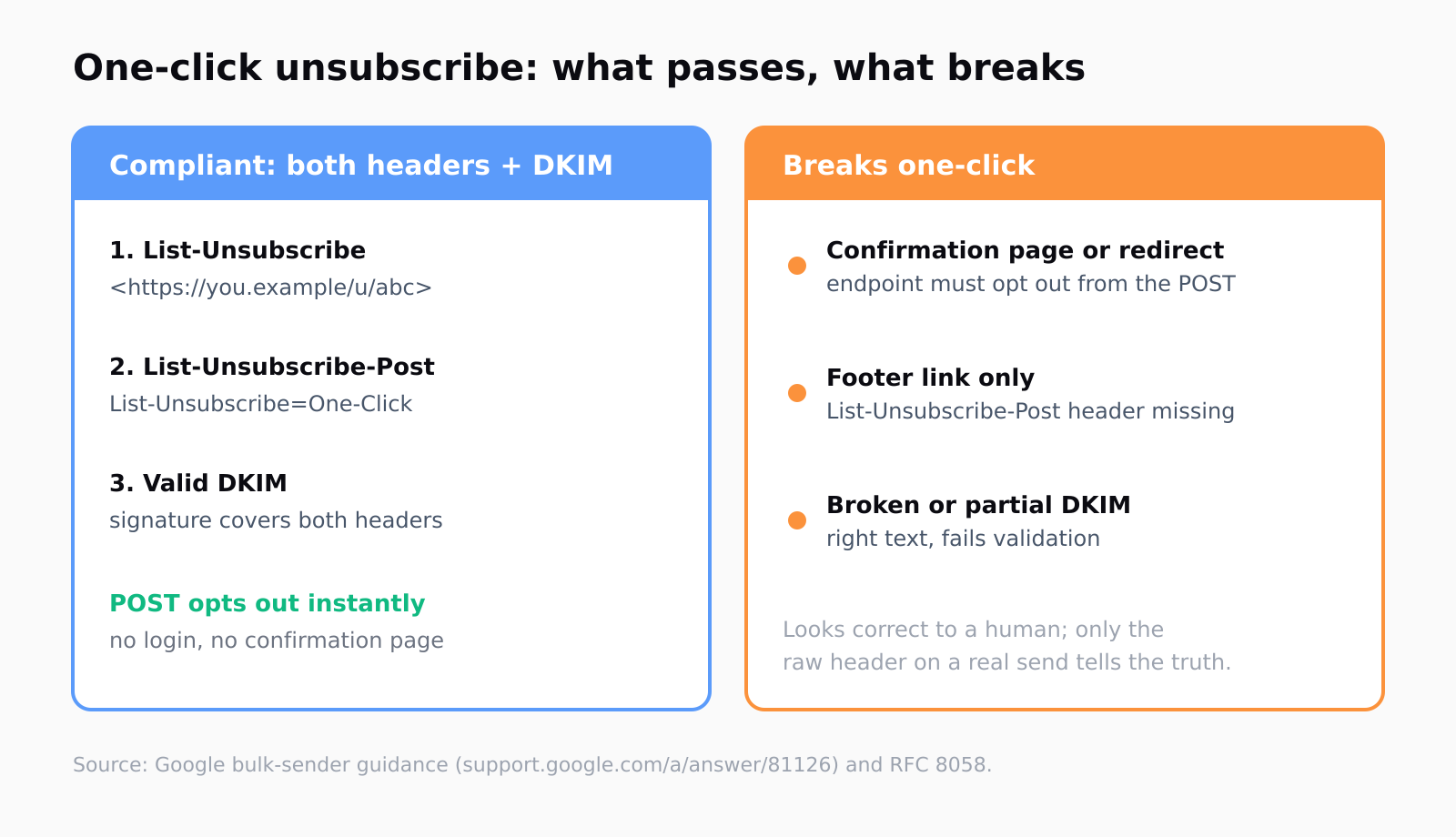
Send one campaign email to a Gmail address you control, open it, and use Gmail's "Show original" view. You are looking for two lines in the raw header block, both present, spelled exactly as the spec requires: a List-Unsubscribe line wrapping an https URL in angle brackets, and a List-Unsubscribe-Post line whose value is the literal string List-Unsubscribe=One-Click. If the second line is missing, you have a footer-link campaign masquerading as a compliant one.
Two failure modes survive even when both headers are present. The first is a confirmation page: RFC 8058 requires that the POST to your endpoint unsubscribes the recipient with no login, no "are you sure," and no redirect to a marketing page. A confirmation step is how a lot of homegrown unsubscribe pages silently break the standard while looking fine to a human clicking through. The second is DKIM - the spec wants a valid DKIM signature covering both headers, so a sending setup with broken or partial DKIM can ship the right text and still fail validation. If you are anywhere near the 0.3% spam-complaint ceiling, a broken one-click flow is a fast way to push past it, because annoyed recipients who cannot unsubscribe cleanly hit "report spam" instead.
Do you even need this if you send under 5,000 cold emails a day?
Strictly, the mandate has a floor. Google's guidance is explicit about volume:
If you send more than 5,000 message per day, your marketing and subscribed messages must support one-click unsubscribe.
Most cold-email operators spread sends across many low-volume inboxes precisely to stay under per-domain limits, so on paper a lot of campaigns sit below the 5,000-a-day line and escape the hard requirement. I would not lean on that (I believe the floor is a compliance threshold, not a deliverability one). Mailbox providers read a correct List-Unsubscribe pair as a trust signal regardless of your volume, and the same logic that governs opt-outs across multiple sending domains applies here: the cleaner and more standard your unsubscribe path, the less your mail looks like the spam the filters are built to catch. Treat one-click as table stakes even at low volume.
This is also where list quality quietly does half the work. A one-click header makes leaving painless; a tightly-targeted list means fewer people want to. We think about this a lot because Leadex lives at the seam between discovery and enrichment - you describe an ICP in plain English, approve a plan preview before the agent touches the web, and the deduped list that lands in your CRM is people who actually match, not a scraped block where a third of recipients reach for the unsubscribe button on sight. Compliant headers handle the exits; a sharper list reduces how many people use them.
The detail I keep coming back to is how invisible the failure is. Every part of this - the toggle, the footer link, the inbox preview - looks correct to a human. The one thing that tells you the truth is the raw header on a real send, read after the fact. If you ship one campaign and check "Show original" once, you will know more about your own compliance than the dashboard will ever tell you.
FAQ
Does Smartlead's "Add unsubscribe message" toggle emit an RFC 8058 header?
Yes. Smartlead's documentation states the setting adds the Unsubscribe Header Tag that enables one-click unsubscribe for compliance with Google's requirements. Confirm it by reading a sent message's raw headers, and make sure "Optimize Email Delivery" is off, since that strips the HTML and the unsubscribe content with it.
Why does my one-click unsubscribe fail when I use a confirmation page?
RFC 8058 requires the endpoint to unsubscribe the recipient directly from the POST request, with no login, no confirmation step, and no redirect. A confirmation page or a redirect to a marketing URL breaks the one-click flow even though both headers are present.
How do I check that the List-Unsubscribe-Post header is in my email?
Send one campaign email to a Gmail address you control and open "Show original." You should see a List-Unsubscribe line with an https URL in angle brackets and a List-Unsubscribe-Post line whose value is List-Unsubscribe=One-Click. If the second line is missing, only the footer link shipped.
Do I need one-click unsubscribe if I send fewer than 5,000 emails a day?
Google's hard requirement applies above 5,000 messages per day, and many cold-email setups stay under that per domain. Mailbox providers still treat a correct List-Unsubscribe pair as a trust signal at any volume, so adding it is worth doing regardless.
Does the unsubscribe endpoint need a valid DKIM signature?
Yes. RFC 8058 expects a valid DKIM signature that covers both the List-Unsubscribe and List-Unsubscribe-Post headers. A broken or partial DKIM setup can ship the correct header text and still fail validation at the mailbox provider.