
Clay HTTP API Now Charges Actions: When Native Integration Is Cheaper
Clay's March 2026 overhaul added Actions charges to every HTTP API call. For teams that used HTTP API to avoid data credit markups, the math has flipped - here's how to audit which columns now cost more than their native equivalent and how to migrate.
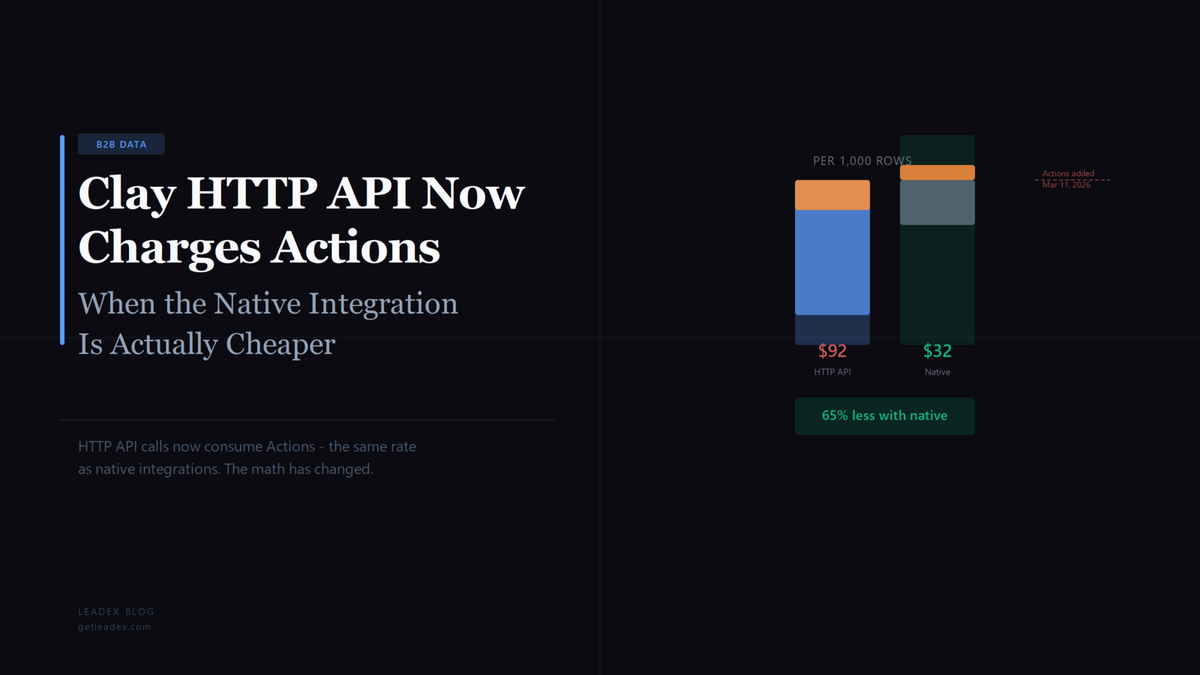
A common Clay setup from 2024 and 2025 went something like this: native Clay integrations for the providers you used occasionally, and HTTP API columns for the providers you used constantly - because making API calls with your own key cost zero Clay credits. That math changed on March 11, 2026, when Clay's pricing overhaul introduced "Actions" as a second billing meter. HTTP API calls now consume Actions at the same rate as native integrations. For teams that built workflows around bringing your own API keys to avoid data credit markups, the restructuring means some of those HTTP API columns now cost more - not less - than the native integration would.
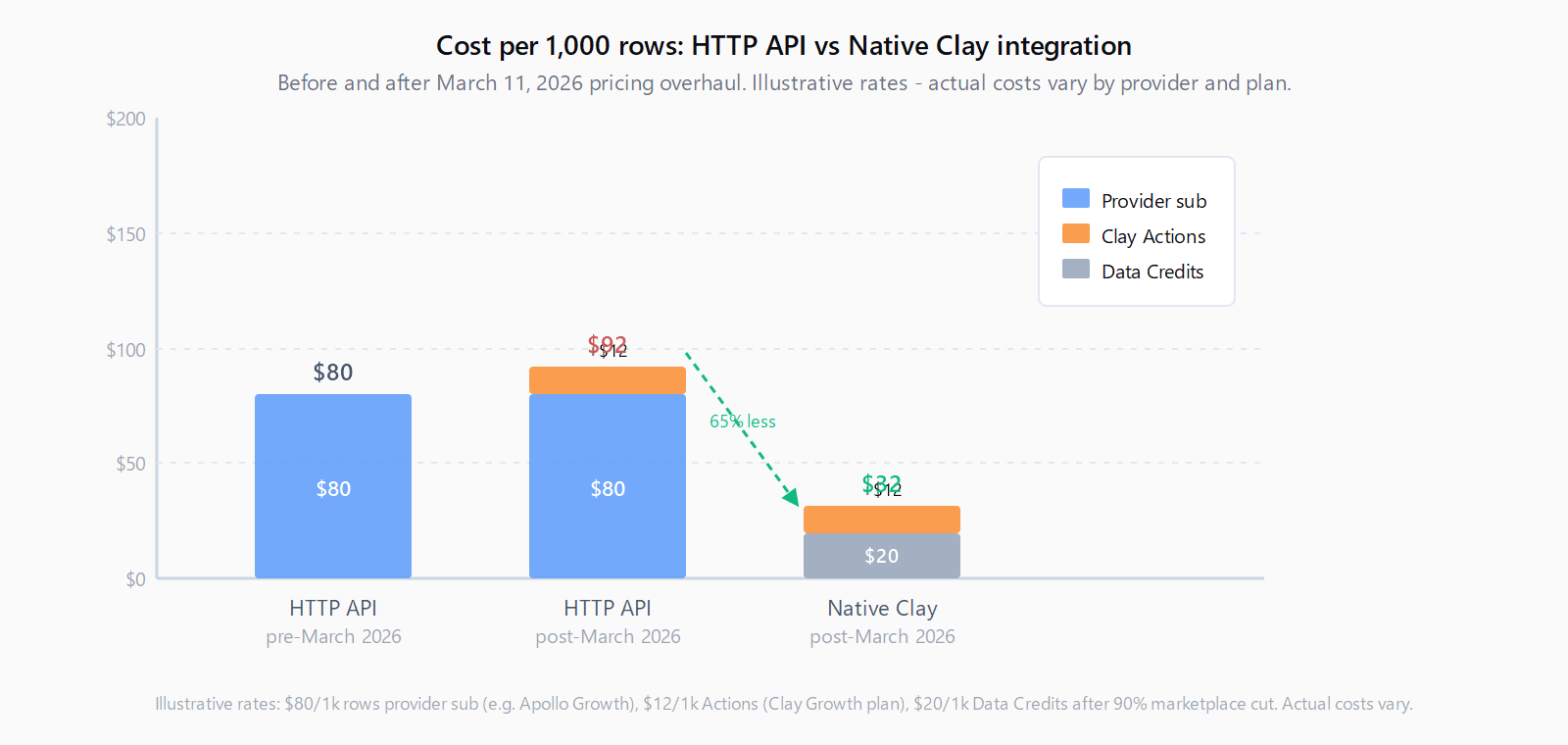
The mechanism is specific. Every HTTP API call now costs 1 Clay Action, a charge that did not exist before March 2026. You still pay your provider directly, so the effective cost per row is your provider cost plus 1 Action. The native integration route charges the same 1 Action plus a Data Credit - and since Clay cut marketplace data pricing by 50 to 90 percent in March 2026, many native lookups are now cheaper per row than maintaining a separate provider subscription.
Workflows that used to cost nothing because they relied on external APIs now have a direct platform cost.
That is from Bitscale's analysis of the March 2026 changes. Clay framed the overhaul as "decrease the cost of data so you use it more" - orchestration costs made explicit, data markups cut. The problem is that teams optimizing for the old model built HTTP API habits that are now more expensive than the alternative they were avoiding.
What changed and why it matters for HTTP API workflows
Before March 11, 2026, Clay's billing had one meter: Data Credits, charged when you used providers from Clay's marketplace. If you called an external API with your own key through the HTTP API enrichment column, you consumed zero Clay credits - just your own provider costs. That made HTTP API attractive for providers you already subscribed to and for waterfall enrichment sequences where multiple providers get called per row.
The March 2026 restructuring split billing into two meters. Data Credits now exclusively cover data from Clay's marketplace. Actions cover platform orchestration: running enrichments, making HTTP API calls, pushing data to CRMs. Critically, Actions are charged on every HTTP API call, regardless of whether you use your own key or Clay's marketplace integration. The Actions rate is roughly a fraction of a cent per call - Clay says "less than a cent each" in their documentation - but at scale it adds up. HTTP API also moved to the Growth plan ($495/month, 40,000 Actions) and above; it was previously available starting at the $349/month Explorer plan. New teams cannot access HTTP API below Growth. Existing Explorer customers are grandfathered until they change plans, but the variable cost remains: you are now paying Actions on top of any provider subscription.
When HTTP API costs more than native integration
The double-cost scenario is most obvious when you are using HTTP API to call a provider that has a native Clay integration. Consider a team running Apollo lookups via HTTP API with their own Apollo key. Their cost per row is: Apollo subscription cost (amortized per lookup) plus 1 Clay Action. The native Clay-Apollo integration charges: 1 Clay Data Credit for the lookup (now substantially cheaper after the March 2026 price cuts) plus 1 Clay Action. If the amortized Apollo subscription cost per lookup exceeds the current Clay Data Credit cost for that same lookup, the HTTP API path is more expensive. And because Clay's marketplace rates dropped 50 to 90 percent, a lot of native lookups that previously cost 10 credits now cost 1 or 2.
A more subtle version of this problem shows up in failed waterfall lookups burning credits. Before March 2026, the standard credit-conservation advice was to put cheap HTTP API calls at the top of a waterfall (zero cost on failed lookups) and expensive native integrations further down. That logic no longer applies cleanly. Now every HTTP API call in a waterfall - including failed ones - consumes 1 Action. Failed lookups on native integrations, by contrast, do not consume Data Credits as of March 2026 (Clay removed that charge in the same overhaul). A waterfall sequence with a lot of HTTP API calls at the top may now be burning more Actions on failed lookups than a native-only waterfall would burn on Data Credits.
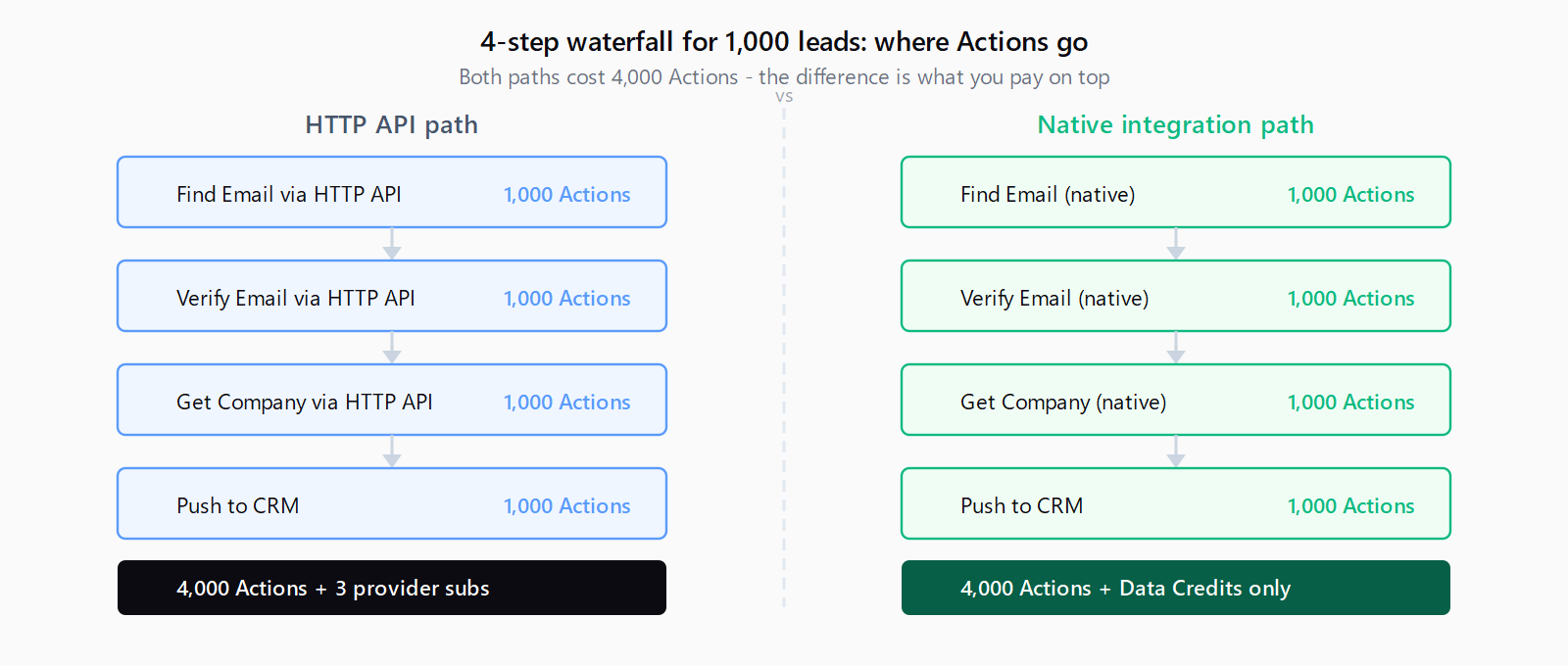
The math is cleanest when you look at a waterfall enrichment sequence that chains three or four providers per row. Each HTTP API call in that chain is now 1 Action. If those providers are available natively, the Action cost is identical - but the separate provider subscriptions drop out entirely.
How to audit your Clay tables for provider overlap
The audit has three steps: list every HTTP API column you have, check whether the provider being called has a native Clay integration, and run the cost comparison for each.
For the inventory: in each Clay table, open any column built on the HTTP API enrichment and note the endpoint domain in the URL field. Common candidates are Apollo.io, Clearbit, Hunter.io, Prospeo, BetterContact, and LeadMagic. Clay's integrations list is at clay.com/data-providers - search for each provider you are calling via HTTP API to see if a native integration exists.
For the cost comparison, Actions are the same either way, so the only variable is: (provider subscription cost / monthly lookups) vs (Clay Data Credits per lookup at current rates). If the amortized subscription cost exceeds the native Data Credit cost, switch. If it is lower, keep the HTTP API column - but factor in that you are now paying Actions you were not paying before March 2026.
How to migrate an HTTP API column to native integration
Step 1: Test the native integration on a single row. Add the native integration as a new column and run it on one row before touching the existing HTTP API column. Confirm the output fields match what your workflow expects - native integrations often return more structured fields than a raw API call, which can require downstream formula adjustments.
Step 2: Connect the provider account and map output fields. Go to Settings - Connections - Add Connection and authenticate your provider account. Native integrations return structured JSON that Clay parses into named fields, which may differ from your HTTP API column's custom field paths (e.g. your column read data.person.email; the native integration may surface this as email_address). Update any downstream formula references before disabling the old column.
Step 3: Run both columns in parallel on 50-100 rows. Native integrations apply Clay's own matching logic, which can return slightly different data than the raw API endpoint. Once output quality is confirmed, disable the HTTP API column and cancel the provider subscription if the native path now covers the use case - running both simultaneously charges Actions on both.
What to keep running via HTTP API
Not every HTTP API column should be migrated. Keep HTTP API for: providers with no native Clay integration, custom internal APIs or proprietary data systems, providers where you are on a negotiated enterprise contract that makes direct API use cheaper than Clay's marketplace rate, and one-off enrichments where a native integration's account setup overhead is not worth the payoff. Bringing your own API keys to providers like Anthropic and OpenAI for AI enrichment steps is also still the right call - Clay's built-in AI credits are substantially more expensive than running Claude or GPT-4o directly, and the Actions charge is the same either way.
The goal is not to eliminate HTTP API - Clay's flexibility in calling arbitrary endpoints is a genuine strength. The goal is to stop paying a provider subscription on top of Clay Actions for lookups Clay's native marketplace now covers for less.
The March 2026 credit changes are part of why Leadex routes enrichment differently - BYOK with no platform Actions surcharge, so Apollo or HubSpot lookup costs scale with provider consumption only, not with a separate orchestration meter. For teams already deep in Clay, the audit above is the right first move.
FAQ
Does using my own API key in a Clay HTTP API column eliminate Actions charges?
No. As of March 11, 2026, every HTTP API call in Clay consumes 1 Action regardless of whether you supply your own key. BYOK eliminates Data Credits (since you are not using Clay's marketplace data), but Actions are charged for all platform orchestration work including HTTP API calls. You pay both your provider's cost and Clay's Actions.
Are failed HTTP API lookups still charged as Actions?
Yes. Failed lookups on native Clay integrations were removed from billing in the March 2026 overhaul - native integrations no longer consume Data Credits when a lookup returns nothing. Failed HTTP API calls still consume 1 Action each because the platform still executed the outbound request. This makes HTTP API waterfalls more expensive than they appear when match rates are low.
Which Clay plan includes HTTP API access?
As of March 2026, HTTP API enrichment is restricted to the Growth plan ($495/month, 40,000 Actions) and Enterprise. The old Explorer plan ($349/month) included HTTP API, but new customers cannot access it below Growth. Existing Explorer customers are grandfathered until they change plans.
How do I find which of my HTTP API columns are calling providers with native Clay integrations?
Open each HTTP API column and note the base domain of the endpoint URL. Then search that provider name in Clay's native integrations at clay.com/data-providers. If a native integration exists, compare the per-credit cost on your current plan against your provider subscription's effective per-lookup cost - Actions are identical either way. Providers like Apollo, Clearbit, Hunter.io, and many others have native integrations where the native path is now cheaper after Clay's 50-90% marketplace price cuts.
Does migrating from HTTP API to native integration change my data quality?
Sometimes. Clay's native integrations apply their own matching logic before returning results, which can mean slightly different field values or coverage rates compared to calling the provider's raw API directly. Run a parallel test on 50-100 rows before fully switching - compare email match rates, phone coverage, and any fields your downstream workflow depends on. In most cases the native integration output is equivalent or better, but verify before disabling the HTTP API column.