
How to Deduplicate HubSpot Companies by Domain
HubSpot auto-dedupes companies by domain on import, skips API creates entirely, and mints one record per row without an identifier. The prevention-first playbook.
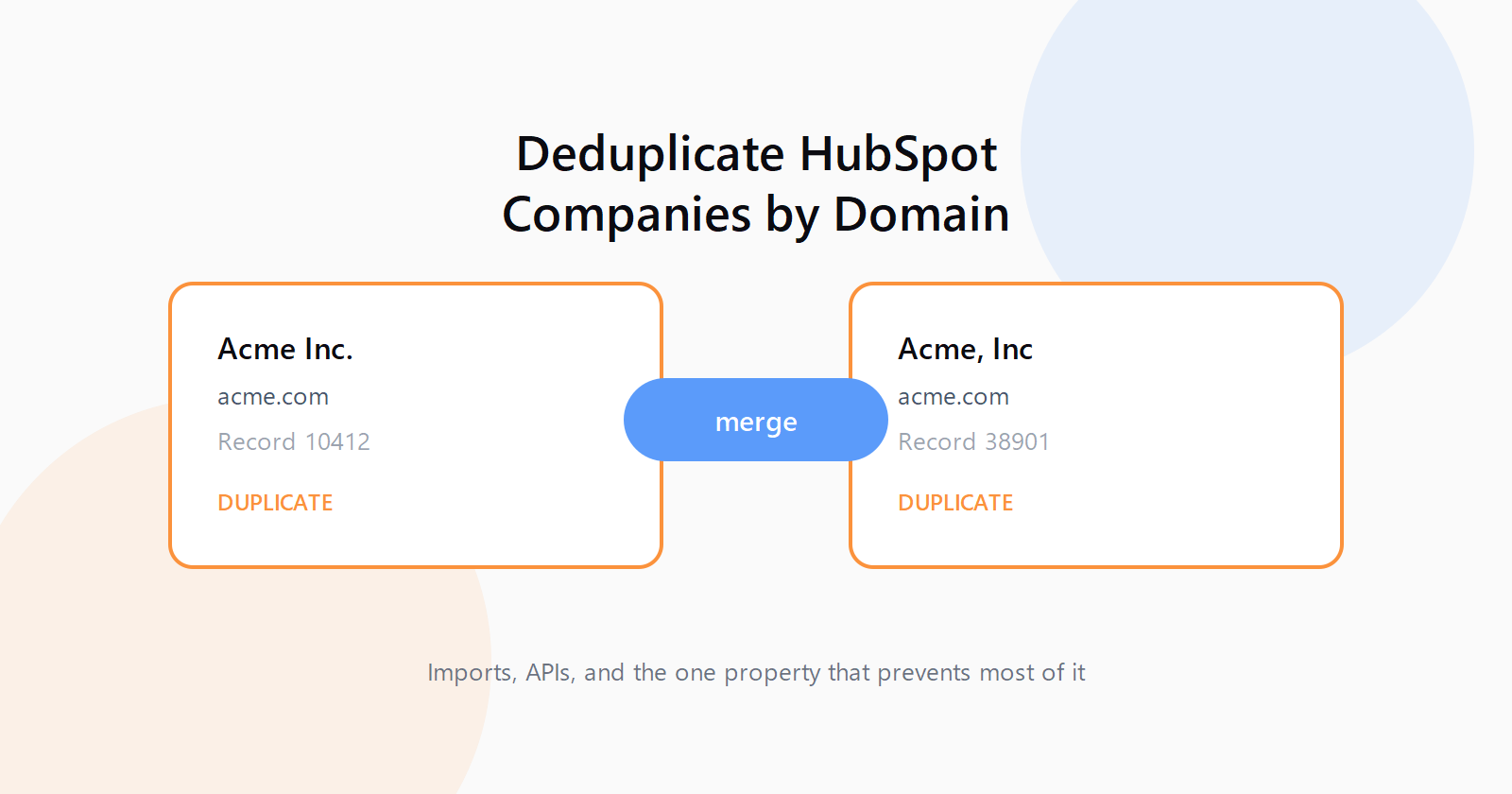
HubSpot company duplicates are the kind of mess you notice six months after it starts, when one account has three timelines and nobody knows which record the sequence actually enrolled. I have written before about the duplicate management dashboard as a cleanup tool, but cleanup is the expensive half of this problem. The cheap half is stopping HubSpot from minting the duplicates in the first place, and that comes down to one property most imports either include or forget: Company domain name.
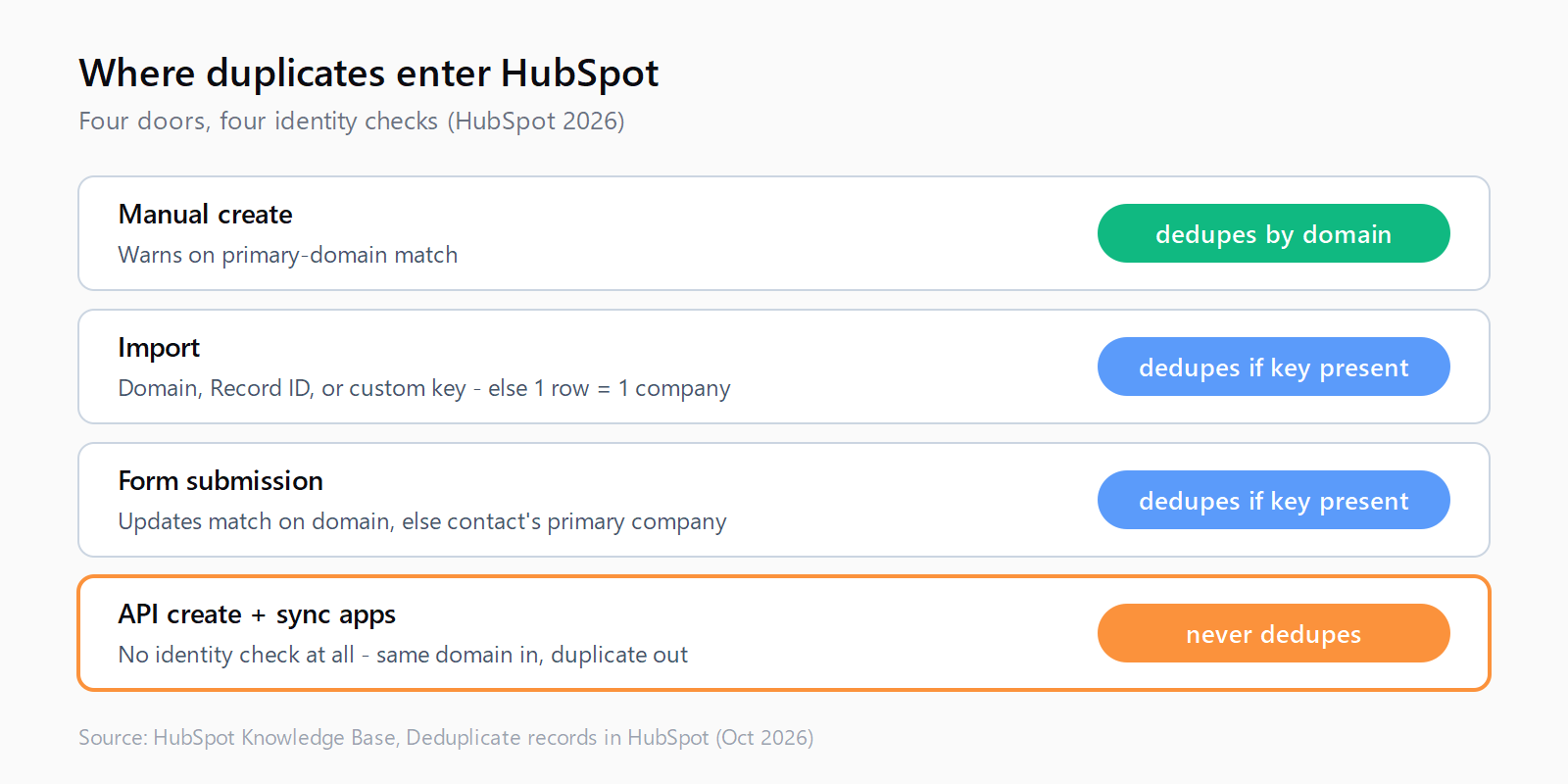
The rules, per HubSpot's own documentation (last updated October 2, 2026), are brutally simple and full of holes. HubSpot automatically deduplicates companies by Company domain name when they are created manually or by import. Company name is not considered at all. Imports without a domain or Record ID create one new company per row. And companies created through the API skip domain dedup entirely, third-party sync apps included. If your stack pushes companies into HubSpot through a CSV one week and an integration the next, you are feeding both holes at once.
Please note: companies created through API will not be deduplicated by the Company domain name property. This includes installed third-party sync apps.
That sentence, from HubSpot's Deduplicate records guide in the Knowledge Base, explains an enormous number of community threads. The standard HubSpot Community answer is worth memorizing: if existing records carry the domain and your import maps it, HubSpot should not create duplicates, and the company name itself is not considered at all. The r/hubspot thread about dealing with company duplicates reads like a support group for people who learned this after the fact. Here is the full playbook: why each entry path behaves as it does, how to fix imports, how to fix API writes, and how to merge what slipped through.
Why HubSpot makes a new company for every row without a domain
HubSpot has four doors and each checks identity differently. Manual creation warns on a primary-domain match. Form submissions update the matching company when the domain is included, else fall back to the contact's primary associated company. Imports check primary and secondary domains, or a custom unique-value property if selected. API creates check nothing: same domain in, duplicate out, no warning, which still surprises people (!) given the developer docs call the domain the primary unique identifier.
The worst trap is a clean domain column meeting a CRM where a third of companies have no domain stored: those rows match nothing and import as duplicates with fresh Record IDs. A HubSpot Community thread on deduplicating companies upon import walks through exactly this, domain on one side and Record ID on the other, neither side holding both. And the duplicates manager only surfaces pairs it can find by comparing domain, name, country, phone, and industry, rechecked daily. Two records with different names and no domains are nearly invisible to it.
Tier matters too. Individual review and merge needs any Hub Professional or Enterprise seat and surfaces up to 10,000 pairs; bulk merge needs Data Hub Pro or Enterprise, at 30,000 pairs on Data Hub Professional and 100,000 on Data Hub Enterprise. If you are on Starter with 40,000 dupes, no dashboard saves you, so prevention is the only affordable move, which is what the next two sections cover.
How to stop duplicates at import with domain or Record ID
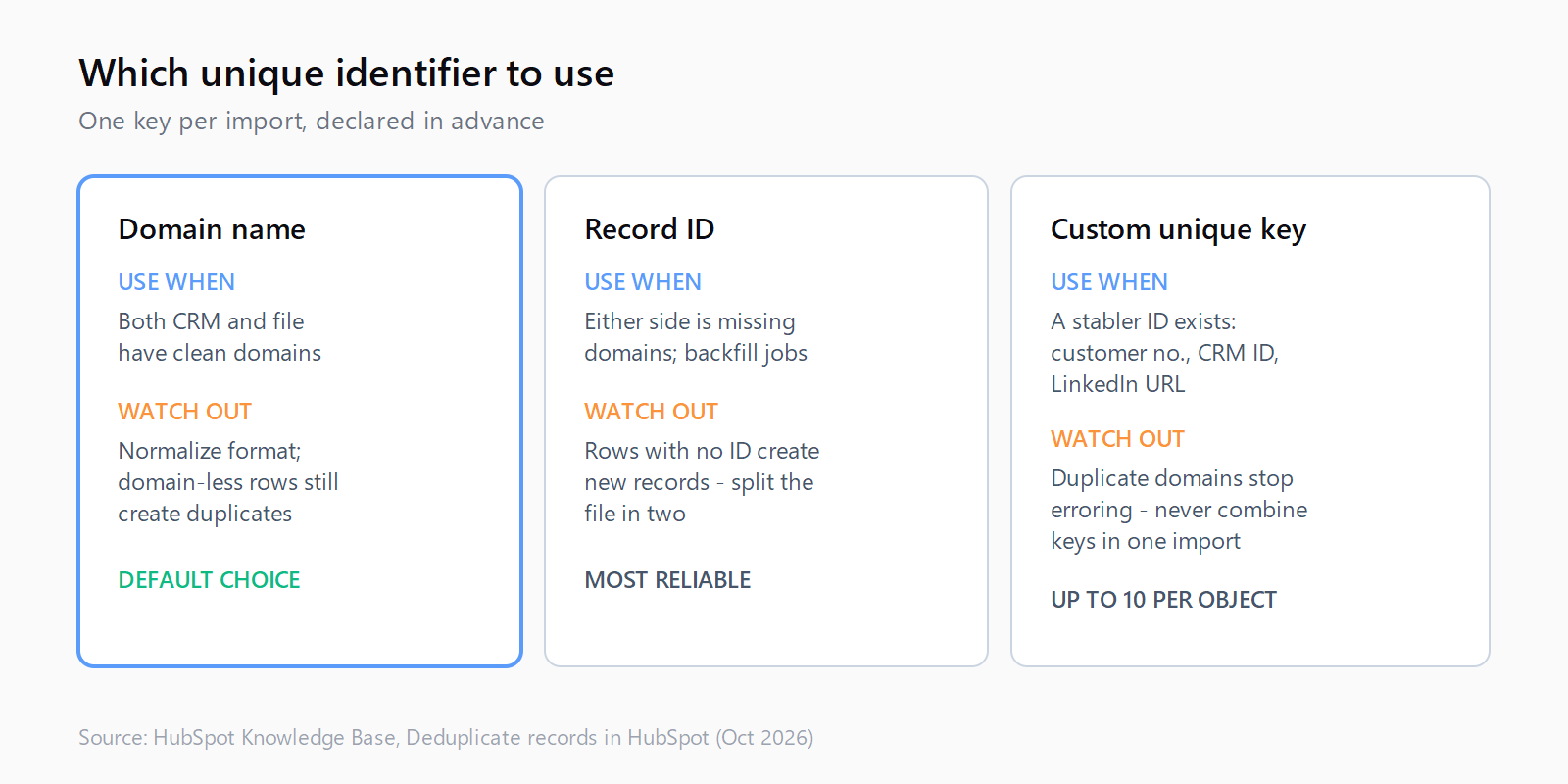
Every company import should carry exactly one unique identifier column, decided before you touch the file. Option one is the primary Company domain name: existing record has it, file has it, HubSpot updates instead of creating. First check the required format for domain values in import files, because a column of homepage URLs with paths will not match the way you expect. Normalize to bare lowercase domains, no protocol, no trailing slash. (I believe most "HubSpot ignored my domain column" complaints are really formatting complaints.)
Option two is the Record ID, the right call when domains are missing on either side. Export companies with IDs plus one shared column like company name, VLOOKUP the export against your file, assign IDs to the matches, then split into two files: one with IDs for updates, one without for new records. Rows without an ID create new records, so the split is load-bearing. Tedious, but the only method that works with a domain-less third of your CRM. Do it once, backfill domains in the same pass, and every future import uses option one.
Option three is a custom unique-value property, up to ten per object, for identifiers stabler than a domain in your world: a customer number, an external CRM ID, a LinkedIn company URL. Require unique values and HubSpot blocks colliding manual and import creates. One caution: with a custom property as the import identifier, the file can contain duplicate domains without erroring, so never combine identifiers casually. One key per import, named in the runbook. The same discipline applies at the vendor mapping layer, the lesson of our Cognism-to-HubSpot field mapping walkthrough: map the domain or the ID on every export, or accept duplicates as a pipeline feature.
How to fix API-created companies that skip auto-dedup
The API path has no safety net, so your integration is the net. Search before every create: query companies by domain, update on a hit, create on a miss. HubSpot's companies API guide recommends always sending the domain, and supports extras via hs_additional_domains with semicolon separators. Send secondary domains when you have them; a company acquired last year under a new domain mints duplicates whenever only the new name arrives.
Then store what HubSpot gives back. Every create returns the record ID, and persisting it converts future writes into updates. Skip this and you repeat the export-and-VLOOKUP dance on a moving target forever. If you sync through Clay or similar, watch for the sync going blind to HubSpot IDs entirely, the missing hs_object_id errors we debugged earlier this year. A sync that cannot read IDs cannot update by ID, so it creates. Fix ID visibility before blaming dedup logic.
Audit installed sync apps to the same standard. The docs count third-party sync apps as API-created, so your marketplace connector gets zero domain dedup whatever its landing page implies. Check whether it matches on domain or external ID before creating, writes the Record ID back, and handles domain-less companies. Vague answers mean that connector is your largest duplicate source; ticket it before the next bulk sync. For records already duplicated this way, a HubSpot merge endpoint folds activities, associations, and most properties into the survivor, the programmatic version of the dashboard merge below.
How to merge the duplicates that already slipped through
With prevention in place, open Companies, click Actions, then Manage duplicates, and work the default rule first. Candidates pair on domain, name, country, phone, and industry; the review screen lets you pick the survivor plus per-property winners. Merges cannot be reverted, so verify associations, open deals, and enrolled sequences before clicking. When a pair shares no domain and little name similarity, merge manually from the record level instead of waiting; low-similarity pairs may never surface.
For the long tail, custom rules earn their keep: up to two per object with up to nine properties each on Data Hub Pro or Enterprise, so phone plus a custom external ID catches what the default misses. Keep rules narrow; matching more than 10 percent of records with an average group above three degrades the table. One focused rule per pattern beats one broad rule matching the database. Bulk merge then applies one criterion across checked pairs: most recent engagement, oldest engagement, created first, created last, or most recently updated. Created first is the usual default since the oldest record holds the longest timeline, unless the newer record owns the active deal.
Rejected pairs stay rejected unless a rejected record later merges into something else, and rejections can be undone within 14 days from View history. Export merge history after each cleanup sprint so the next person inherits evidence, not folklore. A clean CRM with leaky imports is a photograph, not a state: the manager rechecks daily, which is fine as long as each new pair is a surprise rather than output from a pipeline you know is broken.
Duplicates live at the seam between enrichment and CRM sync, which is exactly the seam Leadex is built to close: research, enrichment that typically completes in under 60 seconds per batch, and automatic dedup before anything lands in HubSpot, so the import file never carries the problem in the first place.
One detail worth checking this week: open a few companies and look at whether the domain stored is actually set as primary, since secondary values participate in import matching but the primary is what manual creation checks. Then export your companies, count the blanks in the domain column, and let that number decide whether your next cleanup starts with the dashboard or with a spreadsheet. (To be fair, my money is on the spreadsheet.)
FAQ
Why does HubSpot create duplicate companies on import?
Because the import carried no usable unique identifier. Without the primary or secondary Company domain name, a Record ID, or a custom unique-value property in the file, each row becomes a new company, even when the name matches an existing record exactly.
Do HubSpot duplicate rules work on companies created via API?
Automatic domain dedup does not run on API-created companies, including third-party sync apps. Your integration must search by domain before creating and store the returned Record ID; the duplicates manager can still merge the resulting pairs afterward.
Can you merge HubSpot companies in bulk?
Yes, with Data Hub Professional or Enterprise. Select pairs in Companies Actions Manage duplicates, click Review, pick a merge criterion such as created first or most recent engagement, and confirm. Individual merges need any Hub Professional or Enterprise tier.
Should I use domain, Record ID, or a custom property as the unique identifier?
Use domain when both sides have clean domains, Record ID when either side has blanks, and a custom unique-value property when your world has a stabler key such as a customer number or external CRM ID. One key per import, declared in advance.