
How to Configure Cognism-to-HubSpot Field Mapping Without Duplicate Companies
Cognism's HubSpot match defaults to Company Name, which collides with Breeze domain enrichment. One mapping switch stops the duplicates - here's how.
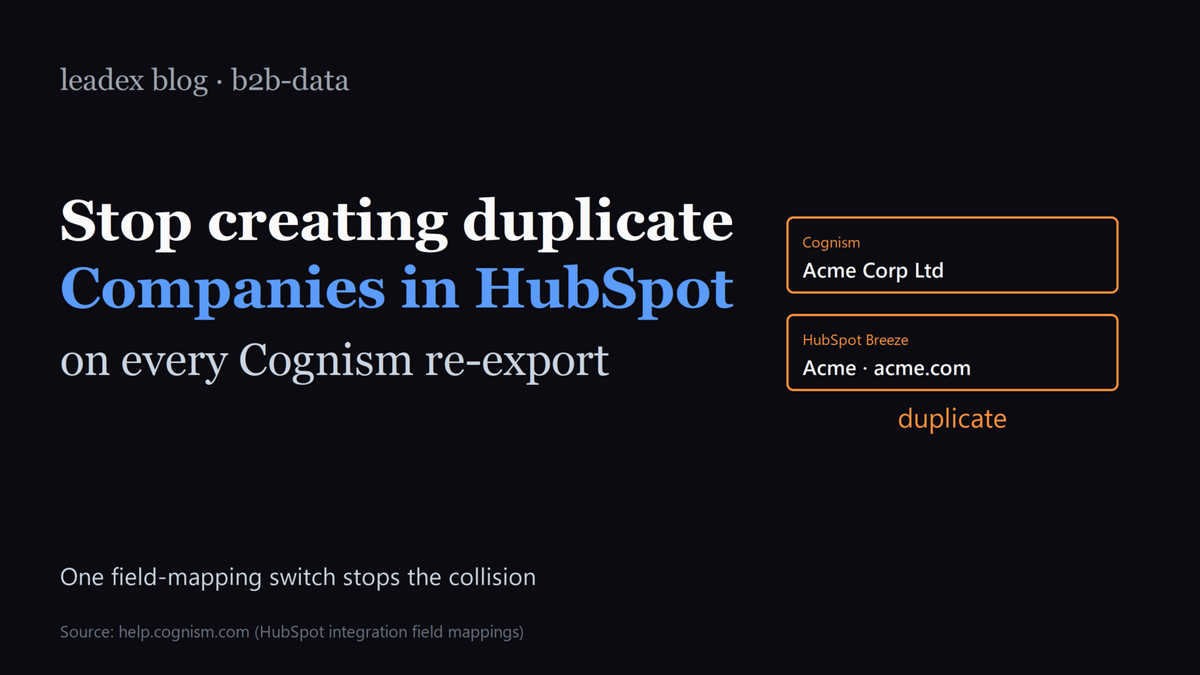
If you've ever opened HubSpot after a Cognism re-export and found two Acme Corp company records sitting side by side - one created by Cognism with "Acme Corp Ltd." as the legal name, one created by HubSpot's Breeze enrichment from acme.com - this post is for you. The duplicate isn't a Cognism bug or a HubSpot bug; it's a field-mapping collision that the docs on each side describe accurately in isolation and that nobody documents in combination. We hit it on a 4,000-account import last month, spent two hours unwinding it, and shipped a different mapping configuration that I'd recommend everyone running both products adopt. Here's how to set it up before the next sync, plus how to clean up the duplicates that are already there.
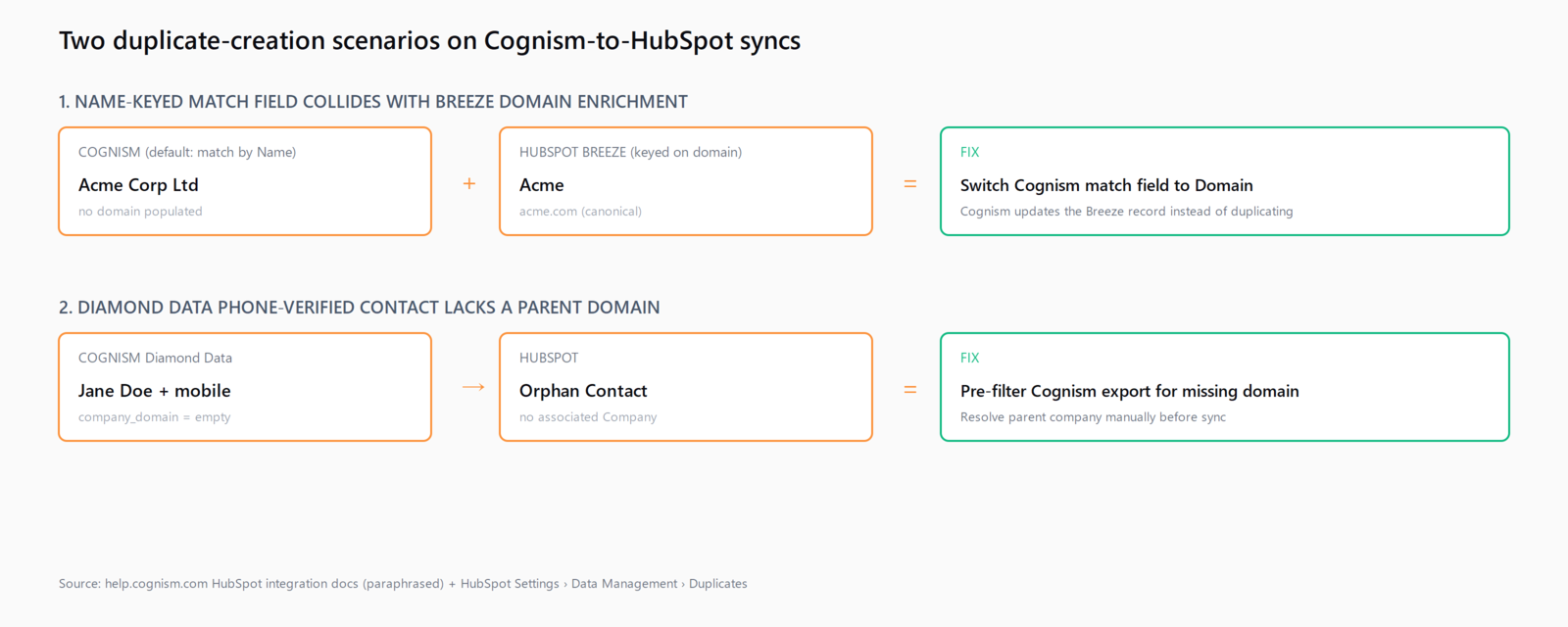
Cognism syncs Companies-to-Companies and Contacts-to-Contacts via configurable field mappings (documented on Cognism's HubSpot field-mapping setup page), with the primary Company match field defaulting to Company Name. HubSpot's Breeze enrichment, by contrast, keys on domain - which is also HubSpot's underlying canonical identifier for the Company object. When both products write to the same HubSpot portal, Cognism's name-keyed match doesn't notice the existing Breeze-enriched company, HubSpot's native duplicate management doesn't block the second insert because the match field differs, and you end up with two records: one with a name but no domain, one with a domain but a slightly different name.
Set Cognism's primary Company match field to domain, not name
This is the one mapping change that prevents the entire class of duplicates. In Cognism's integration settings under HubSpot, the Company sync section has a "match by" dropdown - the default is Company Name, the option you want is Domain (sometimes labelled "Website Domain" or "Company Domain" depending on the Cognism release). Once switched, every Cognism Company write first looks up the existing HubSpot company by domain before deciding to create or update; if a Breeze-enriched record exists, Cognism updates it rather than creating a parallel one.
The thing the docs don't say loudly enough: there's no two-way undo. If you flip the match field after a year of name-keyed syncs, the existing duplicates don't merge automatically - you've just stopped creating new ones. The cleanup is a separate operation, addressed in the section below. Also worth knowing: Cognism's Company Name field is rarely exactly what HubSpot's Breeze stored, because Cognism uses the legal entity ("Acme Holdings Ltd.") and Breeze infers the commercial brand from the website ("Acme") - so even if you'd wanted name-keyed matching to work, it wouldn't reliably hit.
"Cognism's HubSpot integration maps Companies-to-Companies and Contacts-to-Contacts via configurable field mappings. [...] Teams running Cognism alongside HubSpot's native Breeze enrichment routinely create duplicate Company records on re-export because Cognism's match field (often Company Name) collides with Breeze's domain-keyed enrichment. HubSpot's native duplicate management does not block the second insert when the keying field differs."
The Cognism support FAQ frames it as a "configurable" choice, which is technically true but in practice means most teams never visit the dropdown. I believe Cognism should ship Domain as the default for HubSpot syncs - the name-keyed default exists for legacy Salesforce installs where Lead-to-Lead matching predates domain enrichment, and that legacy doesn't apply to HubSpot. Until they do, the manual flip is the fix.
Audit Diamond Data exports for phone-only contacts without parent domains
The second class of HubSpot duplicates comes from Cognism's Diamond Data tier, which adds phone-verified contacts that occasionally lack a clean parent company domain. In Diamond, a sales rep at a parent company can be phone-verified against the rep's direct mobile and a personal-LinkedIn URL without Cognism having confidently resolved the rep's employer to a single domain. When Cognism pushes that contact to HubSpot, the Contact lands, but the parent Company is either created from the rep's email domain (often a personal address - @gmail.com, @outlook.com) or left as an orphan with no associated Company.
The audit is mechanical. Before pushing a Diamond Data sync to HubSpot, filter the export for two conditions: (1) Contact has a phone number but no company_domain, and (2) Contact's email domain is on a free-mailbox list. Either condition produces an orphan in HubSpot, and the right move is to manually resolve the parent company before sync - or, if the rep's employer truly is unknown, hold the contact in a separate Cognism list until your AE confirms.
Lock Contact routing per region: Contact-to-Contact, not Contact-to-Lead
Cognism's HubSpot integration defaults to creating Contact records in HubSpot, which is correct. The trap is the team that also runs Cognism into a Salesforce sandbox or a sibling Salesforce instance for a regional team: Cognism's Salesforce integration defaults to creating Lead records, not Contacts, which is the Salesforce convention. If your EMEA team uses Salesforce and your US team uses HubSpot - or if you're mid-migration - the same Cognism account writing to both will produce a Contact in HubSpot and a Lead in Salesforce for the same person, with no record linkage between them.
The fix is to lock each region's CRM routing in Cognism's destination configuration, name the destinations explicitly ("EMEA-SFDC", "AMER-HubSpot"), and have the rep choose at export time rather than letting Cognism default. Cognism's integrations overview walks through the configuration but doesn't flag the Lead-vs-Contact mismatch as a duplicate risk, which it is the moment a single rep covers multiple regions. We hit this exact pattern when consolidating a French team's outbound onto a single Cognism seat last quarter.
Clean up the duplicate companies already in HubSpot
Switching the match field stops the bleed; it doesn't repair the existing duplicates. HubSpot's built-in duplicate management - under Settings > Data Management > Duplicates - surfaces candidate merges based on AI-suggested similarity, which works reasonably for the obvious cases (same domain, similar name) but misses the ones where Cognism wrote a legal entity name and Breeze wrote a commercial brand. The manual cleanup pattern that worked for us:
Export every Company record where website is empty or where the record was created by the Cognism integration user (whatever user-ID Cognism's OAuth token writes under). Cross-reference that list against a domain-keyed export of every other Company. For each match - same company, two records - merge the empty-website record into the domain-keyed one in HubSpot's UI, which preserves the associated Contacts and Deals. Budget half a day for a portal with two years of Cognism history; the duplicate count we saw on the 4,000-account import was around 11% of total Companies, and the cleanup paid for itself in the next quarter's deduplicated email campaign.
This is also the kind of operational gap that motivated the Leadex push integration: when the agent enriches a list before sync, the parent-company domain is resolved before HubSpot ever sees the record, so the Cognism match-field collision can't occur in the first place. Leadex sits at the seam between discovery and enrichment - the agent finds the prospects, resolves the parent domain via your connected Apollo or Cognism key, and pushes a deduped list to HubSpot with the domain already populated. The plan preview shows the resolve-domain step explicitly, so a missing-domain contact gets flagged before it triggers an orphan. That's not a replacement for fixing the Cognism mapping - if you already have Cognism, fix it - but it's the design lesson that fed back into the product.
Verify the sync is clean before the next quarterly export
Two checks before any quarterly Cognism re-export. First, query HubSpot for Companies where hs_object_source is the Cognism integration and website is empty - that count should be zero. If it's not, the match field is still set to Name and the next sync will add to the orphan pool. Second, sample twenty Contacts that came from the most recent Diamond Data push and confirm each one's associated Company has a populated domain field; if more than 5% are orphans, the pre-sync filter from the second section isn't running.
The wider lesson - and one we've been writing about across this blog, including the recent piece on how to stop Salesforce duplicate rules failing silently and the deeper look at auditing HubSpot Breeze prospecting agent drafts - is that CRM duplicates are almost never about the CRM itself. They're about the keying mismatch between two systems that each think they're the source of truth for a record. Fix the keying and the duplicates stop; ignore it, and every quarterly sync compounds the mess. The Cognism-HubSpot case is the cleanest example we've seen of the pattern, which is why it's worth a post.
FAQ
Why does Cognism create duplicate Company records in HubSpot when HubSpot already has the company?
Cognism's HubSpot integration defaults to matching Companies on Company Name, while HubSpot's native Breeze enrichment and duplicate management key on domain. When the names differ even slightly (legal entity vs commercial brand), Cognism doesn't find the existing record and creates a new one. The fix is to switch Cognism's Company match field to Domain in the integration settings.
Does switching the Cognism match field to Domain merge existing duplicates automatically?
No - flipping the match field only prevents new duplicates from being created. The existing duplicate Company records have to be cleaned up separately, either through HubSpot's Settings > Data Management > Duplicates tool or via a manual export, cross-reference, and merge pass in the HubSpot UI.
What is Diamond Data and why does it create orphan contacts in HubSpot?
Diamond Data is Cognism's phone-verified contact tier. Some Diamond contacts lack a confidently-resolved parent company domain - the rep's mobile and personal LinkedIn are verified, but the employer's domain isn't. When Cognism pushes such a contact to HubSpot, the Contact lands without a properly-associated Company, creating an orphan. Pre-filter Diamond exports for contacts missing company_domain before sync.
Should Cognism create Contacts or Leads in HubSpot?
HubSpot uses the Contact object as the canonical person record, so Cognism should create Contacts, not Leads (HubSpot's Lead object is a more recent and separate construct). The Lead-vs-Contact mismatch typically appears in mixed-CRM setups where the same Cognism account writes to HubSpot for one region and Salesforce for another - lock the destination per region to avoid orphan records across systems.
How often should we audit Cognism-to-HubSpot syncs for duplicates?
Audit before every quarterly re-export at minimum. Two checks: HubSpot Companies created by the Cognism integration user where website is empty (should be zero), and a 20-contact sample from the most recent Diamond Data push for missing parent-company domains (orphans should be under 5%). Both checks take less than ten minutes and catch the failure mode before it compounds.