
How to Set Up Instantly Custom Tracking Domain Safely
Shared tracking URLs borrow other senders' reputation. Here is the CNAME, verification, and text-only setup that isolates yours.
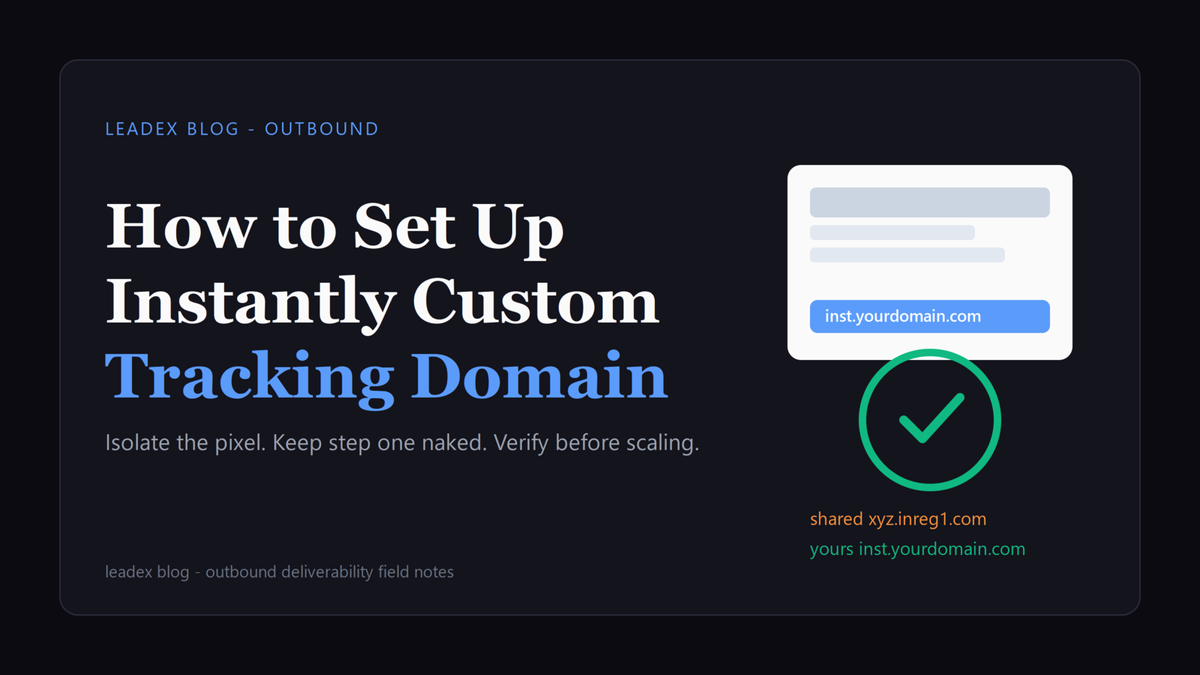
I ran into this the same week I rebuilt our cold email sending infrastructure on secondary domains. Tracking was on, warmup looked fine, and placement still wobbled on step one. The culprit was not the copy. It was the tracking URL riding along with every send.
Here is the setup as of October 2026. When you enable open or click tracking in Instantly, the platform rewrites links through a shared tracking host, typically something like xyz.inreg1.com with a per-message code. To isolate yourself you create a CNAME record with Host inst pointing at prox.itrackly.com, wait 24 to 72 hours for propagation, then enable the custom tracking domain per mailbox in Instantly and confirm Check Status reads CNAME Verified. The companion moves, from the Advanced Deliverability panel, are Always Send First Email as Text-Only, Disable Open Tracking where it fits, and ESP Matching. Full steps live in the Custom Tracking Domain guide and the Deliverability Guide.
A Custom Tracking Domain (CTD) is your own dedicated domain used to track email opens and link clicks. It acts as a proxy, isolating your sender reputation from others. [...] When you enable open or link tracking, Instantly inserts special tracking code into your emails, typically a URL like xyz.inreg1.com/[code]. This URL is shared among Instantly customers unless you set up a custom tracking domain.
How does shared tracking hurt deliverability
Open tracking is a 1x1 invisible image tucked into the HTML body. When the recipient client loads images, it fires an HTTP GET back to the tracking host with a unique ID, which logs the open. Click tracking does the same trick with links, rewriting your clean URL into a redirect through the tracking host first. Neither is invisible to filters. Aggressive gateways flag the pixel callout, quarantine the redirect because it looks like phishing, and in late 2024 Gmail started showing "Images are not displayed. This message may be suspicious" banners on flagged mail with a large Report spam button. That banner ends the conversation before your first line gets read.
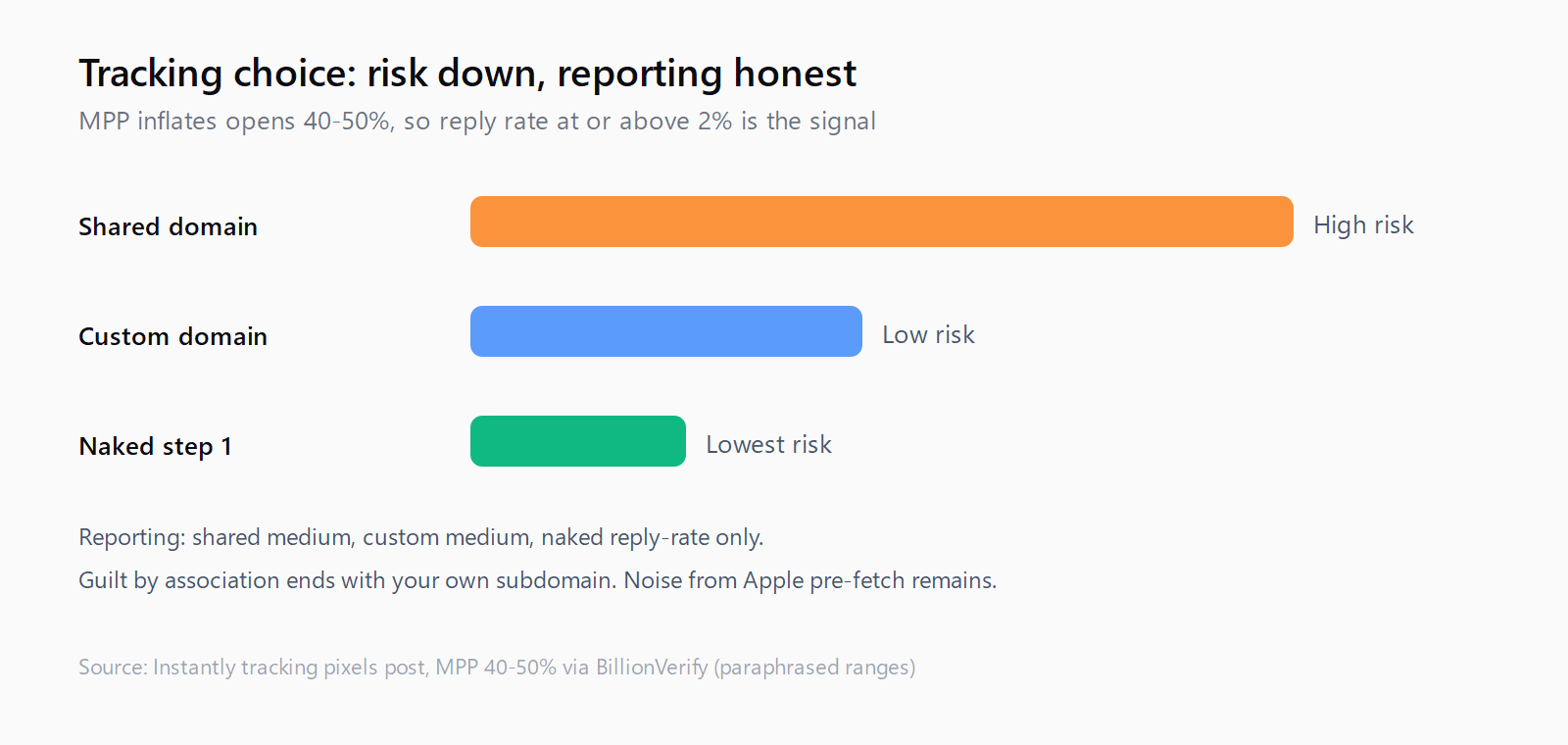
The shared part is what stings. By default every Instantly customer routes through the same pool of tracking hosts. If one sender in that pool spams, providers associate the host itself with spam behavior, and your mail inherits the stain through a link you did not choose. Hans Dekker, author at Instantly, puts the tradeoff bluntly in his tracking pixels and deliverability essay: "The observer effect is real in cold email. The act of tracking changes the outcome." (!) I felt that line because it matches what I see in placement tests. The measurement layer changes the thing being measured.
Then there is the accuracy problem. Apple Mail Privacy Protection pre-fetches content through Apple servers before the human opens anything, so a pixel fires with no read behind it. That inflates open rates by as much as 40-50 percent, total opens jumped from 22.6 percent to 40.5 percent in the six months after rollout, and Apple held 49.29 percent of opens in January 2025. You risk the inbox for a metric that is close to half noise. Instantly recommends a reply rate at or above 2 percent as the signal instead, with bounce below 2 percent and auto-pause at 5 percent. Replies prove a human saw it.
How to add the CNAME and enable the tracking domain
Do the DNS work before you touch campaigns. In your DNS panel find the sending domain itself (not your main corporate domain), and add one CNAME with Type CNAME, Host inst, Value prox.itrackly.com, TTL Automatic or 3600. That yields inst.yourdomain.com. On Cloudflare use DNS-only gray cloud, not orange, because the orange proxy breaks verification. Save and wait. Instantly quotes 24 to 72 hours, and on a fresh secondary I wait a full day rather than hammering Check Status.
Verification is two checks. First run the hostname through the MXToolbox CNAME lookup Instantly links, entering inst.yourdomain.com. A correct record shows prox.itrackly.com as Canonical Name, while DNS Record not found means a typo or patience. Then in Instantly open Email Accounts, click the mailbox, open Settings, tick the custom tracking domain box, type inst.yourdomain.com, and press Check Status. You want CNAME Verified and SSL Verified before saving. Use inst exactly. I have made the ins.yourdomain.com typo at 11pm.
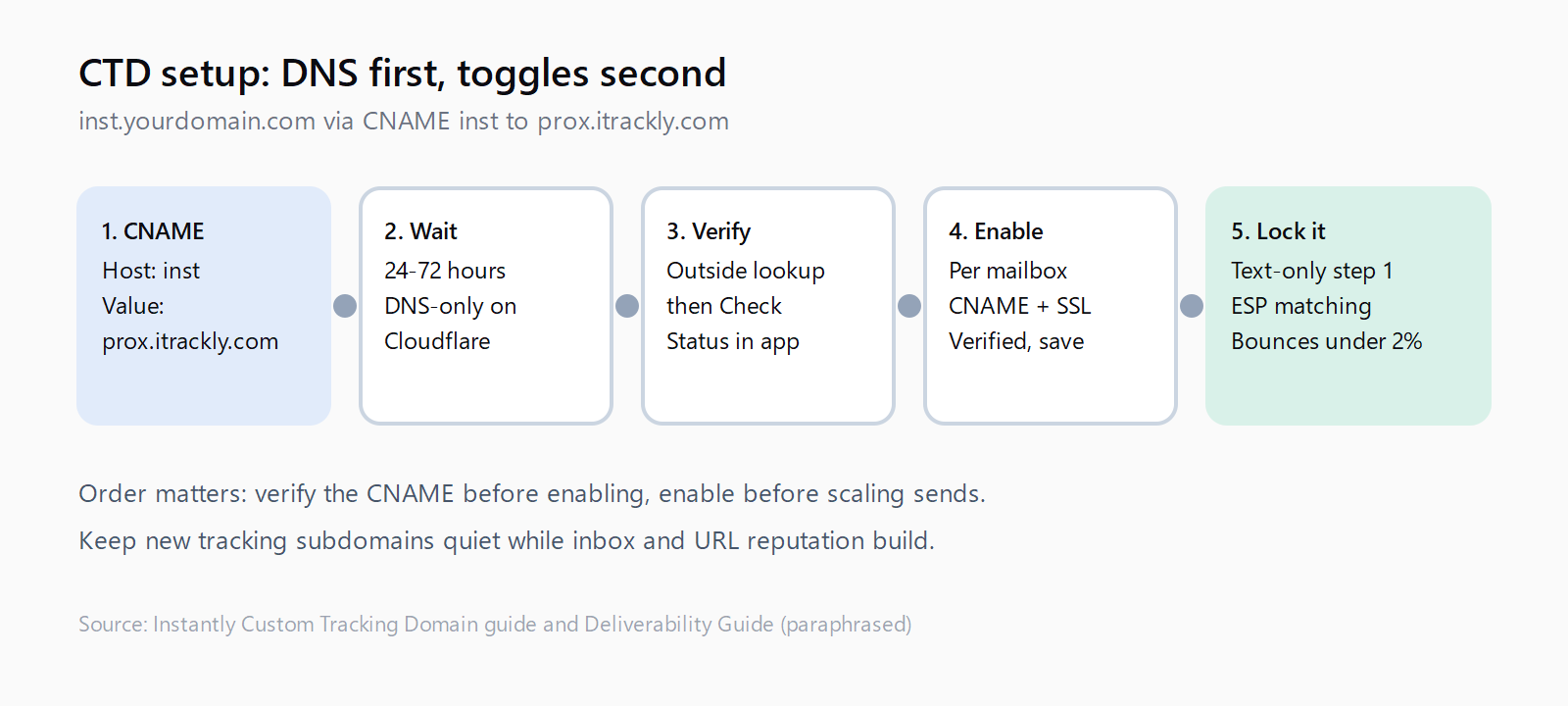
Repeat per mailbox, not per workspace. Done-For-You and pre-warmed accounts ship with this wired, otherwise each inbox needs its own enable and verify. If Instantly asks for a TXT record, add the exact value shown and re-check. One gotcha from the same panel: the company send limit can silently skip same-domain contacts while you test, so if two of three test mails arrive, check that cap before blaming DNS.
How to keep open tracking from undoing the fix
A custom domain isolates the reputation, it does not make the pixel free. The Deliverability Guide says the quiet part out loud: "Tracking pixels and links can make an email look like a mass blast, which is more likely to get filtered." That is why the first email in every cold sequence should look like one person writing to another, plain text, no links, no open tracking, short and conversational. You can set that posture globally under Settings then Advanced Deliverability by switching on Always Send First Email as Text-Only, which strips HTML and the pixel from step one across all campaigns. (To be fair, this costs you open data on the highest-volume step, which is the point. You trade a noisy number for a cleaner inbox run.)
Learn the overrides that zero out opens. Campaign Options holds Open tracking, Link tracking, and Delivery Optimization, while Advanced Deliverability holds the global Disable Open Tracking and the same text-only default, and globals win. If campaign tracking is on but nothing logs, check workspace defaults first. My default is naked step one with tracking off, tracking on for follow-ups after reply rate confirms placement. Open and click are separate toggles, so you can drop the pixel while keeping clicks through your subdomain.
ESP Matching routes Gmail to Gmail and Outlook to Outlook where possible, from the same panel. The other lever is hygiene. Verify before launch, keep bounces below 2 percent, and remember Instantly auto-pauses past 5 percent after 200 sends. I treat that pause as a smoke alarm. If it trips, the list is wrong, not the threshold.
This seam between discovery and enrichment is where I spend most of my week, because Leadex lives there too. The product takes a plain-English ICP brief, drafts a research plan with concrete sources, and runs it through a cloud browser that is capped at 15 minutes each, with Exa batches up to 100 results per call and company enrichment that typically completes in under 60 seconds per batch. I like that shape for the same reason I like naked first sends. The plan preview shows the work before anything touches the web, the CSV carries URLs and timestamps per row, and the sending domain never pays for someone else's tracking pool.
How to organize tracking domains across sending domains
You have two patterns. One tracking domain for all senders is simpler, and Instantly recommends it for an old warmed domain or an agency backbone. The risk is blast radius: one bad campaign stains everyone sharing the host. Separate hosts per sending domain, inst.first.com and inst.second.com, quarantine the damage at the cost of more setup. I default to separate on new secondaries, single only when one aged domain carries modest volume.
Keep new subdomains quiet while they build history, hold per-inbox cold volume to a few dozen per day, run warmup in parallel, and do not blast the full sequence the hour verification turns green. Add SPF, DKIM, and DMARC first, a tracking domain without authentication is still a risk, and if Gmail bounces on auth see the Gmail DMARC rejection walkthrough before touching tracking again. Run a placement test before scaling and re-check the CNAME quarterly. Silent breakage is the norm.
FAQ
Does open tracking hurt deliverability in Instantly
It can. The pixel adds an HTML callout and the click rewrite adds a redirect, both of which filters score, and on the default shared host you inherit other senders' reputation. A custom tracking domain lowers that risk a lot, and disabling open tracking on step one lowers it further. Watch reply rate at or above 2 percent rather than opens.
Can I track clicks without tracking opens
Yes. Open tracking and click tracking are separate toggles in campaign Options, so you can switch open tracking off to remove the pixel while keeping link measurement through your custom subdomain. That is my preferred shape for step one when the call to action needs a link but the inbox run matters more.
How long does the CNAME take to verify
Often hours, quoted as 24 to 72 hours. Add Host inst pointing at prox.itrackly.com, confirm prox.itrackly.com shows in an outside CNAME lookup, then press Check Status in Instantly until you see CNAME Verified and SSL Verified. Retrying almost always means propagation lag or a Host typo.
Do I need a separate tracking domain for each sending domain
Not required, but often wiser. One tracking domain for everything is simpler and suits an aged primary domain or an agency backbone. Separate inst hosts per sending domain isolate a bad campaign so it does not drag the rest of the fleet with it. I use separate for new secondaries and experiments.
One detail worth pocketing: Cloudflare users must use DNS-only gray cloud on the inst record, and Done-For-You or pre-warmed accounts arrive with the CNAME already verified (which took me an embarrassing hour to notice the first time).