
Why Your Cold Email Follow-Ups Fire on Weekends: Calendar-Day Counting and How to Fix It
Calendar-day counting lets follow-ups fire on weekends. How Instantly and GMass handle it differently and how to fix your cadence.
You set up a three-step sequence. First email goes Tuesday, follow-up in three days, second follow-up in five days total. Then you check the campaign on Saturday morning and there it is - a follow-up sitting in a prospect's inbox, sent at 9am on a weekend, to a person who is almost certainly not reading work email. The sending tool is not broken. The "3 days" you typed means three calendar days, and calendar days include weekends. The fix is straightforward once you understand which calendar your tool is using and whether it has a way to switch to business days.
I have seen two different tools handle this difference in their own way. While the cold email infrastructure you build determines deliverability, the follow-up cadence you configure determines whether your prospects see your emails at a time that looks human. Weekend sends look automated because they are - the calendar math made the decision, not you.
Where the weekend send comes from
Sequence tools compute follow-up dates by adding the delay number to the date the previous email was sent. The critical question is: what kind of days does the delay count? If it counts every calendar day, a Friday send with a two-day delay computes to Sunday. Whether the tool actually sends on Sunday depends on its sending window, but the arithmetic already consumed the weekend.
Instantly counts all calendar days (including weekends and non-sending days) when calculating the days.
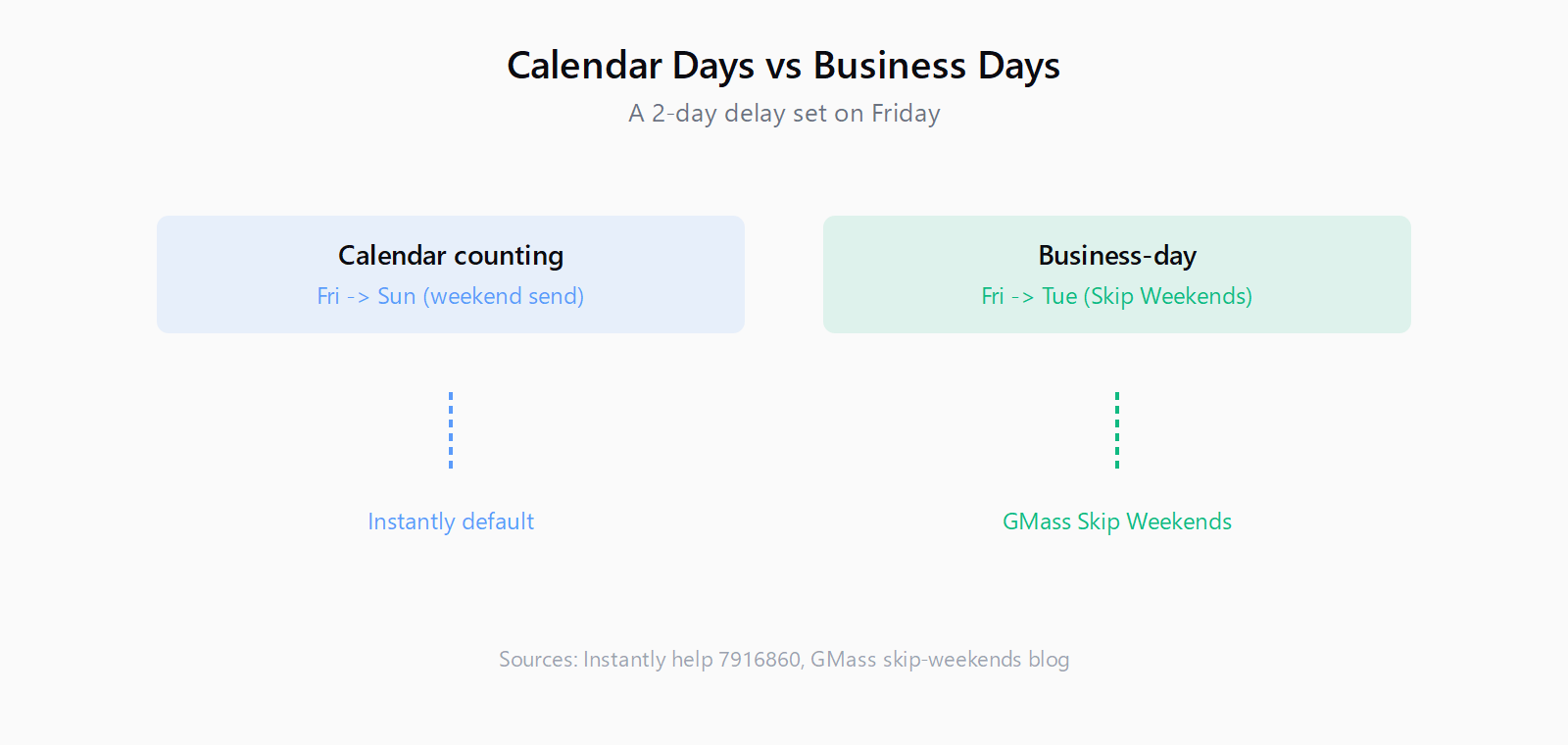
That is from Instantly's help article on wait times between steps, updated July 2026. The phrasing is important: "all calendar days" means the weekend counts toward the delay. The article's own example shows the arithmetic: Step 1 sends Friday, delay is 2 days, the result is Sunday. In Instantly, whether that follow-up actually fires on Sunday depends on whether your active sending hours include weekends. If your schedule is Monday to Friday, 9am to 5pm, Instantly defers the send to the next active period - Monday at 9am. If your schedule includes weekends, it fires on Sunday.
This is the core of the problem. The tool's delay field says "days" but does not say "business days" unless you explicitly configure it. Different tools have different defaults, which is why the same sequence can behave differently in GMass, Instantly, or Smartlead without any setting change on your part. It is the same class of problem I described for Smartlead's warmup pool - a platform behavior that is correct to the code and surprising to the operator, with no obvious alert when it does something you did not intend.
How GMass counts the days and the skip-weekends switch
GMass defaults to calendar-day counting for its auto follow-up stages. By default, the "Days" you set for each Stage are added to the date the original email was sent, not the date the previous stage was sent. A Stage 1 at 2 days and Stage 2 at 5 days means Stage 1 sends 2 calendar days after the original email, and Stage 2 sends 5 calendar days after the original email - not 3 days after Stage 1. This is an important distinction: if Stage 1 gets delayed, Stage 2 does not shift to compensate, unless you enable the strict-count setting.
By checking "Skip Weekends", no emails will be sent on a weekend. The auto follow-up Stages will count based on business days (Mon-Fri) rather than all days.
That is from GMass's skip-weekends documentation, written by founder Ajay Goel. The Skip Weekends checkbox does two things: it turns every Stage's "Days" into business days, and it suppresses any send that would land on a Saturday or Sunday. A Wednesday launch with Stage 1 set to 3 days sends on Monday (Thursday is business day 1, Friday is business day 2, Monday is business day 3), not Saturday. Without Skip Weekends, that same Stage 1 would send on Saturday.
There are a few things to know about the GMass implementation. The weekend is defined as 12:00 AM Saturday to 11:59 PM Sunday based on your computer's local time, not GMT. The Skip Weekends setting "sticks" - once you enable it for one campaign, the checkbox stays checked for future campaigns. It also affects other behaviors: spread-out sends pause over the weekend, recurring campaigns stop checking for new spreadsheet rows, and if your campaign hits Gmail's sending limit on a Friday night, the paused batch resumes Monday at 8am rather than at the stroke of midnight.
GMass also offers a "Strict count of days between stages" setting, which is an account-level toggle in the dashboard under Settings > Auto Follow-ups. With strict counting enabled, Stage 2 is always the prescribed number of days after Stage 1, even if Stage 1 was delayed. Without it, Stage 2 stays anchored to the original email date. Both settings interact with Skip Weekends: with strict counting and Skip Weekends on, the business-day arithmetic cascades from one stage to the next. This is worth checking if your sequence uses more than two stages and you want the spacing between them to stay consistent.
How Instantly counts the days and the scheduled-hours guardrail
Instantly's wait time is calculated per lead, from the exact moment the previous step was sent. The days-based delay counts all calendar days. The guardrail is the sending schedule: follow-ups are only sent during your active scheduled hours. If the computed time lands outside those hours, the send is deferred to the next active period. This is why the Instantly example I mentioned earlier lands on Monday rather than Sunday - the schedule excludes weekends, and the deferral is built into the tool's behavior.
If your scheduled hours include weekends, Instantly will send on the computed day, even if it is a Saturday or Sunday. The fix is to set your active schedule to Monday through Friday if you do not want weekend sends. Instantly's hours-based and minutes-based delays follow the same logic: if the computed time falls outside the active window, the send moves to the next active period. An email sent at 4:50 PM Monday with a 20-minute delay computes to 5:10 PM, which is outside the 9-5 window by ten minutes, so it sends Tuesday at 9am.
This is the same design philosophy behind Instantly's bounce-protection auto-pause - a feature that also fires silently without a dashboard alert. The tool handles the edge case, but it does so in a way that can surprise you if you have not read the documentation. Understanding the calendar-day counting behavior is the same category of due diligence.
How to audit your own sequence for weekend landings
Whatever sending tool you use, the same three questions determine whether your follow-ups can fire on weekends:
First, look at the delay field. Does it say "days" or "business days"? If it just says "days," assume it means calendar days. Find the tool's documentation for the wait-between-steps setting and look for the phrase "all calendar days" or "including weekends."
Second, check whether the tool has a skip-weekends or business-days-only toggle. GMass calls it Skip Weekends; other tools may call it "business days" or "weekend suppression." If it exists, enable it. If it does not exist, check whether the tool's sending schedule can be configured to exclude weekends. In Instantly that is the active-hours setting; in other tools it may be a "send window" or "campaign schedule" setting.
Third, test with a Thursday or Friday send. Send a test sequence to yourself with a 1-day or 2-day delay starting on a Thursday. If the follow-up fires on Saturday, you have found the calendar-day counting problem. This is the fastest way to confirm the behavior without reading documentation.
One more thing to check: whether the tool counts stage days from the original email or from the previous stage. In GMass, the default is from the original email, which means delays compound in a way that is hard to predict across multiple stages - the "Strict count of days between stages" toggle changes this. If your tool has a similar setting, understand which cardinal point it uses before you set multiple stages.
None of this is a Leadex concern - the sending happens in whatever tool you connect after the research phase. But it is the kind of operational detail that matters once the list is built and the sequence is running. Leadex generates the research plan, finds the contacts, enriches them, and pushes the result to your CRM as a plan preview you approve before any execution starts. The follow-up cadence is then up to your sending tool, and the calendar-day counting problem is one of the first configuration decisions you should verify after the CSV lands.
FAQ
Does GMass send follow-ups on weekends by default?
Yes. Without the Skip Weekends checkbox enabled, GMass counts stage days as calendar days and will send follow-ups on Saturdays and Sundays if the arithmetic lands there. Enable Skip Weekends to convert stage days to business days and suppress weekend sends.
Does Instantly send follow-ups on weekends?
Only if your active scheduled hours include weekends. Instantly counts all calendar days in its delay calculation, but it only sends during the hours you configure in the sending schedule. If your schedule is Monday to Friday, a computed Sunday send defers to Monday at 9am. If your schedule includes weekend hours, the send fires on the computed day.
What is the difference between calendar days and business days in a sequence?
Calendar days count every day on the calendar, including Saturdays and Sundays. Business days count only Monday through Friday. A 3-day calendar delay from Thursday sends on Sunday. A 3-business-day delay from Thursday sends on Tuesday. The difference matters most when your sequence anchor falls on a Thursday or Friday.
Will skipping weekends delay my entire sequence?
No - it shifts the timing to the next business day, but the sequence resumes with the same business-day spacing. A Wednesday launch with a 3-day skip-weekends delay sends on Monday, not Saturday. The follow-up arrives on Monday morning, which is when the recipient is likely to see it. The sequence does not skip a beat; it just avoids the weekend gap.
How do I preview when follow-ups will actually send?
GMass offers a calendar view in the dashboard that shows past and future auto follow-up dates for each campaign, with recipient counts per day. Instantly shows the sequence timing in the campaign editor. For any tool, the fastest verification is to send a test sequence to yourself starting on a Thursday and watch where the follow-ups land.