
How to Migrate Salesloft's Salesforce Connected App to an ECA
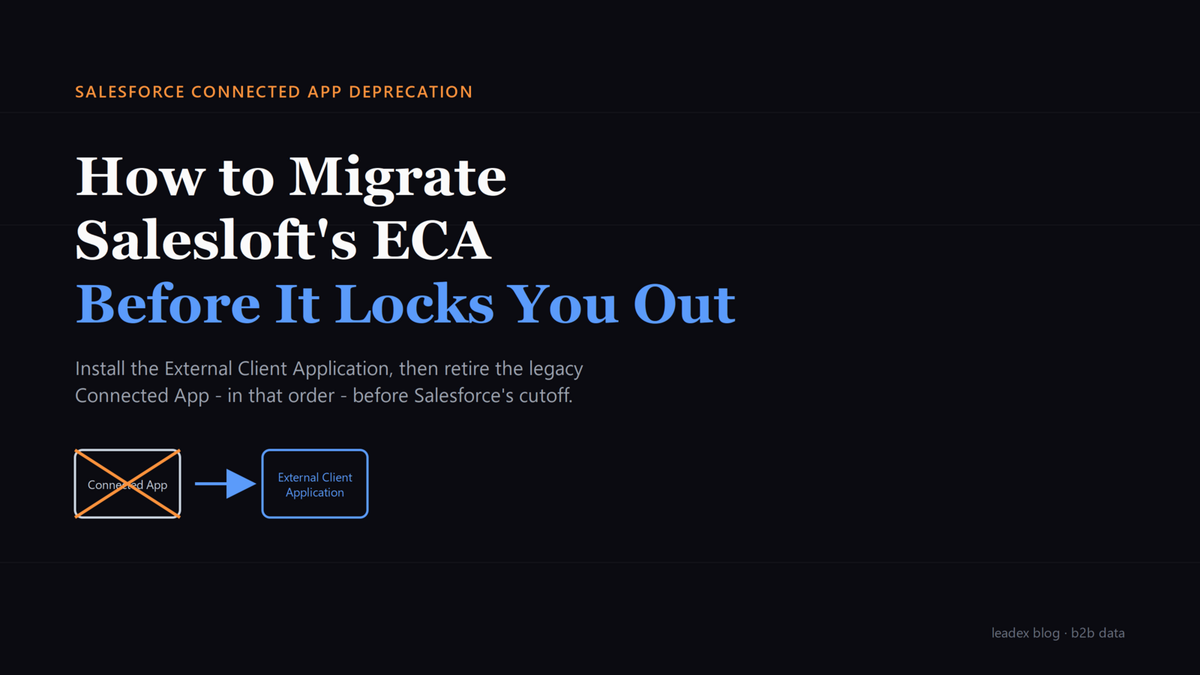
Salesforce is deprecating the Connected App. Here is the install-then-uninstall sequence for Salesloft's new External Client Application, before your team gets locked out.
If you have already sat through a vendor API deprecation migration this year, the shape of this one will feel familiar: a legacy integration mechanism gets a sunset date, a replacement package shows up on an app marketplace, and someone with admin rights has a short window to swap one for the other without breaking sync. This time it is Salesloft's turn, and the mechanism being retired belongs to Salesforce, not Salesloft.
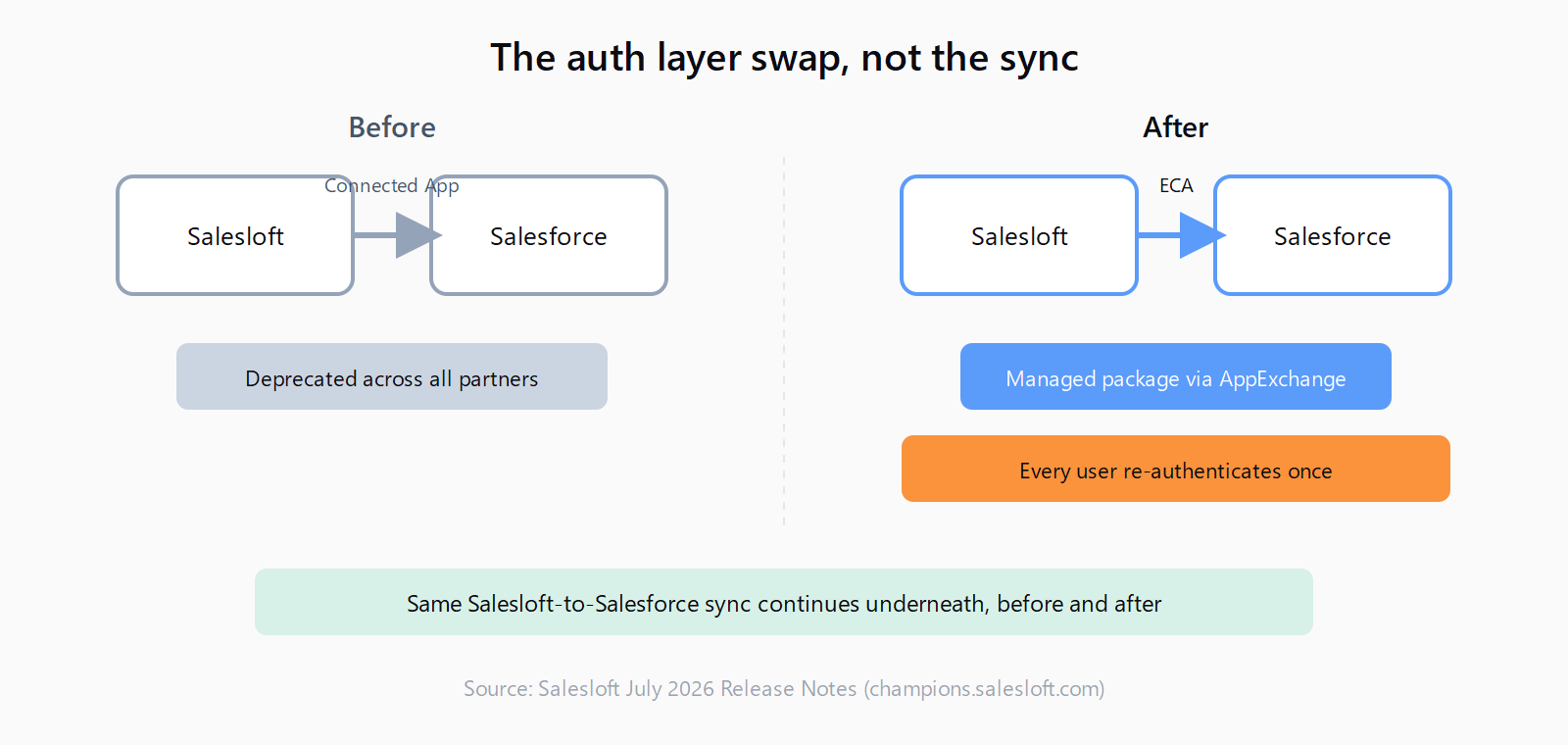
Salesloft's July 2026 release notes, posted June 30, 2026, confirm that Salesforce is deprecating the Connected App across all partners. Salesloft's replacement is the External Client Application (ECA), a managed package distributed through the Salesforce AppExchange. Every Salesloft customer running a Salesforce integration must install the ECA and remove the old Connected App.
Salesloft frames the migration window as "the next few weeks" from the notes' publish date - a short runway for anyone who has not yet looped in IT.
Why Salesforce Is Deprecating the Connected App
This is not a Salesloft-specific decision. Salesforce disabled default creation of new Connected Apps across all orgs starting with its Spring '26 release, a change RevenueOps LLC covered as a step toward retirement rather than a hard cutoff: existing Connected Apps keep working, but creating a new one now requires a Support ticket, and Salesforce has signaled that exception will eventually close too. External Client Apps run on second-generation managed packaging, which Salesforce positions as tighter on security and easier to govern at scale (I believe this is the real driver, more than any single incident).
The same Salesloft release notes that announce the ECA also show this tightening happening elsewhere in the same document: Clari, a separate product covered in the notes, now automatically rotates Salesforce refresh tokens that have been idle for 30 days, specifically "in compliance with Salesforce's updated security requirements for connected apps." One release note, two unrelated products, the same platform-level policy forcing both hands. That is a pattern, not a coincidence.
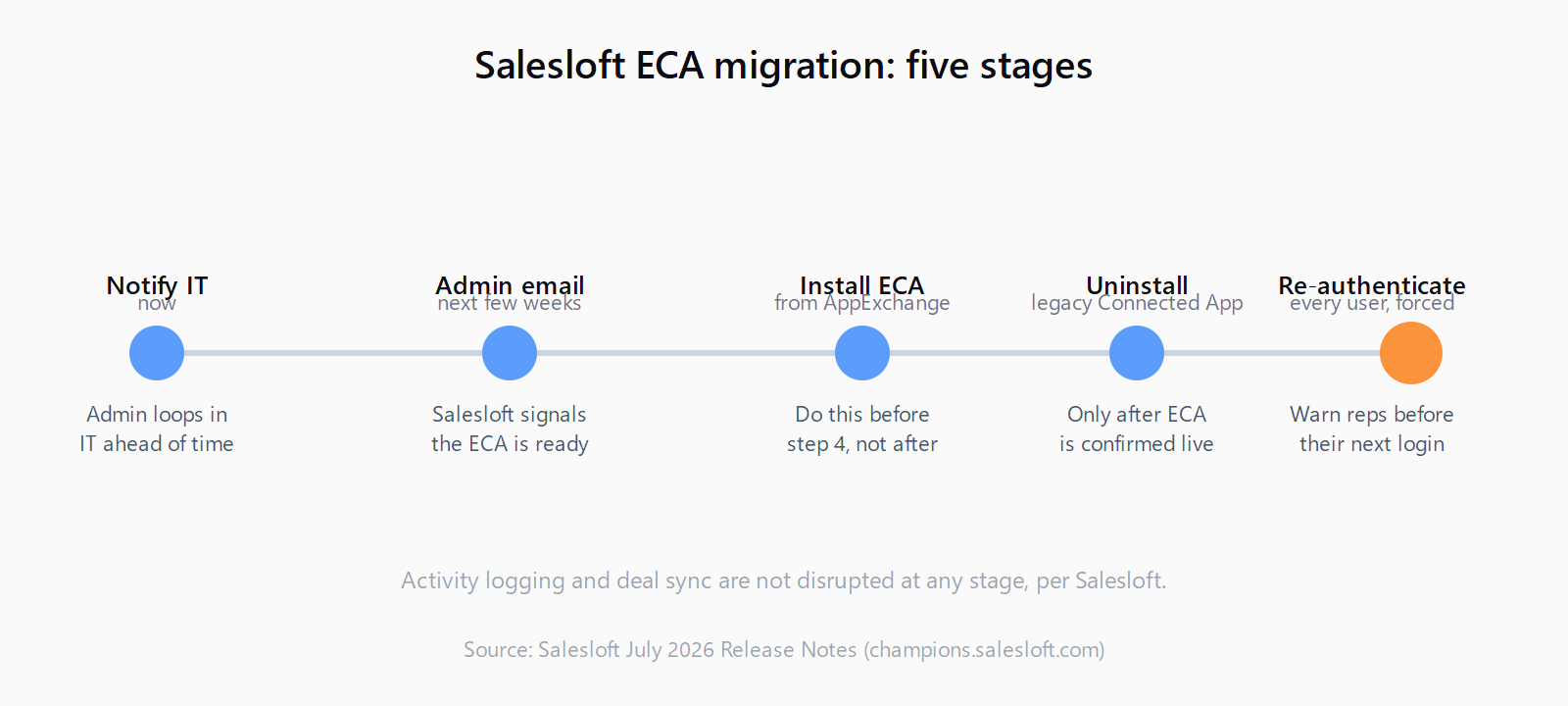
Salesforce is deprecating the Connected App across all partners. To keep your integration working, you'll need to install a replacement app. [...] Right now: Notify your IT team that this change is coming to prepare to migrate. In the next few weeks: Your admin will receive an email when the ECA is ready to install. At that point, they will need to: 1. Install the new External Client Application from the Salesforce AppExchange. 2. Uninstall the legacy Connected App. After the switch: All Salesloft users will be prompted to re-authenticate.
Set Up the External Client Application From the Salesforce AppExchange
The sequence Salesloft lays out is deliberately narrow. Notify IT now that the change is coming; that is the only action available before Salesloft sends the trigger email. When that email lands, whoever holds Salesforce admin rights on your org (System Administrator profile, or an equivalent with Download AppExchange Packages and Customize Application permissions) installs the ECA package from the AppExchange listing linked in the email. It is a managed package install like any other AppExchange app: accept the permission scopes it requests, choose install-for-all-users unless your org has a reason to scope it narrower, and let it provision.
Do this step before touching the old Connected App. The order matters more than it looks like it should, because uninstalling the Connected App first would sever your Salesforce integration with nothing in place to pick it up, forcing every Salesloft user into a broken sync state until the ECA is live.
Configure Salesforce to Retire the Legacy Connected App
Once the ECA is installed and you have confirmed it authenticates correctly (a test sync or a single manual re-auth is worth doing here, even though Salesloft does not require it before step two), uninstall the legacy Connected App from Salesforce's Connected Apps OAuth Usage page. This is the step Salesloft's own instructions treat as immediate and sequential: install, then uninstall.
General Salesforce migration guidance is more cautious about that pairing. A practitioner migration guide on DEV Community puts it bluntly: never migrate and disable a Connected App simultaneously, and instead run the new and old apps in parallel for several weeks before removing the legacy one, precisely to catch integration edge cases before they become production incidents. Salesloft's own sequence does not offer that grace period (!) - if you want the belt-and-suspenders version, keep the legacy Connected App's OAuth policy set to read-only or logging-only for a few days after the ECA install, rather than deleting it outright the same afternoon, and only remove it once you have watched a full sync cycle complete cleanly.
Track What Changes for Salesloft Users After the Switch
The most visible symptom of the switch is a forced re-authentication prompt for every Salesloft user with a Salesforce connection, the moment the org moves off the legacy Connected App. That is expected, not a bug, and it is worth telling your team about it before it happens so nobody files a ticket over a login screen they were not warned about. It is also a reasonable moment to walk through the rest of your Salesloft admin console settings while you already have everyone's attention on a forced login.
What does not change, per Salesloft's notes, is more important operationally: no disruption to activity logging or deal sync during the transition, and no gap in the connection between Salesforce and Salesloft itself. That is a narrower promise than "nothing changes" - it covers the two things Salesloft explicitly names, not every custom field mapping or third-party tool reading off the same Salesforce sync fields your Salesloft data flows through. If you run a second tool against the same Salesforce org, watch its sync status for a day or two after the cutover rather than assuming Salesloft's all-clear covers it too.
Tom Bassett, Senior Solution Architect at Vera Solutions, frames the broader ECA transition as still in progress rather than finished: writing on Salesforce Ben, he says "I think that in the very near future we will have feature parity between the different options" - a reasonable way of saying ECAs are not yet a strict superset of what Connected Apps could do, which lines up with the DEV Community guide's note that ECAs still lack support for the Username-Password OAuth flow some older integrations depend on.
We watch this kind of connected-app churn closely, because Leadex's own path into a CRM sits right next to it: contacts and companies land directly in HubSpot today, with Salesforce and other CRMs on an integration list Leadex describes as "growing every week", and every one of those integrations eventually has to survive a platform vendor changing its auth model out from under it. A fallback CSV export exists precisely for the week your CRM connection is mid-migration and you still need the list.
None of this is a reason to delay past Salesloft's own timeline. It is a reason to treat the install-then-uninstall sequence as two separate, verifiable steps rather than one motion, and to warn your reps about the re-auth prompt before their Monday morning gets interrupted by it.
FAQ
What is a Salesforce External Client Application (ECA)?
An ECA is Salesforce's replacement for the Connected App integration model, distributed as a managed package on the AppExchange. It uses second-generation packaging and splits developer configuration from admin approval, which is why installing one and approving it are two distinct actions.
Will Salesloft stop syncing with Salesforce during the migration?
Salesloft's release notes state there will be no disruption to activity logging or deal sync during the transition. That covers Salesloft's own core sync; other tools reading the same Salesforce org should be checked independently after the cutover.
Do all Salesloft users have to re-authenticate after the switch?
Yes. Every Salesloft user with a Salesforce connection is prompted to re-authenticate once the org moves off the legacy Connected App, regardless of whether they personally touched the migration.
What Salesforce permissions does installing the ECA require?
In practice, installing any AppExchange managed package requires the System Administrator profile or an equivalent permission set that includes Download AppExchange Packages and Customize Application. Confirm with whoever manages your Salesforce org before Salesloft's trigger email arrives.
Can I install the ECA before Salesforce sends the notification?
No. Salesloft's own timeline gates the install behind an admin email that goes out once the ECA package is ready for your org. The only action available before that email is notifying your IT team the change is coming.