
How to Monitor Domain Reputation After Postmaster Tools Retired Reputation Dashboards
Google retired the Domain and IP Reputation dashboards from Postmaster Tools v2. Here is how to reconstruct the early-warning signal using the dashboards that remain.
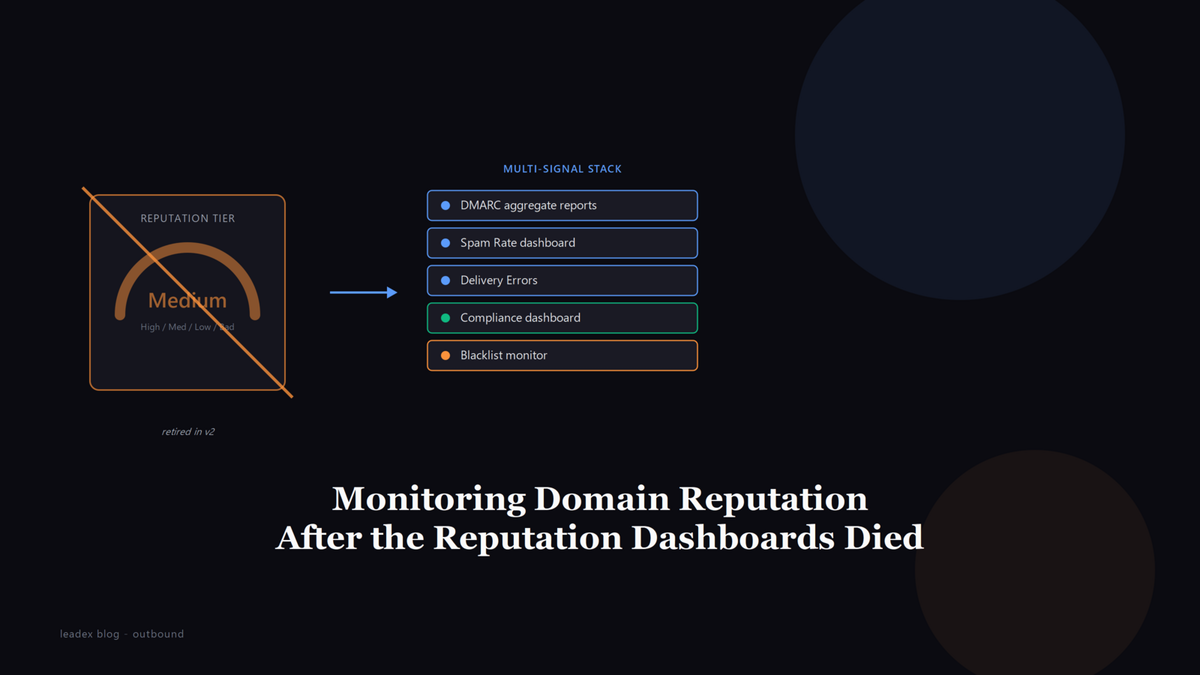
For years the first tab a cold email operator opened after a sudden deliverability drop was Google Postmaster Tools' Domain Reputation dashboard - the one that labeled your sending domain High, Medium, Low, or Bad. Google is retiring that dashboard, along with the IP Reputation dashboard, as part of the Postmaster Tools v1 to v2 transition, and the replacement is not a new reputation score. It is a Compliance dashboard that tells you whether you are following the rules, not how Gmail feels about you.
The change sits on Google's Postmaster Tools deprecation page, which confirms that "all the dashboards in old Postmaster Tools are available in v2, with the exception of the Domain and IP Reputation dashboards, which will be retired." Google postponed the v1 web interface shutdown after sender feedback, but the v2 API is already live and the v1 API will be retired, so the migration is proceeding regardless of the exact cutover date.
All the dashboards in old Postmaster Tools are available in v2, with the exception of the Domain and IP Reputation dashboards, which will be retired. [...] Reputation data is not easily actionable for most senders. Changes in sender behavior are slow to reflect in the existing dashboard. The current dashboard can be misleading as reputation is only one of many factors affecting deliverability.
That last line is the real argument. Google is saying the reputation tier was a blunt instrument that sent operators chasing a label instead of fixing the underlying problem - a spam complaint rate, a DMARC failure, a spam trap hit. That is partly fair (I believe more reputation damage traces back to unverified lists than to anything the reputation tier itself told anyone). It is also the reason a lot of outbound teams are now staring at v2 and realizing they lost their one-glance early-warning signal.
What Google retired and what v2 kept
The Domain and IP Reputation dashboards are the only two that did not make the jump from v1 to v2. Everything else carried over: Spam Rate, Spam Trap hit rate, Delivery Errors, Authentication (SPF, DKIM, and DMARC pass rates), and Encryption. What v2 adds on top is a Compliance dashboard that checks whether your domain meets Google's bulk sender requirements - the February 2024 rules that enforced DMARC alignment, a sub-0.3 percent spam complaint rate, and one-click unsubscribe for anything over 5,000 messages a day to Gmail.
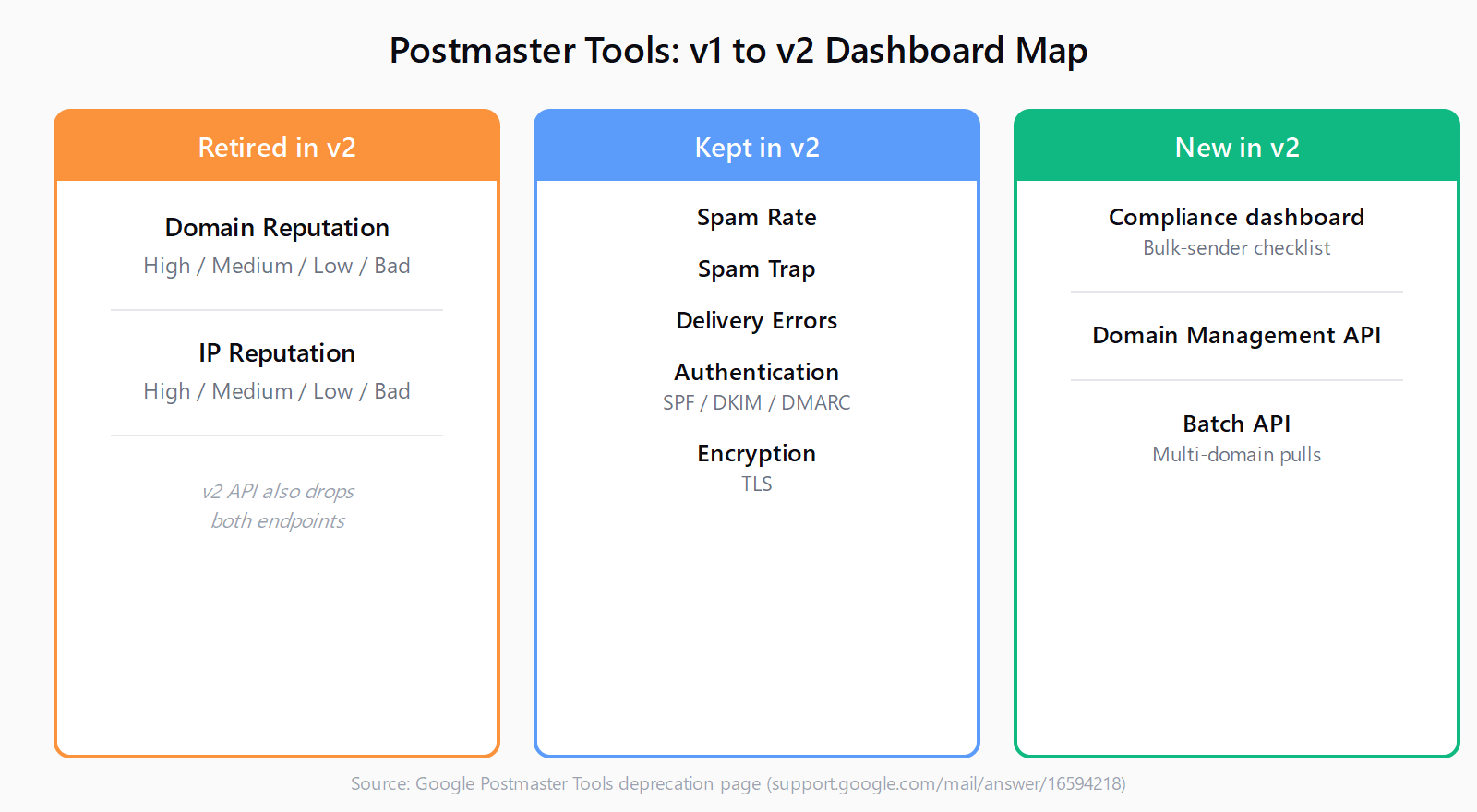
The v2 API follows the same split. Google's documentation states the new API "will encompass all existing v1 functionality, except Domain and IP reputation," and adds compliance status, Domain Management, and Batch endpoints. If you had a monitoring script pulling the v1 reputation endpoint, it will break when v1 is retired - the migration requires client code changes because v2 uses a different data schema.
The dashboards that actually replace reputation tiers
No single v2 dashboard gives you the High/Medium/Low/Bad label the old reputation view did. But the three that remain, read together, give you a sharper signal than the tier ever did - you just have to know what each one is actually telling you.
Spam Rate is the closest proxy. It measures the share of recipients who hit "report spam," not the share who unsubscribed or ignored you, and it updates faster than reputation ever did. Google's own bulk-sender enforcement treats 0.3 percent as the hard ceiling, which is the same threshold we covered in Gmail's 0.3 percent spam complaint ceiling - but the practical target for a cold email program is closer to 0.10 percent, because by the time you cross 0.3 percent your mail is already being filtered.
Delivery Errors is the dashboard most operators underweight. It breaks failures into rejections (policy or compliance based), temporary failures (rate limiting, greylisting), and authentication failures - and that third bucket is where you catch the DMARC misalignment that would have shown up as a 550 bounce on the Microsoft side. If you have ever debugged Gmail's 550 5.7.26 DMARC rejection on cold email subdomains, the Delivery Errors dashboard is where you see it forming before it becomes a hard bounce.
The Compliance dashboard is the new addition, and it is the one Google built to replace the reputation signal. Instead of a reputation tier, it tells you whether your domain passes or fails each bulk-sender requirement - authentication, spam rate, unsubscribe mechanism - as a checklist. That is more actionable than "Medium reputation" ever was, but it is also binary: you are compliant or you are not, with no gradient between.
How to reconstruct the early-warning signal reputation used to give you
The reputation tier's real value was that it moved before your spam rate did. A domain dropping from High to Medium was a leading indicator; a spam rate crossing 0.3 percent was a lagging one. Without the tier, you have to rebuild that leading-indicator function from parts.
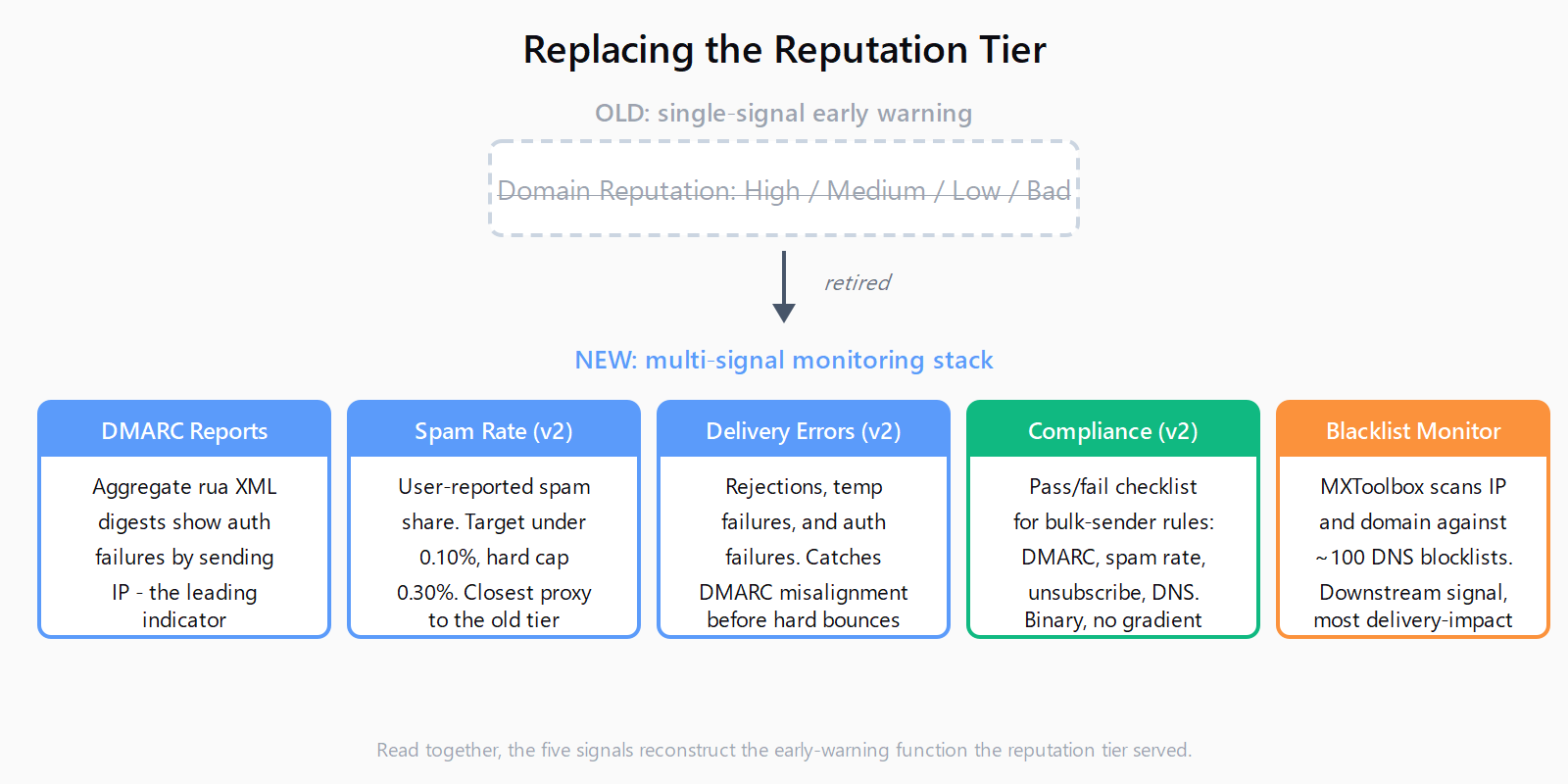
Start with DMARC aggregate reports. A p=none DMARC policy with an active rua reporting address sends you an XML digest of every message that attempted to use your domain, broken down by sending IP and authentication result. A sudden spike in SPF or DKIM failures from an IP you do not recognize is the same early signal a reputation drop would have given you - often earlier, because it shows the spoofing or misconfiguration before Gmail's filters respond to it. The Compliance dashboard tells you whether you pass; the aggregate report tells you what is trying to use your domain and failing.
Layer a blacklist monitor on top. MXToolbox's free Blacklist Check scans your sending IP and domain against roughly 100 DNS-based blocklists, and its monitoring tier will alert you when a listing appears. A blacklist hit is usually downstream of a reputation problem, not upstream, but it is the signal that most directly affects whether your mail gets delivered at all - and it is the one reputation tier that v2 has no replacement for.
If you were pulling reputation programmatically, the v2 API is the migration path. Google's Postmaster Tools API v2 documentation covers the new endpoints for spam rate, delivery errors, and compliance status. The Domain Management and Batch APIs are new and worth a look if you manage multiple sending domains - the Batch endpoint lets you pull metrics across domains in a single call, which the v1 API never did.
What to set up now so you are not flying blind
The practical move is to treat the reputation retirement as a forcing function for monitoring you should have had anyway. Three things, in order: confirm DMARC is at p=quarantine or p=reject with a working rua address (a policy stuck at p=none means you are monitoring but not enforcing); set up a daily pull of the v2 Spam Rate dashboard or its API equivalent so you catch a creep above 0.10 percent before it hits 0.3; and add a blacklist monitor that pings MXToolbox or a similar service on a schedule.
This is the same diagnostic stack that matters when you are recovering from an active reputation hit - the sender reputation recovery playbook we wrote for Smartlead's 0.1 percent auto-pause runs the same three checks (Postmaster spam rate, blacklist scan, bounce log cross-reference), because the underlying signals did not change when the reputation dashboard went away. What changed is that you can no longer open one tab and see a label.
We think about this seam a lot at Leadex, because the same discovery-to-enrichment pipeline that builds a prospect list is the thing that determines whether it is clean going in - Leadex's Exa-backed search returns up to 100 results per call and every row carries its source URL, so a list that generates spam complaints is traceable back to where it came from instead of showing up as an anonymous reputation drop three weeks later.
The kicker, for teams that have been relying on the reputation tier as their only deliverability monitor: Google is not wrong that it was blunt. But "not easily actionable" is not the same as "not useful as an early warning," and the operators who treated the High/Medium/Low/Bad label as a tripwire rather than a diagnosis are the ones who now need to build the tripwire themselves.
FAQ
Is the Postmaster Tools Domain Reputation dashboard gone for good?
Yes. Google's deprecation page states the Domain and IP Reputation dashboards "will be retired" as part of the v2 transition and will not appear in the new interface. A replacement reputation dashboard is mentioned but not yet shipped; the Compliance dashboard is the current substitute.
What does the Postmaster Tools v2 Compliance dashboard show?
It checks whether your sending domain meets Google's bulk sender requirements - DMARC alignment, spam rate under 0.3 percent, one-click unsubscribe, and forward and reverse DNS - and reports pass or fail per requirement. It does not assign a reputation tier.
How do I monitor Gmail domain reputation without the reputation dashboard?
Read the Spam Rate, Delivery Errors, and Spam Trap dashboards in v2 together. Spam Rate above 0.10 percent is the leading indicator the reputation tier used to flag. Supplement with DMARC aggregate reports for authentication failures and a DNS blacklist monitor for blocklist listings.
Does the v2 Postmaster Tools API still return reputation data?
No. Google's documentation states the v2 API "will encompass all existing v1 functionality, except Domain and IP reputation." The v2 API adds compliance status, Domain Management, and Batch endpoints, but any script pulling the v1 reputation endpoint needs to be migrated before v1 is retired.
What is the best alternative to the Postmaster Tools reputation dashboard?
There is no single replacement. The closest equivalent is reading v2's Spam Rate dashboard alongside DMARC aggregate reports and a blacklist monitor like MXToolbox - together they reconstruct the early-warning function the reputation tier served, with more specificity than High, Medium, Low, or Bad ever provided.