
How to Work Around HubSpot's 250-Filter Segment Limit Without Breaking Reporting
HubSpot caps active segments at 250 filters and 60 associated-object lines. Decompose into parent + child segments to double the cap without breaking joins.
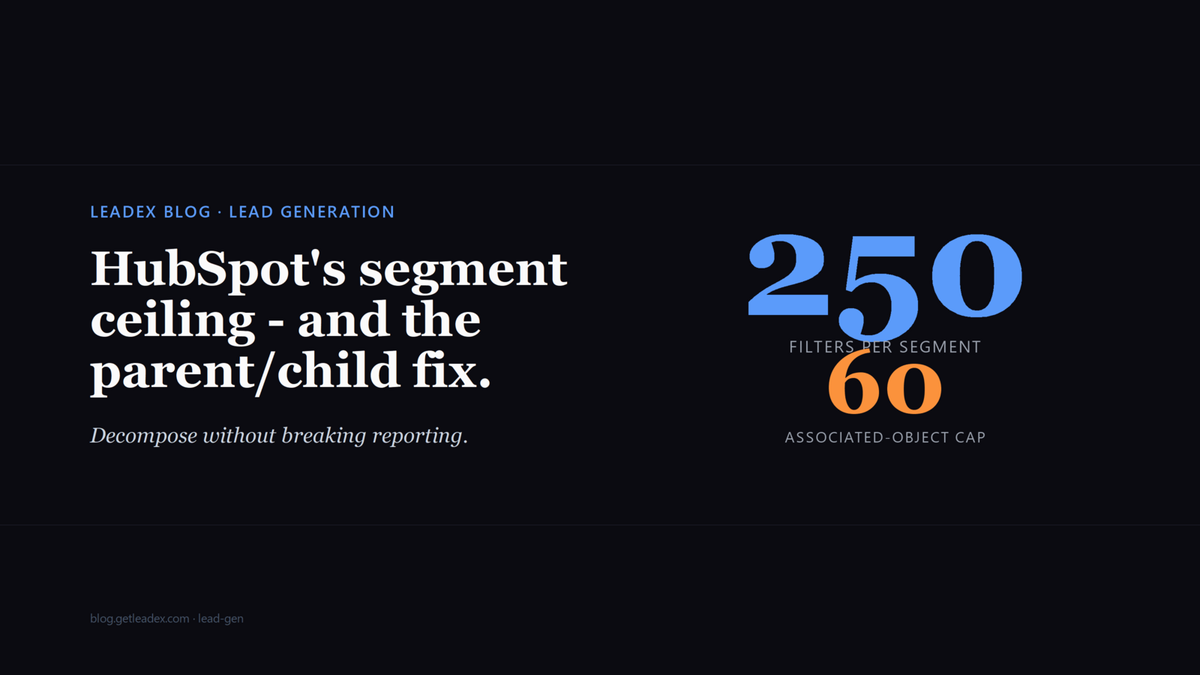
HubSpot's active segments do not gracefully degrade. You can stuff filters into one until the UI lets you save, then watch downstream reporting quietly go stale because the segment has crossed an invisible threshold and stopped recalculating in the time your dashboard expects. The thresholds are documented but rarely surfaced: 250 filters maximum per segment, of which only 60 can be associated-object filters. The first cap is on the total filter count; the second is on filters that cross from contact to company, deal, ticket, or any other object joined through an association. The vast majority of marketing-ops teams I have helped over the last year hit the second cap first, because the moment you build an ICP that touches company properties (industry, headcount, country) from a contact list, every line counts as an associated-object filter.
The dishonest part of the failure mode is that HubSpot still saves the segment. It still recalculates - eventually. The KB notes "complex segments may take longer to process...up to two hours" for those with integration-related, page-view, or segment-membership filters. Two hours is generous. I have watched a 240-filter segment with 58 associated-object lines take six hours to recompute on a busy portal, and the workflow downstream of it was supposed to fire every 15 minutes. The Marketing Hub Pro report sitting on top of that segment showed stale counts for a full afternoon before anyone noticed.
You can select up to 250 filters per segment, including up to 60 associated object filters. [...] If the segment is static, record membership won't update automatically. Create an active segment instead. [...] Complex segments may take longer to process - up to two hours.
The instinct is to keep adding filters until the editor rejects you. That is the wrong response - the ceiling does not protect you, it punishes you. The right response is to decompose the segment before you approach the limit, and to do it in a way that keeps your reporting joins intact. That is the pattern I want to walk through.
How to split a too-large segment into a parent + child pattern
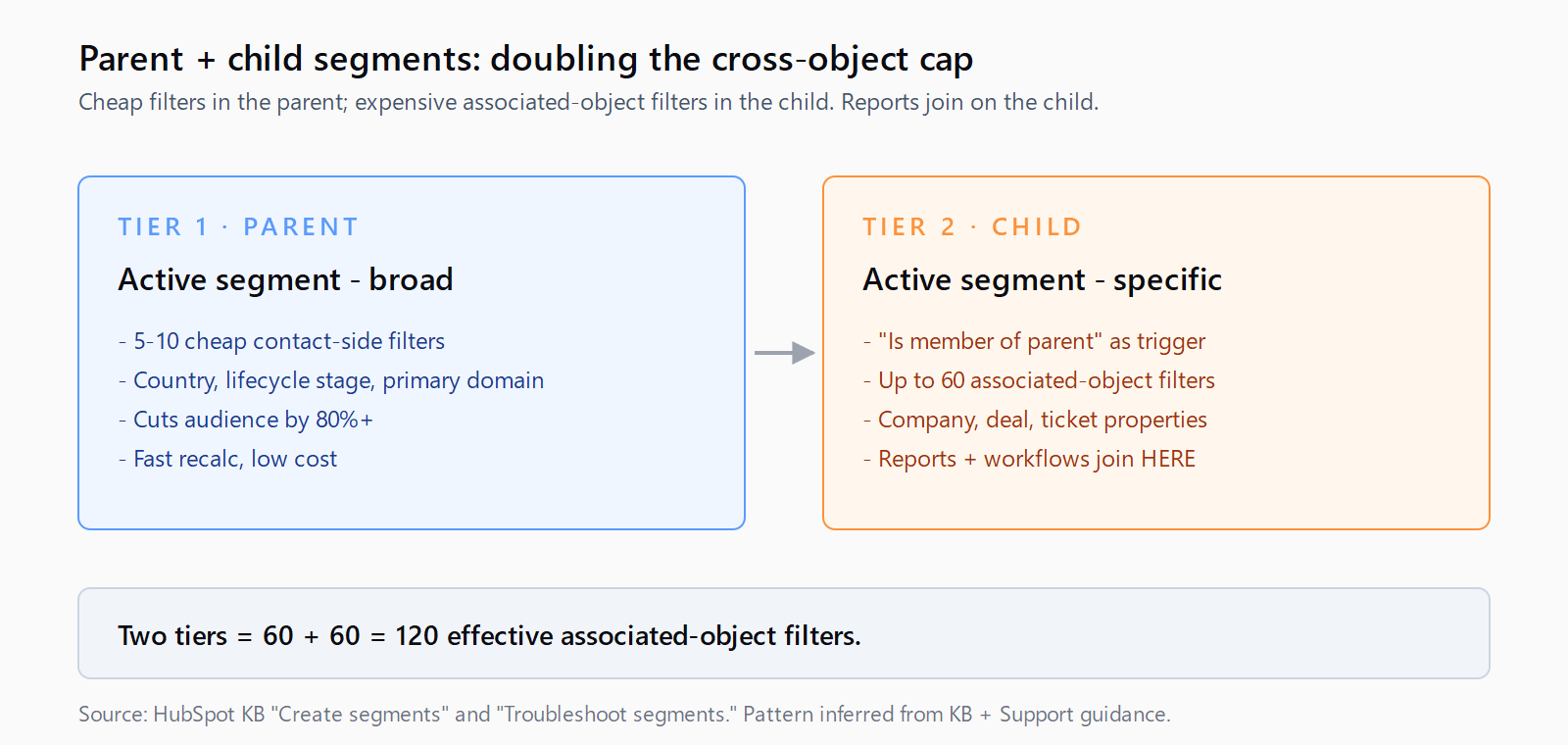
The decomposition that works in practice: take your ICP and identify the 5-10 cheapest filters that cut your audience by 80% or more. Those go into a parent active segment. Cheap means: indexed properties (lifecycle stage, country, primary email domain pattern), simple equals/contains rather than range comparisons, contact-side rather than associated-object. Country is cheap. Lifecycle stage is cheap. "Has at least one deal in Stage X within 30 days" is expensive and goes in the child.
Then create a child active segment whose only enrollment filter is "is a member of [parent segment]" AND your remaining filter logic. The child sees only the universe the parent already shortlisted, so it can spend its 250-filter budget on the precision work without re-evaluating the broad strokes. Reporting joins on the child, never on the parent - that way, when you eventually need a third tier of segmentation, you split the child into grandchildren and the joins stay on the most specific node.
This pattern is in the HubSpot docs by implication, not by name. The KB mentions list membership as a valid enrollment filter, but never spells out the parent/child decomposition. I learned it by watching a portal die under a 240-filter monster and reverse-engineering what HubSpot Support recommended as the fix.
How to keep your reporting from breaking when you decompose
The risk in any segment refactor is that your existing dashboards, reports, and workflows are joined on the old segment's id. If you delete the old segment and create the parent+child pair, every downstream artifact silently breaks - the report still loads but the count drops to zero because the segment id no longer exists. HubSpot does not surface broken joins in the UI; the dashboard just shows zero.
Do this instead: build the parent and child alongside the old segment, in a clearly named pair (ICP - Parent (broad) and ICP - Child (specific)). Wait for the child to fully recalculate - the troubleshoot panel will tell you when it is done. Compare the child's member count to the old segment's; they should agree within a few records. Then, and only then, repoint every downstream artifact to the child. Repoint, do not delete - keep the old segment around for at least two weeks as a safety net. After two weeks of clean reporting, archive it.
This is the same observability discipline we wrote about for the parallel HubSpot failure mode in the Salesforce duplicate rules piece - any state change in a downstream system that doesn't surface a callback needs an explicit before-and-after verify, not a trust-the-platform shrug.
How to find the segments that are about to hit the wall
HubSpot does not give you a "filter count" column in the segments list view. You have to discover it. The fastest way: in your portal, go to Lists, sort by last refreshed ascending, and open the top 20. Any segment whose last refresh is more than 30 minutes ago when it should be active is suspicious. Then open the filter editor on each suspicious segment and count manually - one filter per line, AND/OR operators don't count toward the 250 but they do count toward your cognitive budget.
For audit at scale, the Lists API exposes /crm/v3/lists/{listId} with a filterBranchesJson field. Parse the JSON and count the leaves. A 30-line script ranks every segment in your portal by filter count, and the ones over 200 are your migration backlog. I have not seen this scripted anywhere public - portal-specific tooling that should exist, doesn't, and most teams discover the cap empirically when reporting goes dark.
This kind of plumbing inspection - "which of my CRM artifacts are silently degraded?" - is exactly the seam between discovery and enrichment that Leadex is built to surface. When the agent pushes a new lead list into HubSpot, it returns the receiving segment's filter-count and last-refresh timestamp in the chat log, so you see "your ICP segment is at 247/250 filters; the next push will not refresh in time for your 9am report" instead of finding out from a stale dashboard. Same pattern applies to any pipeline; the principle is to make the silent thresholds observable.
How to think about the 60 associated-object cap differently
The 60 associated-object cap is what bites first because every cross-object filter counts against it. The fix is the same parent+child decomposition but with a different split: put all the contact-side filters in the parent, all the company-side and deal-side filters in the child. The child filter "is a member of parent" pulls in only contacts whose contact-side criteria are met; then the 60 associated-object filters in the child apply only to that already-narrowed set. Two segments, 60+60 cross-object filters, total 120 - twice the cap on a single segment.
The same logic compounds: three tiers gets you 180 cross-object filters, four tiers gets you 240. There is no architectural reason to stop, except that every additional tier adds processing latency. Two or three tiers is the sweet spot for almost any ICP I have seen; four or more is usually a sign the ICP is over-specified and would benefit from a rewrite. The general pattern is the same multi-source composition we covered in the intent vs signal vs context data piece: decompose into atomic units, then re-compose downstream.
FAQ
What is the HubSpot segment filter limit?
HubSpot caps active and static segments at 250 total filters, of which up to 60 can be associated-object filters (filters that reference properties on a different object - for example, company properties inside a contact segment). The limits are documented in the HubSpot KB but only applied at the editor level; segments that approach the cap silently slow down well before they refuse to save.
What happens when a HubSpot segment hits the filter limit?
The editor refuses additional filters past 250 or 60 associated-object. Below the hard cap, segments with high filter counts take materially longer to recalculate - HubSpot's own docs say up to two hours for complex segments. Reports and workflows joined on a slow-recalculating segment return stale counts until the segment finishes processing.
How do I work around the 60 associated-object filter cap?
Split the segment into a parent + child pair. The parent uses only contact-side filters and is cheap to recalculate. The child uses "is a member of parent" as its sole enrollment trigger, then applies the associated-object filters against the already-narrowed set. Two tiers gives you 60 + 60 = 120 effective associated-object filters. Reports join on the child, not the parent.
Will repointing a workflow to a new segment break reporting?
Only if you delete the old segment before repointing every downstream artifact. The fix: build the new parent and child alongside the old segment, verify the child's member count matches, repoint reports and workflows one by one, and keep the old segment archived for at least two weeks as a safety net. HubSpot does not surface broken segment joins in the UI - dashboards return zero instead of an error.
How do I find which HubSpot segments are nearing the filter cap?
The UI does not surface filter counts in the list view. Hit the Lists API at /crm/v3/lists/{listId}, parse the filterBranchesJson field, and count the filter leaves. A short script ranks every segment in the portal by filter count - any segment over 200 is on the migration shortlist. Sorting Lists by last-refreshed ascending is a fast empirical proxy if you do not want to script it.