Sales Navigator Spotlight vs Buyer Intent: When to Use Each
Sales Navigator Spotlight filters and Buyer Intent are not interchangeable. Spotlight gives you the why now; Buyer Intent gives you the temperature. Stack both.
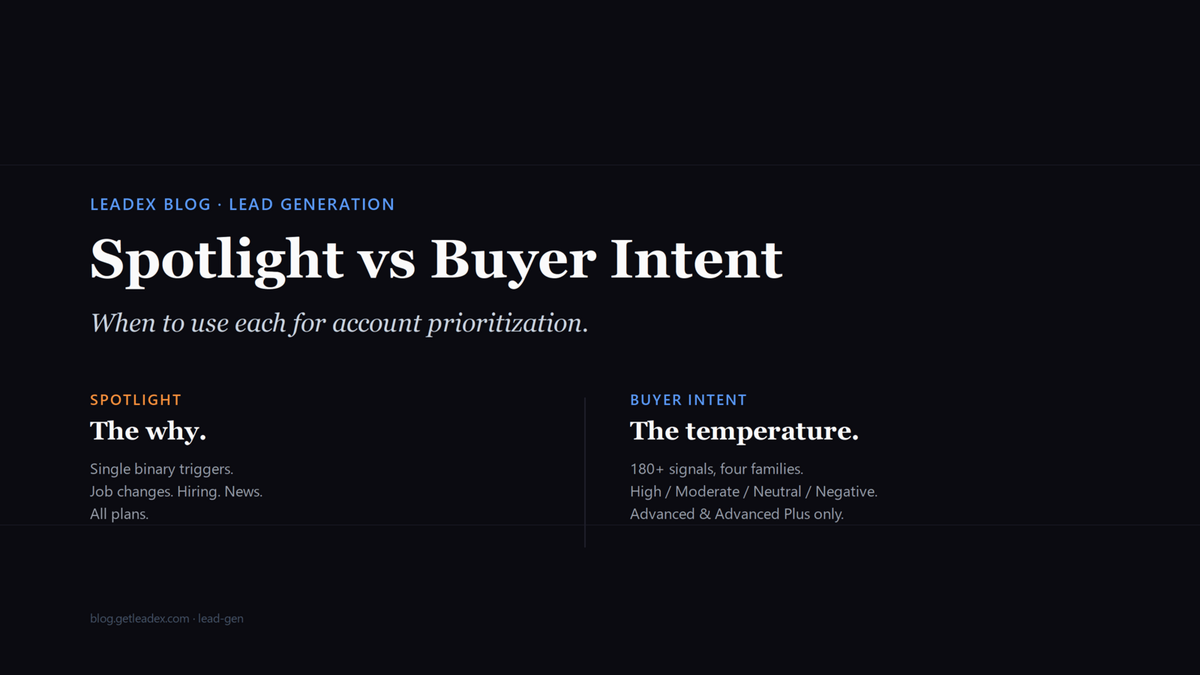
Two filters in Sales Navigator look like they do the same thing, and they do not. Spotlight surfaces a single binary flag per account or lead - this person changed jobs, this company is hiring, this account was in the news. Buyer Intent is a composite score - 180+ underlying signals collapsed into one of four buckets (High, Moderate, Neutral, Negative) and gated to Advanced and Advanced Plus seats. Treating them as interchangeable is the most common Sales Navigator mistake I see in the wild, and it usually shows up as a rep working a "Hiring" flag on an account that has High intent for a competitor's category, not theirs.
I want to spend this post on the actual seam between the two, because the answer is not "use the better one." It is "use both, in this order, for this purpose." The seam matters because LinkedIn does not surface intent and Spotlight together in any of the default views - you have to layer them yourself.
What Spotlight filters actually are
Spotlight is the row of pre-built filters at the top of Sales Navigator search: Changed jobs in the past 90 days, Senior leader change, Posted on LinkedIn in the past 30 days, Hiring on LinkedIn, Mentioned in the news, TeamLink connections, Following your company. Each one is a yes/no flag derived from a single LinkedIn data source: the member profile, the company page, LinkedIn News, the engagement graph. They are query-time filters that narrow your search to accounts or leads where the flag is currently true.
The thing to remember about Spotlight is that the flags do not weight each other. A company that just promoted a new CMO and a company whose intern changed roles both show up under Senior leader change if the role title contains "VP" or "Director." Spotlight is fast, broad, and dumb in the useful sense - it gives you a raw enumeration of triggers, and you decide which ones matter.
What Buyer Intent actually is
Buyer Intent is the four-bucket score visible on Account Hub and via the Buyer Intent search filter on Advanced and Advanced Plus seats. The official LinkedIn help center page spells out the construction:
The system uses 180+ distinct insight signals combined into an aggregated Buyer Intent Score. [...] Companies who have added the Insights tag to their website gain additional data in their aggregated scores and alerts and receive insights on website visits. [...] High: account has a very active expression of buyer intent. Moderate: account has an active expression of intent, so they're likely to respond. Neutral: no active intent. Negative: active expression of disinterest.
That paragraph is doing more work than reps realize. Buyer Intent aggregates four signal families - LinkedIn.com activity, ad interactions, InMail accepts, and off-LinkedIn website visits via the Insights tag - over a rolling 30-day window. It tells you this account is engaging, full stop. It does not tell you with whom, on which surface, or why. Spotlight tells you the why; Buyer Intent tells you the temperature.
When to use Spotlight, when to use Buyer Intent
Spotlight is the right filter when you have a trigger thesis - a hypothesis that says "companies that just hired a new VP of Eng are 10x more likely to buy our category in the next 90 days." You are searching for the trigger, not for engagement. The same logic applies to "companies that just closed a Series B" or "companies whose tech lead just joined from a customer." Spotlight gives you a clean enumeration of the universe, and you score it with your own ICP rules.
Buyer Intent is the right filter when you have a target list and need to prioritize within it. You already know your 500 in-segment accounts. You want to know which 40 are warm this week. That is the unique job Buyer Intent does well - the composite score is most reliable as a relative ranking inside a defined universe, not as an absolute "these accounts will buy" signal. The score does not know what category you sell; it only knows the account is engaging with LinkedIn surfaces in your orbit.
The case where reps conflate the two: they treat Hiring on LinkedIn as if it were intent. It is not. Hiring on LinkedIn is a recruiter pixel. A company that posts 50 jobs a quarter posts 50 jobs every quarter; the flag is on continuously and tells you nothing about whether anyone at that company is engaging with your category. Buyer Intent, by contrast, can dip from High to Neutral inside a week as engagement decays - it is a temperature, not a state.
The layered workflow that actually works
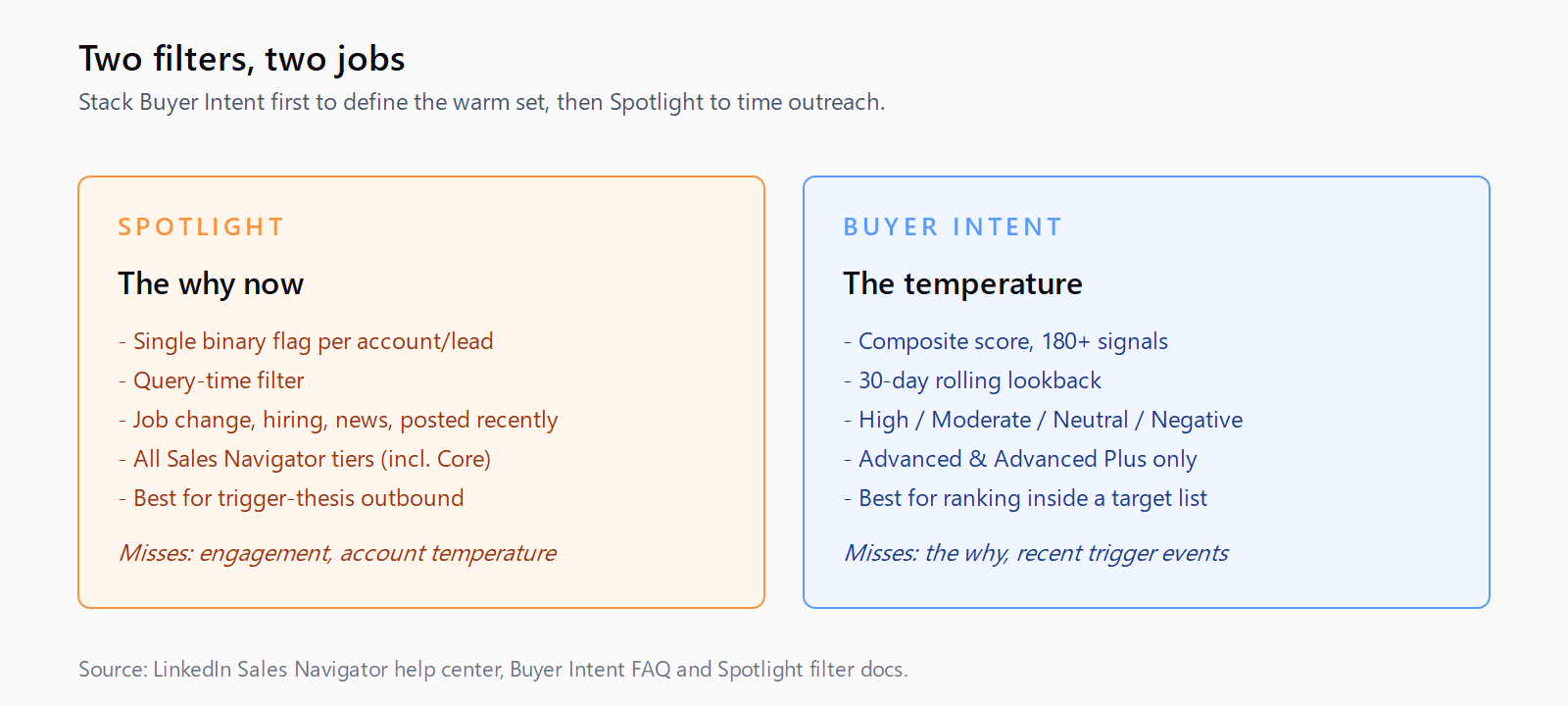
The pattern I have settled on: Buyer Intent first to define the warm set, Spotlight second to time the outreach. Open Account Hub, filter to Buyer Intent High and Moderate, exclude Negative, intersect with your saved Account List of in-segment companies. That gets you the 40-80 accounts where engagement is happening and your ICP fits. Then, inside that set, sort or filter by Spotlight - Senior leader change in the past 30 days, Posted on LinkedIn in the past 7 days. The Spotlight flag is your "why now" hook for the opener. The Buyer Intent score is your justification for spending the time at all.
Doing it the other way - Spotlight first, then ignore intent - is how reps end up sequencing accounts that just promoted a VP but show Negative intent. That account literally said no recently. The new VP joining does not erase the InMail decline from two weeks ago. Per the LinkedIn help center, Negative means "active expression of disinterest, so they're unlikely to respond," and you are still going to send the email because the Spotlight flag lit up. The cost is the worst kind: an opt-out or a "please remove me" that you could have avoided by reading one column.
The seam between trigger data and intent data is where most outbound stacks bleed signal, and it is exactly the seam Leadex is built to close. Sales Navigator stays the LinkedIn-graph source of both Spotlight and Buyer Intent, and Leadex composes the rest - funding events, headcount deltas, technographic shifts, news mentions outside the LinkedIn News graph - into the same prioritized brief. The point is not to replace either Sales Navigator surface; it is to stop pretending two LinkedIn filters cover the open web. We wrote about this more broadly in the intent vs signal vs context data piece, which sets out the three categories Spotlight and Buyer Intent each occupy.
What gets missed when you only use one
If you only use Spotlight, you ship volume at the cost of relevance - you have a clean trigger but no read on whether the account is engaging. Your reply rates look fine for the first week and then sag as you work down the list past the highest-fit accounts. If you only use Buyer Intent, you compress your universe to the 40-80 warmest accounts and lose the broader trigger-driven outreach where intent has not registered yet but the timing is right. The Series A that closed yesterday will not show as High intent for another 3-4 weeks while the team browses; Spotlight catches it Day 1.
The general signal-stacking case - why one trigger is rarely enough, and why composite scoring beats single-filter searches - we wrote about in the signal stacking piece. The Spotlight-vs-Buyer-Intent question is one specific instance of that broader pattern: two surfaces, two strengths, layered.
FAQ
Are Sales Navigator Spotlight filters and Buyer Intent the same thing?
No. Spotlight surfaces single binary triggers per account or lead - changed jobs, hiring on LinkedIn, senior leader change, posted recently. Buyer Intent is a composite score derived from 180+ signals across four families (LinkedIn activity, ads, messaging, off-LinkedIn website visits via the Insights tag), bucketed High, Moderate, Neutral, or Negative.
Which Sales Navigator plan includes Buyer Intent?
Buyer Intent is available on Sales Navigator Advanced and Advanced Plus only. Core users cannot see the Buyer Intent score in Account Hub or filter by it in lead search. Spotlight filters, by contrast, are available across all Sales Navigator tiers including Core.
When should I use Spotlight vs Buyer Intent for account prioritization?
Use Spotlight when you have a trigger thesis (e.g. companies that just hired a VP of Eng) and want a clean enumeration of accounts matching that trigger. Use Buyer Intent when you have a defined target list and need to rank which accounts are warm right now. The most reliable workflow uses both: Buyer Intent first to define the warm set, Spotlight second to time the outreach.
Why do reply rates drop when I only use Spotlight filters?
Spotlight tells you the trigger fired, not whether the account is engaging. A company can be hiring continuously without anyone there evaluating your category. Buyer Intent corrects for that by scoring actual LinkedIn-side engagement - profile views, content interactions, InMail accepts, website visits - over the previous 30 days. Without that overlay, Spotlight-only outreach hits accounts that match a trigger but show no buying behavior.
Does Buyer Intent work without the LinkedIn Insights tag?
Partially. Without the Insights tag installed on your website, Buyer Intent loses the off-LinkedIn website-visits family - one of four signal families that feed the score. The score still runs on LinkedIn.com activity, ad interactions, and messaging acceptance, but it is materially less specific. Install the Insights tag from LinkedIn Campaign Manager to get the full picture.