
How to Recover Apollo Sequences Stuck in ERROR Status After a Mailbox Disconnect
When an Apollo mailbox disconnects, contacts flip to ERROR and stay there. Reconnect doesn't auto-resume - here's the recovery pattern.
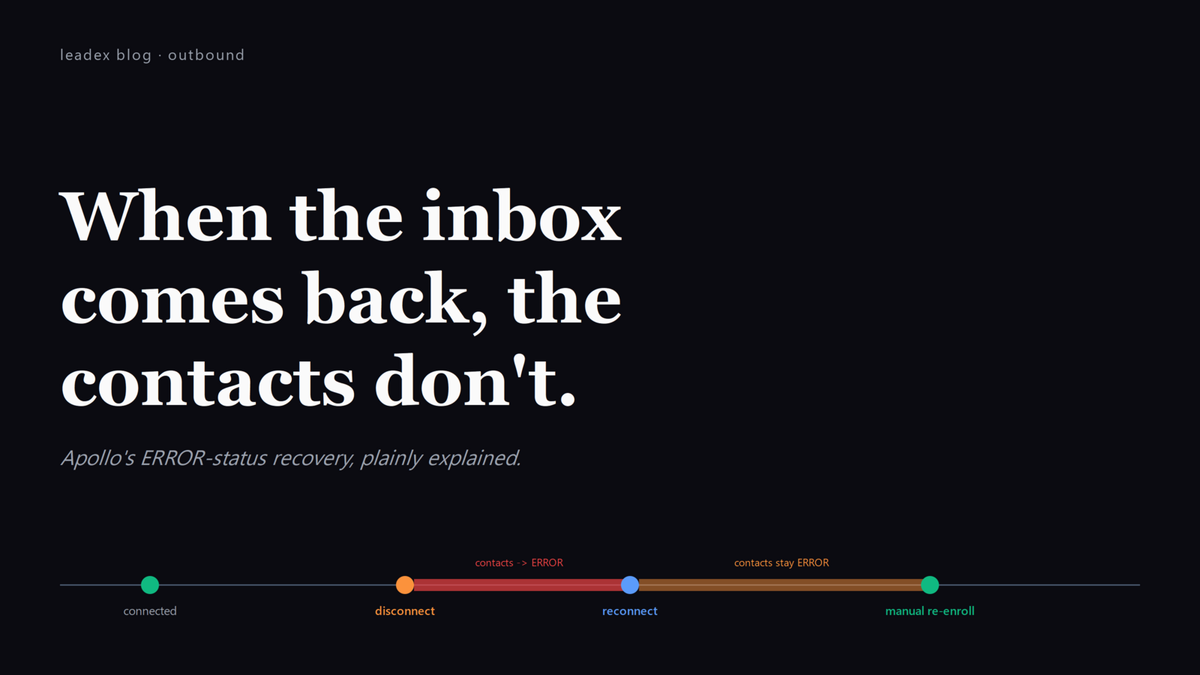
An Apollo-connected mailbox disconnects on a Tuesday afternoon - a Google security re-auth, an OAuth token expiry, an Outlook tenant change - and by Wednesday morning every contact scheduled to send from that inbox sits in ERROR status. The reps who notice late will discover what nobody told them: reconnecting the inbox does not resume those contacts. They have to be re-enrolled by hand, and the cadence gap is invisible in the default Sequence Overview report.
I learned this the hard way after a Gmail re-auth flipped 280 of 340 scheduled emails to ERROR overnight. The mailbox showed green in Settings within five minutes. The contacts stayed red for 36 hours, until somebody on the team scrolled past the Overview tab and noticed the absurd cluster of failures sitting in one cohort.
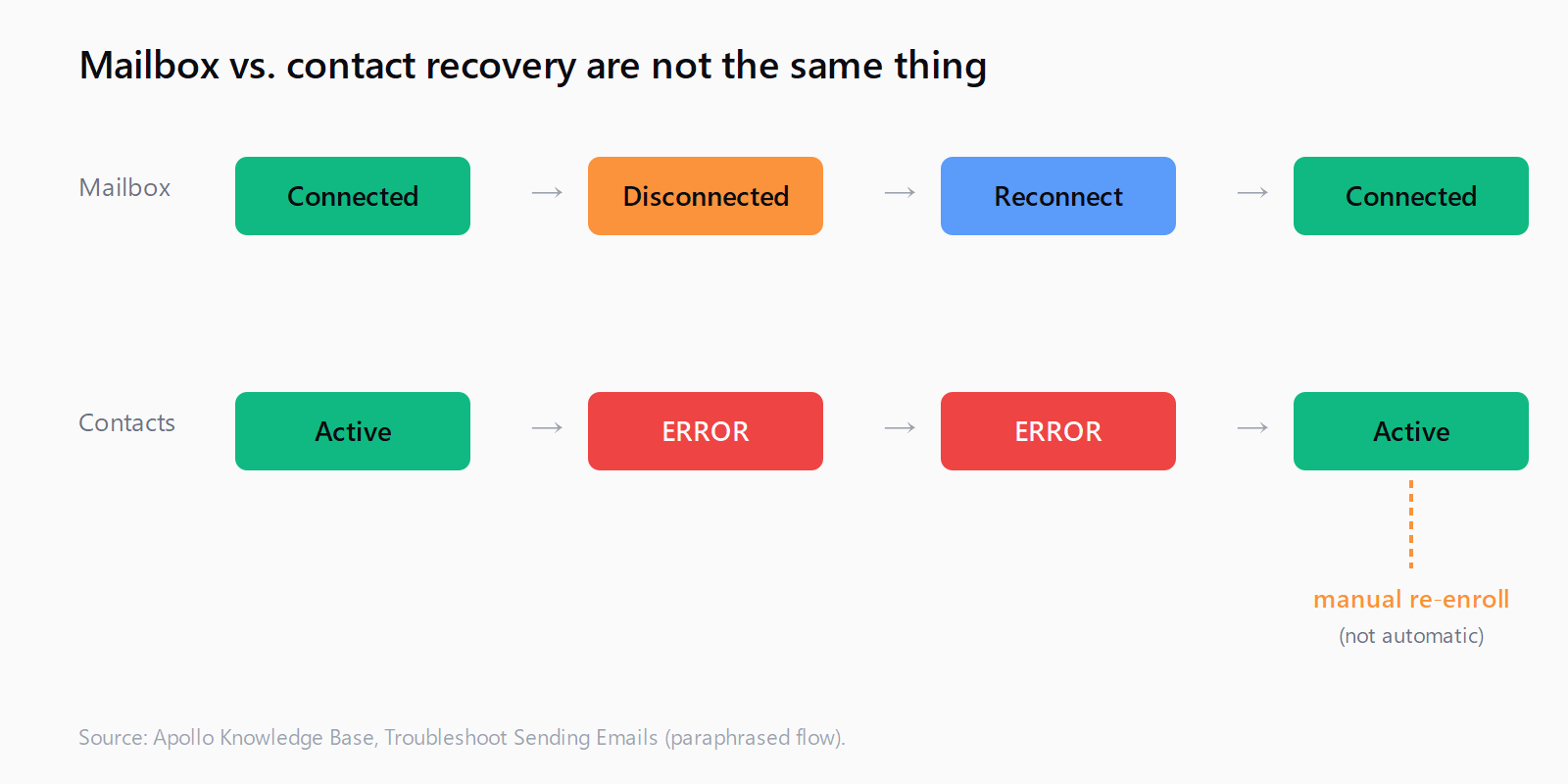
Apollo's documented behavior is plain about this in Troubleshoot Sending Emails and the Link Your Mailbox to Apollo article: when a mailbox status flips from "Connected" to "Disconnected" or "Warning," contacts queued on that mailbox flip to ERROR. Reconnect resumes the mailbox; it does not resume the contacts.
If your mailbox is disconnected, contacts that were scheduled to receive emails from that mailbox will move to an ERROR status. After you reconnect, you will need to manually re-enroll those contacts into the sequence or change their sending mailbox to a different connected inbox.
How to detect a mailbox disconnect before it cascades
Settings > Email Accounts is the surface that matters and the one nobody opens. Apollo shows three statuses there: Connected (green), Warning (yellow - token about to expire, sending throttled, or recent auth challenge), and Disconnected (red - send queue paused, contacts flipping to ERROR). The Warning state is the one to act on. Once Apollo escalates to Disconnected, contacts have already started flipping.
Warning typically appears 24-72 hours before the disconnect for Google Workspace mailboxes - Google sends a re-auth nudge through the OAuth refresh path, Apollo catches it on the next token refresh, surfaces the yellow. For Outlook, the warning window is shorter; Microsoft's conditional-access policies can revoke tokens with no warning at all if a tenant admin changes a setting.
The lightest-touch detection is a daily glance at the Email Accounts panel. The heavier-touch version is a scheduled report from Apollo's API or a third-party uptime monitor (Hyperping, BetterStack) pinging the mailbox status endpoint - useful for teams running more than four senders per workspace.
How to recover ERROR contacts after the reconnect
The reconnect itself is the easy part: Settings > Email Accounts > the affected inbox > Reconnect > complete OAuth flow. The hard part is the contacts. The pattern that works:
Open the sequence, filter the contacts table by Status = Error, and confirm the count. Multi-select the filtered set. From the bulk action menu, choose Edit sending mailbox if a healthy inbox is available, or Re-enroll if you want to push them back through the same (now-reconnected) inbox. Re-enrollment puts them back at the step they were on when they errored, not at step 1 - so the cadence resumes mid-flow, not from scratch.
The Edit sending mailbox action, documented in Edit the Sending Mailbox on Contacts in a Sequence, is the better default. Reassigning the stuck contacts to a different healthy inbox spreads the catch-up load and avoids the throttle that Apollo applies to a freshly reconnected mailbox (one Apollo internally calls "warmup-grace," typically 50% of normal send rate for the first 24 hours after reconnect).
Why "suspended" is different from "disconnected"
A suspended mailbox is the worse outcome. Google or Microsoft has flagged the account itself - spam complaints crossed a threshold, content tripped a filter, sending velocity spiked - and the provider has either throttled outbound to zero or temporarily disabled the SMTP path. Reconnecting through Apollo does not fix this. The mailbox will reconnect successfully (OAuth still works), Apollo will mark it green, and the next send will fail with a 550 or 451 from the provider's side.
The fix lives upstream, not in Apollo. Reduce daily sending limits to under 50 messages from that inbox for at least seven days. Audit recent sequence content for the obvious triggers - misspellings around money, ALL-CAPS subject lines, link shorteners, attachments. If the suspension came with a notification from Google Workspace Admin or Microsoft's Defender, follow the reinstatement workflow the provider links. Only after the provider acknowledges reinstatement does it make sense to ramp sending back up - and even then, do it on a fresh sequence, not the one that triggered the flag.
Where Leadex fits when senders go sideways
This whole loop - detect, reconnect, re-enroll, audit - is downstream cleanup. The upstream control is keeping the sender pool healthy in the first place: list hygiene at enrollment, sane daily caps per inbox, a domain-level reputation monitor. Leadex sits one step earlier than Apollo in the pipeline. The agent does discovery, multi-source enrichment, and dedup before contacts ever hit a sequencer, so the list landing in Apollo is already filtered for verification status and freshness - the two biggest drivers of the reputation hit that gets a mailbox suspended in the first place. Once a sender is suspended, no amount of clever recovery in Apollo will save the week; getting the list right before enrollment is what keeps the senders out of the suspended bucket. We covered the at-Apollo version of this in our Gmail spam-complaint ceiling guide.
How to make this not happen again
Three changes that compound:
First, treat the Email Accounts panel as a daily standup item. The 30 seconds someone spends each morning checking for yellow is the cheapest insurance policy in outbound. Second, configure Apollo's bounce alerts not just for bounce rate (default 3%) but also for the rare Apollo-level "send failure" alert, which catches the provider-side 550s that signal a brewing suspension. Third, distribute scheduled sends across at least two senders for any sequence over 200 contacts - if one inbox flips to ERROR, half the cohort still moves. This is also where building a signal-based outbound workflow from scratch pays off - the redundancy is built into the architecture, not retrofitted after the first outage.
The kicker: Apollo's API has a `sequence_contacts` endpoint that returns the count of contacts in ERROR status filtered by sequence, mailbox, and time window. A 20-line cron job pinging it every hour and posting to Slack when the count crosses 5 is more reliable than any human's habit of checking Settings > Email Accounts. The default Sequence Overview report buries the ERROR count two clicks deep. The API surfaces it in one.
FAQ
Does Apollo automatically resume contacts after I reconnect a mailbox?
No. Reconnecting the inbox restores its sending capability, but contacts that flipped to ERROR while the mailbox was disconnected stay in ERROR until you manually re-enroll them or reassign them to a different sending mailbox. This is documented behavior, not a bug.
What's the fastest way to re-enroll many ERROR-status contacts at once?
Open the affected sequence, filter the contacts table by Status = Error, multi-select the filtered set, and use the bulk-action menu - either Re-enroll to push them back through the recovered inbox, or Edit sending mailbox to move them to a healthy one. Re-enrollment resumes at the step they were on, not from step 1.
Why didn't reconnecting my Apollo mailbox fix the sending issue?
Reconnect fixes the OAuth link to the provider, not the provider's view of your account. If Google or Microsoft suspended the mailbox for spam complaints or content flags, the OAuth still works but sends still fail. The fix is at the provider level - reduce sending volume, clean content, request reinstatement - not in Apollo.
How do I monitor Apollo mailbox status without checking the UI every day?
Apollo's API exposes mailbox status; a daily curl into the endpoint with a check against Connected/Warning/Disconnected and a Slack webhook on anything but Connected covers the case. Third-party uptime monitors that hit the same endpoint work too, but the homegrown cron is usually enough for teams with under ten senders.
Can I prevent contacts from going to ERROR in the first place?
Yes - distribute every sequence across at least two sending mailboxes, so a single disconnect only stalls half the cohort. Apollo's Send Settings supports round-robin mailbox assignment at the sequence level. Combined with daily Email Accounts checks and a bounce alert at the default 3% threshold, the ERROR-flip cascade gets caught before it widens. For 11x Alice users, the same debugging sequence applies - six checks in order from domain auth to exit conditions.