
How Salesloft's Seller Out of Office Automation Reschedules Cadence Tasks During Rep Time Off
Salesloft's May 2026 release adds Seller Out of Office Automation, which detects OOO events on connected calendars and reschedules Cadence tasks. The release notes do not document the rescheduling rules.
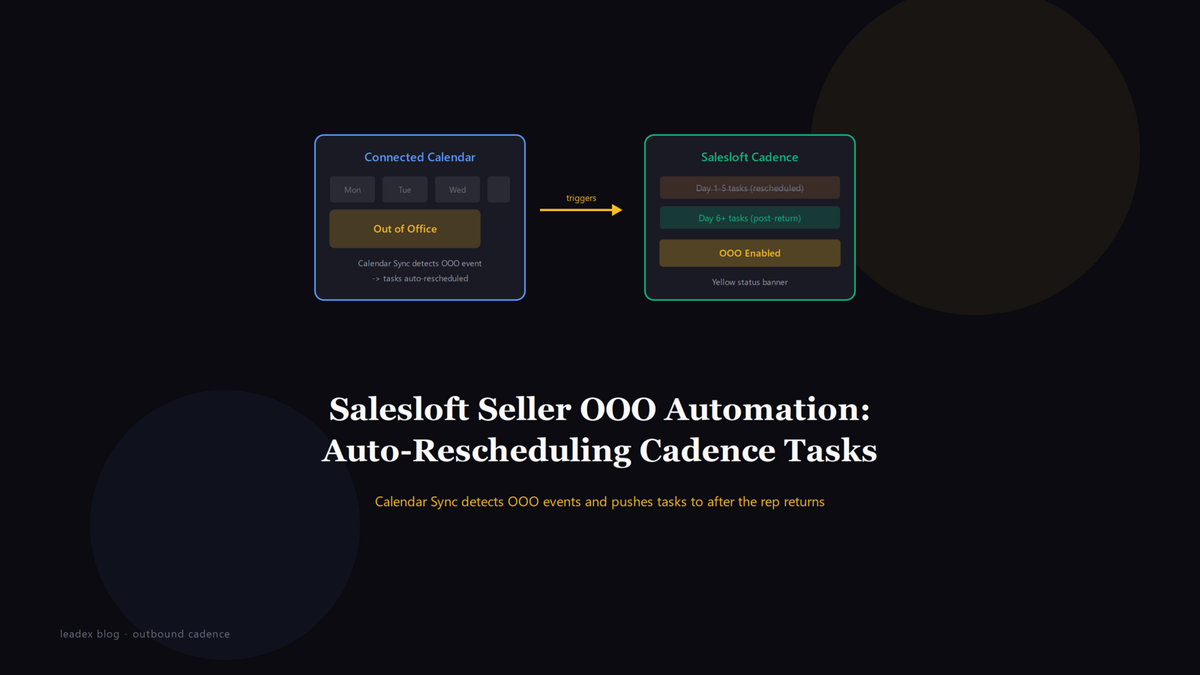
Salesloft's May 2026 release shipped a feature that solves a problem every SDR manager has watched play out the same way: a rep goes on vacation, their Cadence tasks pile up untouched for a week, and they return to a backlog of 40 overdue calls and emails that they either bulk-skip or fire off in a panic. The feature is called Seller Out of Office Automation, and it does what the name says - detects "Out of Office" events on a rep's connected calendar and reschedules their Cadence tasks automatically.
The one-line description from Salesloft's May 2026 release notes is unusually direct:
Automatically manages seller availability by detecting 'Out of Office' events from connected calendars and rescheduling Cadence tasks to maintain momentum.
That is the whole pitch. Calendar sync detects the OOO block, and the Cadence engine pushes tasks that would have fired during the absence to after the rep returns. The release notes do not offer further specifics regarding the exact timeframe or rules applied to the tasks while a representative is away, which is where the practical questions start.
How to enable Seller Out of Office Automation
The setup is split between admin and user, and both sides have to be on or nothing happens. An admin enables the feature for the team from the Meetings Settings panel - Salesloft gates it behind admin control so individual reps cannot turn it on themselves. Once the admin toggle is live, each rep needs to enable the Seller OOO Automation toggle in their own Calendar Settings and then set an actual OOO event on whatever external calendar they have synced (Google Calendar, Outlook, or whatever Calendar Sync is pulling from).
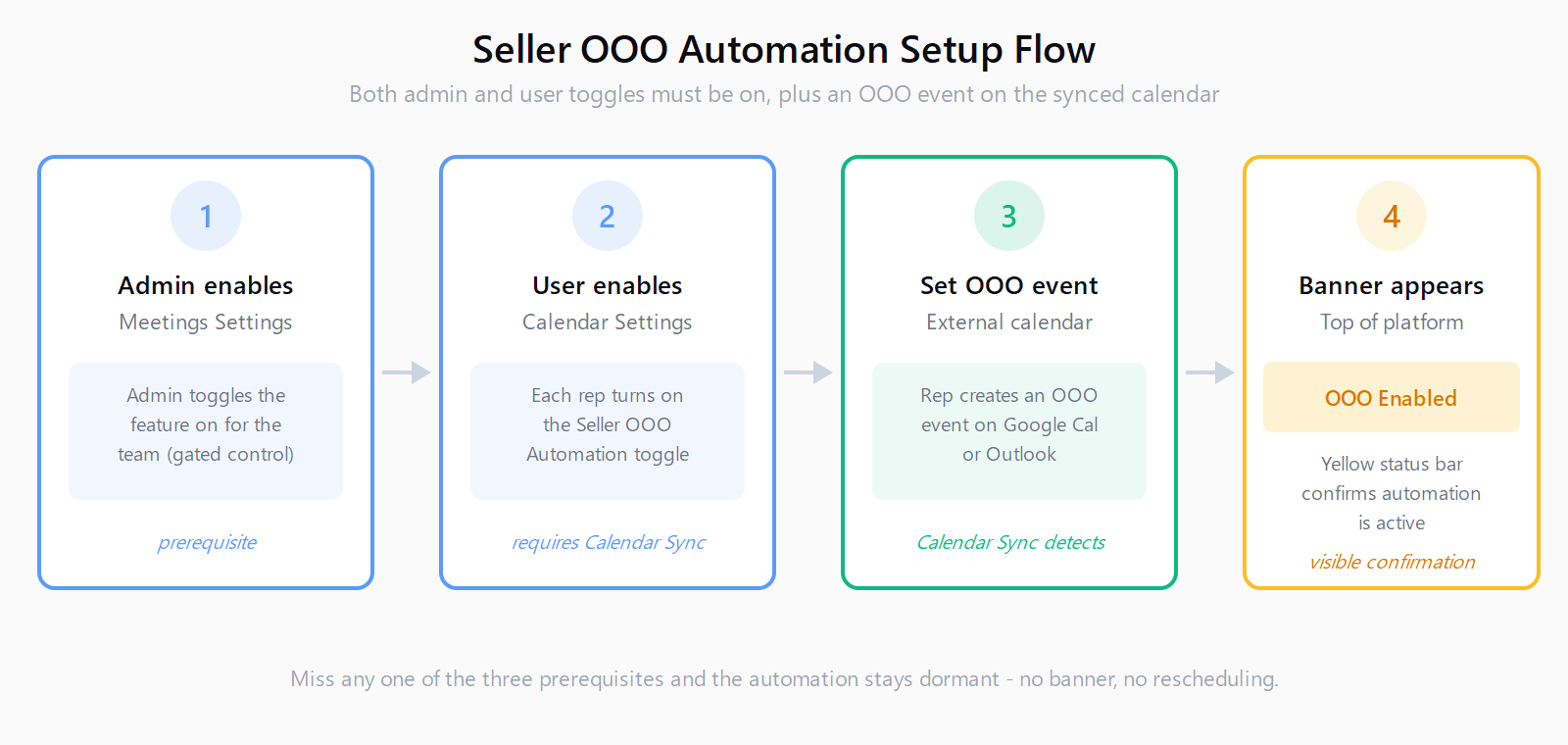
When everything is wired correctly, a yellow "OOO Enabled" status banner appears at the top of the Salesloft platform. That is your confirmation that the automation is active and watching for calendar events. If you do not see the banner, the most common cause is Calendar Sync not being active on the user's profile, which the release notes list as a prerequisite. The toggle exists but does nothing without the sync feeding it calendar events to detect.
What the release notes do not tell you
Here is the gap. The release notes confirm that tasks get rescheduled, but they do not specify which tasks, how far out, or whether time-sensitive steps are handled differently. A few questions that any operator running live cadences will want answered before trusting this with a real pipeline:
Does a task due on day two of a five-day absence get pushed to day six (the day after return), or does it get redistributed across the days following the absence to avoid a cliff of 40 tasks landing on one morning? The difference matters - a rep returning to a single day with a week's worth of queued calls is not meaningfully better off than the manual pile-up the feature is supposed to prevent.
How are time-bound steps handled? A cadence step that says "send a follow-up two days after the demo" loses its meaning if the rep is out for a week and the follow-up fires ten days late. The release notes do not say whether Salesloft skips, compresses, or blindly reschedules these steps, and that behavior determines whether the automation is safe for cadences with time-sensitive logic or only for generic drip sequences.
What about tasks that were already overdue when the OOO event started? A rep who was behind before they left does not get a clean slate from a reschedule - and the feature's behavior on pre-existing overdue tasks is not documented. If the automation pushes already-late tasks further into the future, it could mask a deliverability problem (cold emails sent ten days after the trigger event perform measurably worse, in my experience) behind a clean-looking queue.
This is the same class of question that comes up with Salesloft Rhythm's AI queue configuration - the automation is only as good as its prioritization rules, and the rules are where the operator decisions live. The difference is that Rhythm's queue behavior is documented and configurable; the OOO rescheduling logic, as of this release, is neither.
What to test before trusting it with live cadences
The honest approach is to treat the feature as unverified until you have watched it handle a real absence. Set up a test rep profile with Calendar Sync active, enable the OOO toggle, and create a calendar event for a window two days out. Then load that test profile into a cadence with a mix of step types - a call, an email, a manual task, and a time-bound follow-up - and watch what happens to each one when the OOO window arrives.
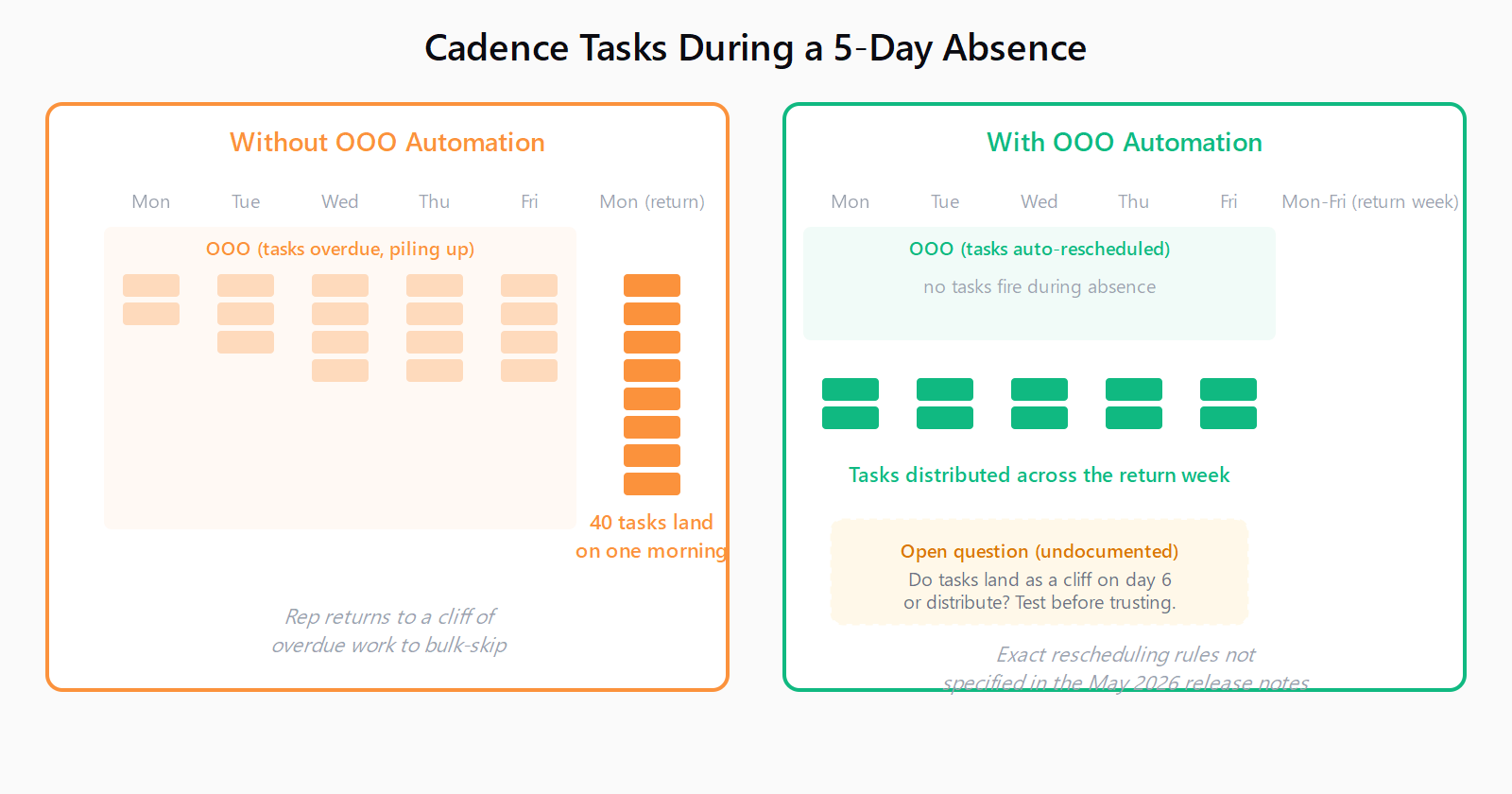
The specific things to verify: does the yellow banner appear when expected; do tasks due during the OOO window disappear from the rep's daily queue or show as rescheduled with a future date; what date do they land on after the absence ends; and do time-bound steps get handled differently from generic ones. If you have ever debugged an Apollo sequence stuck after a mailbox disconnect, the instinct is the same - the feature either does what you expect or it does not, and finding out on a rep's first real PTO is the expensive way to learn.
One operational note worth flagging: the feature reschedules tasks on the rep's own cadence, it does not reassign them to a coverage rep. If your team's OOO policy involves handing active deals to a colleague, that handoff still happens manually. The automation handles the task scheduling, not the account coverage - a distinction that matters more for inbound-heavy teams where a delayed response to a hot lead costs a meeting regardless of how cleanly the cadence tasks are rescheduled.
The prospecting side of OOO is where the gap is widest. The cadence pauses, the tasks reschedule, but the pipeline that feeds the cadence does not stop needing attention. A rep coming back from a week off returns to rescheduled tasks on existing contacts but no new researched leads to work into the cadence once those are cleared. We think about that seam at Leadex, because the research pipeline that builds prospect lists is the thing that keeps a rep's queue full when the cadence itself was on hold - Leadex runs a cloud browser agent that researches a target audience and returns a CSV of verified prospects, so a rep on PTO can queue a research run before they leave and come back to a fresh batch of leads ready to enroll rather than a week of stalled momentum they have to dig out of manually.
FAQ
What does Salesloft Seller Out of Office Automation do?
It detects "Out of Office" events on a rep's connected calendar and automatically reschedules their Cadence tasks to after the absence ends, so tasks do not pile up as overdue during PTO. The feature requires an admin to enable it in Meetings Settings and each rep to enable the toggle in their Calendar Settings with Calendar Sync active.
How do I enable Seller OOO Automation in Salesloft?
An admin enables the feature for the team from Meetings Settings. Each rep then enables the Seller OOO Automation toggle in their Calendar Settings and sets an OOO event on their external calendar. A yellow "OOO Enabled" banner at the top of the platform confirms it is active.
Does Salesloft OOO Automation reassign tasks to another rep?
No. The feature reschedules the rep's own Cadence tasks to after their return - it does not reassign them to a coverage rep. Account handoffs for active deals still need to happen manually.
What happens to time-sensitive cadence steps during OOO?
The May 2026 release notes do not specify how time-bound steps (such as a follow-up due two days after a demo) are handled during an absence. Test the behavior on a sandbox cadence before trusting the automation with cadences that contain time-sensitive logic.
Why is the yellow OOO Enabled banner not showing in Salesloft?
The most common cause is Calendar Sync not being active on the user's profile, which the release notes list as a prerequisite. Both the admin toggle in Meetings Settings and the user toggle in Calendar Settings must be enabled, and the rep must have an actual OOO event on their synced external calendar.