How to Work Around LinkedIn's 3 Custom-Note Invites Per Month Cap Inside Lemlist Sequences
LinkedIn caps custom-note invites at 3/sender/month. Default the Invite step to no-note and reserve personalized notes for a 3-contact VIP branch.
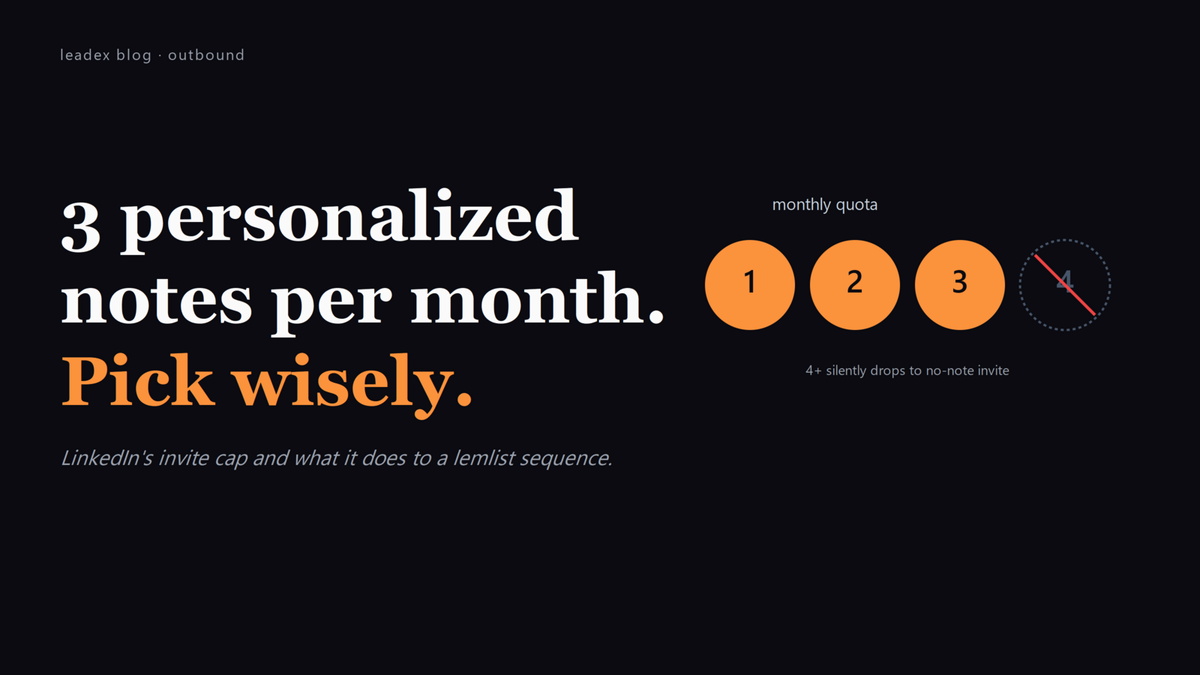
LinkedIn caps connection requests with a custom note at three per month per sender. The number is real, the enforcement is silent, and a lemlist multichannel sequence that fires a personalized Invite step at every prospect will exhaust the quota in the first hour and drop the rest of the cohort to no-note invites without telling you. The personalization premise of the cadence vanishes; the cadence reports the same step count for everyone; the lemlist UI does not show the cutover.
The cap was announced quietly in 2023 and tightened through 2026. LinkedIn's official messaging frames it as anti-spam: standard (no-note) invites stay at the higher daily allowance, custom-note invites get the per-month ceiling, and the gap is meant to discourage templated personalization at scale. The blast radius is wider than that - any multichannel sequencer that treats "Invite with note" as a default step inherits the cap, and lemlist is one of the more popular ones running into it.
From lemlist's own how-to on LinkedIn steps:
LinkedIn limits connection requests with a custom note to 3 per month. [...] Recommended maximum: 100 actions per day for account safety. [...] LinkedIn only allows sending messages to people you're connected with (1st-degree connections).
How the cap actually breaks a lemlist sequence
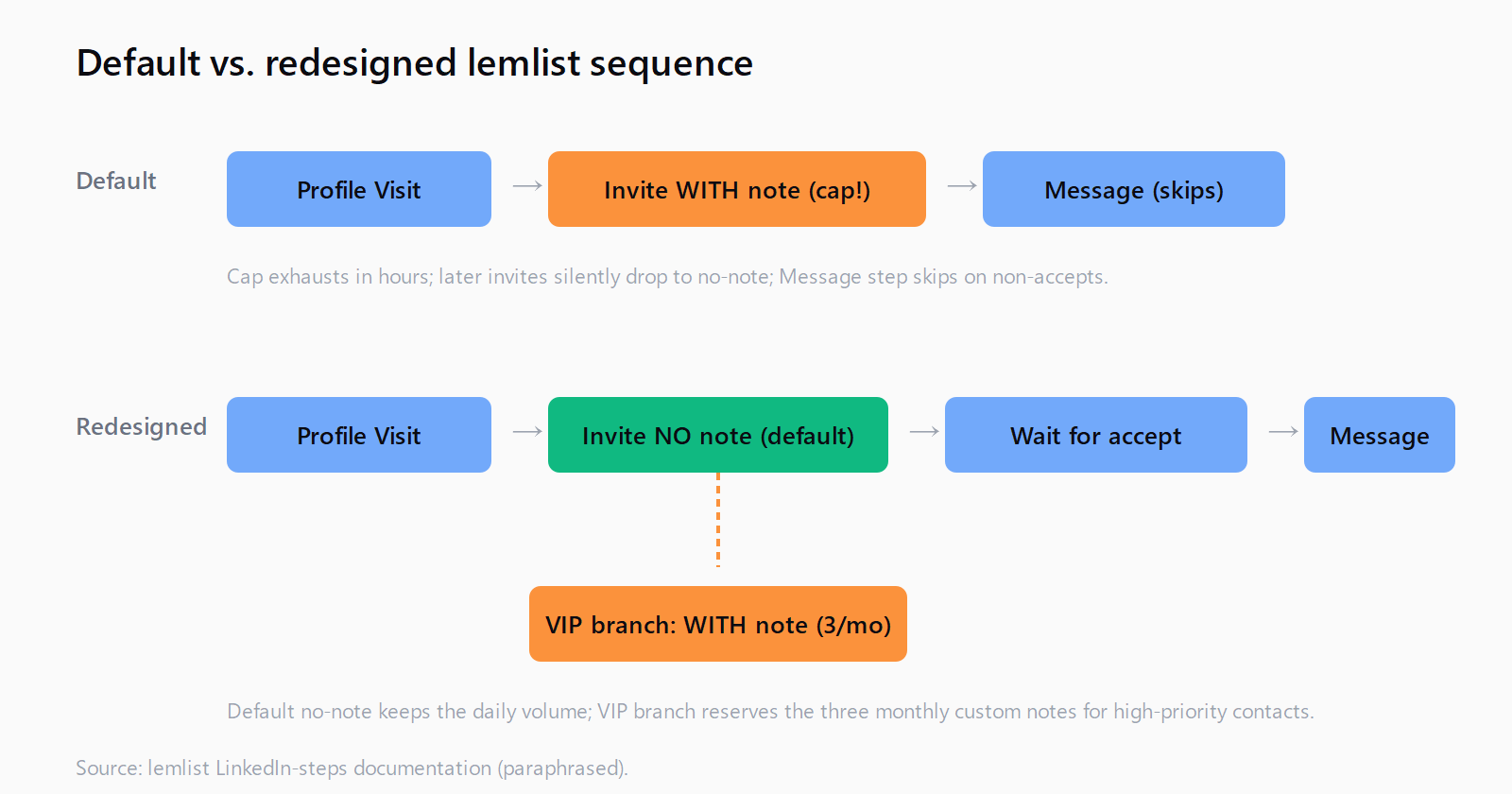
The default lemlist multichannel template that ships with the Multichannel Expert plan looks like this: Profile Visit, then Invite with a personalized note, then a Message step a few days later. The sequence assumes the Invite step lands with a note. After the third invite of the month sends, the fourth (and every subsequent) Invite step does one of two things depending on the configuration - either falls back silently to a no-note invite, or fails the step entirely. Neither outcome surfaces clearly in the lemlist activity log; both leave the cadence intact but the personalization gone.
The Message step compounds the problem. Per lemlist's documentation, Message only fires on 1st-degree connections - so a prospect who got a no-note invite (less likely to accept) and didn't accept will never receive the templated Message either. The sequence reports the step as "skipped"; the prospect's experience is a single anonymous connection request and silence. A multichannel cadence that was supposed to layer four touches collapses to one.
How to flip Invite without a note into the default
The fix that scales is counterintuitive: the default Invite step should NOT carry a personalized note. Reserve the custom note for a manually flagged VIP segment of three contacts per sender per month, identified by a custom field in lemlist (e.g. vip_segment = "tier_one") or by a dedicated sub-sequence. Everyone else gets the higher-volume no-note invite, which doesn't draw down the monthly cap.
The data on this is uglier than the personalization advocates want to hear: a 2024 LinkedIn-side study (referenced by several practitioner Discords; not officially published) suggested no-note invites accept at a comparable or slightly higher rate than note-bearing ones, possibly because the note often reads as templated and triggers a "no thanks, this is a sales sequence" reaction. Treat the number as directional, not gospel - but the personalization premium is smaller than the lemlist Invite-with-note default implies.
In lemlist's step builder, the toggle is "Add a personalized note" inside the Invite step. Turn it off as the cadence default; create a separate three-contact branch for VIP that has it on. Tag the branch so the cap exhaustion is visible: when the lemlist activity log shows three "Invite with note" sends in a given month for a given sender, the next VIP route should pause until the calendar rolls.
How to stay under the 100-actions-per-day account ceiling
The other lemlist-documented cap is total LinkedIn actions per day: under 100 across all step types (Profile Visit, Invite, Message, Voice Message, AI Voice Message) per sender, to avoid LinkedIn's account-restriction triggers. Multichannel sequences quietly compound this - a single prospect can consume three actions in one day if Profile Visit, Invite, and Message all fall on the same step trigger - so a sender running two parallel sequences can hit the ceiling on 33 contacts.
The pattern that works: spread step triggers across days inside the sequence (Profile Visit on day 1, Invite on day 2, Message on day 5+), and cap simultaneous sequence enrollment per sender at 30-40 contacts. That keeps the daily action count under 80 even on the heaviest sequence day. If a team needs more volume, the answer is more senders, not more actions per sender - LinkedIn's restrictions are account-level, not org-level. This is the same redundancy logic we covered in building a signal-based outbound workflow from scratch.
How Message steps need a target by step three
Message steps only fire on 1st-degree connections. If a sequence puts the Message step at position 2 (right after Profile Visit, before Invite), it will silently skip every prospect who isn't already connected - which is most of them on a fresh list. The sequence reports activity, the prospect gets nothing, the cadence appears healthy.
The route that lemlist's own multichannel-expert workflows use puts Profile Visit at step 1, Invite (no note, in the new design) at step 2, then waits for connection acceptance, then Message at step 3+. Conditional logic in the step builder can branch on acceptance status - if accepted, route to Message; if not, route to a follow-up email or a second Invite (with note, if VIP, drawing from the monthly cap allowance). The waterfall logic exists; most teams don't configure it because the templates ship with the simpler linear flow.
Where Leadex fits in the LinkedIn cap math
The whole tension comes from sending more LinkedIn touches than LinkedIn wants you to send. The upstream answer isn't a clever workaround for the cap - it's hitting fewer, better-targeted prospects so the personalization budget (three custom-note invites per sender per month) is enough. Leadex sits one layer earlier than the sequencer: describe the ICP in chat, the agent runs discovery across the open web plus your connected enrichment providers, and the deduped list lands ready for sequencing. A tighter list means fewer Invite steps consumed against the cap; a tighter list also means the three custom notes per month actually go to the prospects worth personalizing for, instead of being burned in the first 30 minutes of cadence activation. We wrote about the discovery-side version of this in our Apollo alternatives roundup - the same logic applies one tool over.
Three checks once the redesign is in place, worth running weekly until the cadence shape stabilizes:
First, in the lemlist activity log filtered by sender, count "Invite with note" actions per calendar month. If the count is at three, the cap is exhausted for that sender for the month; if it's higher than three on a single sender, lemlist is silently sending no-note invites under the "Invite with note" label (which has happened in past versions) and the cap math is broken. Second, audit Message-step skip rates. A skip rate above 60% on Message steps usually means the Invite step before it didn't land - either the cap fired and no-note invites went out at low acceptance, or the cadence didn't wait for acceptance. Third, audit connection-acceptance rate per step variant: with-note vs without-note acceptance numbers from the last 90 days, segmented by sender. If with-note isn't significantly higher than without-note, the monthly cap is being spent on personalizations that aren't earning a premium - and the three-contact VIP branch isn't pulling its weight.
The kicker: lemlist's API exposes the per-sender action counter, but the standard dashboard does not surface it. A small daily report from the API into Slack ("sender X has used 2/3 custom-note invites this month") is more useful than any in-app alert, because it forces the conversation about which three prospects this month deserve the note - which is the question the cap is implicitly asking the team to answer in the first place.
FAQ
What is LinkedIn's monthly limit on connection requests with a custom note?
Three per sender per month, per lemlist's official LinkedIn-step documentation. Standard (no-note) connection requests stay at the higher daily cap. The limit is account-level and resets on a rolling calendar basis, not on subscription tier.
Should I send LinkedIn invites with or without a note in lemlist?
Without a note as the default; with a note only for a manually flagged VIP segment of three contacts per sender per month. The personalization premium on note-bearing invites is smaller than the templates imply, and the cap makes "with note" the wrong default for any sequence over three prospects.
How many LinkedIn actions can lemlist run per day safely?
Under 100 per sender across all step types (Profile Visit, Invite, Message, Voice Message), per lemlist's account-safety guidance. Multichannel sequences can stack three actions on one prospect in one day, so cap concurrent enrollment at 30-40 contacts per sender.
Why don't lemlist Message steps fire on all my prospects?
Message steps only fire on 1st-degree connections. If a prospect hasn't accepted the Invite step yet, the Message step is silently skipped. The fix is conditional logic in the step builder - branch on acceptance status, route accepted contacts to Message, unaccepted ones to email or a second Invite.
Which lemlist plan is required for LinkedIn steps?
Multichannel Expert or Enterprise, per lemlist's multichannel-prospecting page. Lower-tier plans (Email Starter, Pro) do not include LinkedIn step types and the multichannel sequence builder will only show email and phone steps. Upgrading mid-sequence preserves enrolled contacts but disables newly-added LinkedIn steps until billing cycles.